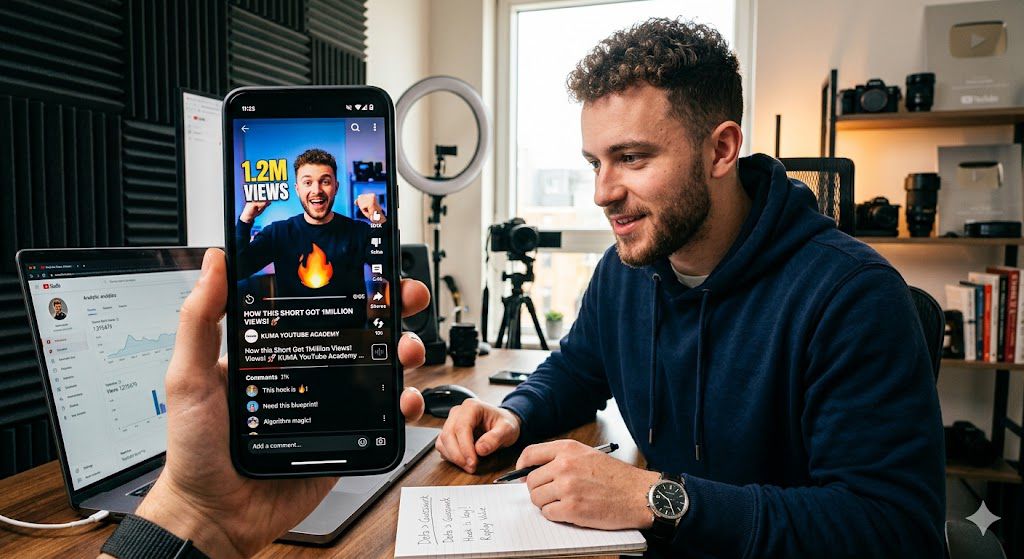
You spend hours scripting, editing, and perfecting the thumbnail for your latest Short. You hit ‘publish’ with high hopes, only to watch it flatline at 50 views. Meanwhile, a 10-second clip you filmed in five minutes is sitting at 100k. It feels like a casino, right? But what if I told you the ‘Shorts Lottery’ isn’t actually gambling—it’s a data game you just haven’t learned the rules to yet?
Unlike traditional YouTube videos—which rely on search results, homepage recommendations, and intentional clicking—YouTube Shorts operate on a “Served” model.
Think of the Shorts Feed as a high-speed digital treadmill. The viewer isn’t choosing your video; they are passively swiping through a personalized stream. You are effectively “served” to them, and they are one flick of the thumb away from disappearing from your video forever.
YouTube doesn’t just broadcast your Short to the world the moment you hit “publish.” It conducts a controlled experiment:The Initial Wave: Your video is shown to a small “test audience”—a group of users the algorithm believes are likely to enjoy your content. The Verdict: The algorithm monitors this group’s reaction with one primary question: Did they swipe away, or did they stop to watch? The Scaling Phase: If this test group stops to watch, your video is “pushed” to a larger, broader audience. If they swipe away, the signal sent to the algorithm is simple: This video isn’t worth showing to anyone else.
In this environment, your “thumbnail” isn’t a picture—your first frame is your thumbnail.
If you start with a slow fade-in, a long “hey guys” intro, or a generic, ambiguous visual, you are inviting the viewer to swipe. You aren’t just losing a view; you are telling the algorithm that your content is “low-interest.” Every single swipe in those first two seconds acts as a “dislike” signal that shrinks your potential reach.
You aren’t just making a video; you are managing a high-stakes “stop-rate” game. If your content doesn’t demand immediate attention, the algorithm will stop serving it to ensure the viewer stays on the platform.
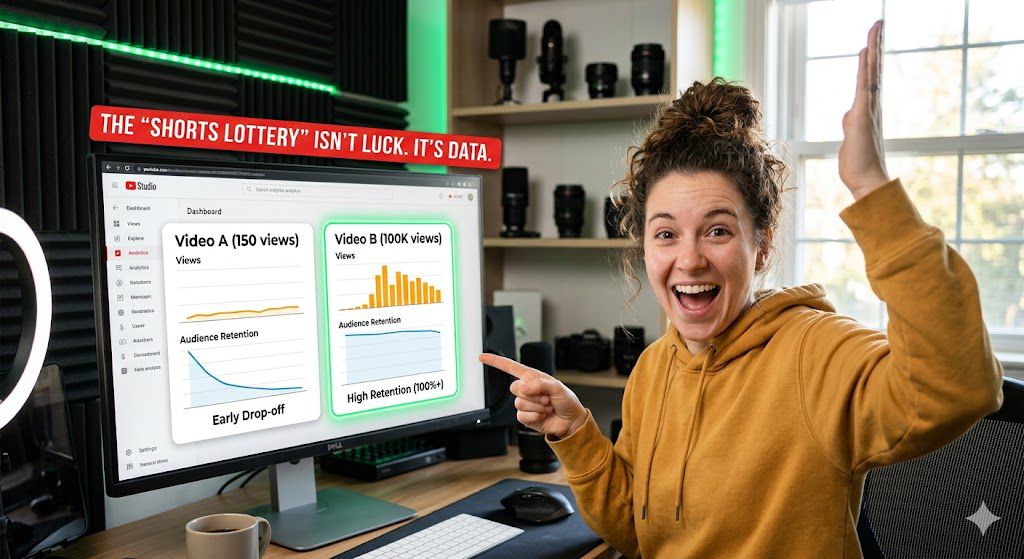
Behind the Scenes of the Shorts Feed
Many creators assume that the moment they hit “Publish,” their Short is blasted out to thousands of potential viewers. In reality, the YouTube algorithm is much more cautious. It operates like a quality-control filter, and your first hurdle is what we call the “Test Audience” phase.
When you upload a Short, YouTube doesn’t immediately know who will like it or how good it is. Instead, it pushes the video to a small, diverse “test group” of users. These users are often a mix of your existing subscribers and people who have interacted with similar content in the past.
During this window—which can last anywhere from a few minutes to a few hours—the algorithm is essentially asking one question: “Is this video worth keeping on the screen?”
During this test phase, the algorithm is obsessively tracking two specific metrics to decide whether to kill the reach or pour gas on the fire:
Viewed vs. Swiped Away: This is the ultimate “scroll-stopper” test. If a high percentage of your test audience swipes away within the first second, the algorithm assumes the content is low-quality or misleading and drops it from the feed.
Average Percentage Viewed (APV): If people stay to watch, the algorithm measures how much of the video they consume. If your 30-second video has an APV of 110% (meaning many people looped it or watched it twice), the algorithm sees a massive “Keep Watching” signal.
If the data from your test audience is strong, the algorithm “levels up” your reach. It pushes the video to a slightly larger, broader audience. If that second group reacts just as well, it pushes it to an even wider pool.
This is why some Shorts feel like they have a “view ceiling.” If your video stops growing at 50, 500, or 1,000 views, it isn’t a random glitch. It means the video failed the test at that specific tier. The content wasn’t engaging enough to satisfy the broader audience requirements of that next level.
How the Algorithm Decides Your Short’s Fate
Think of the YouTube Shorts algorithm not as a lottery, but as a high-stakes talent scout. Every Short you upload undergoes a two-phase process: The Explore Phase and The Exploit Phase.
The moment you hit publish, your Short is entered into a limited “test group.” YouTube doesn’t know if your video is good; it only knows its metadata (your title, hashtags, and keywords). It serves your video to a small, diverse seed audience—usually people who have engaged with similar content in the past. During this phase, the algorithm is looking for a “Yes” or “No” signal. It’s not looking at your subscriber count; it’s looking at raw behavior.
If your Short passes the test, the algorithm “exploits” it—meaning it pushes the video to a much larger, wider audience. The transition from “Explore” to “Exploit” is triggered by three specific behavioral catalysts:
- 1. The “Viewed vs. Swiped Away” Ratio: This is the ultimate gatekeeper. If viewers see your video and immediately swipe up, the algorithm concludes the content is uninteresting or the hook failed. If they stop, watch, and don’t swipe, that’s a “Viewed” signal. Aim for a 75-80% viewed ratio to get past the first gate.
- Average Percentage Viewed (APV): Does the viewer stay for 20% of your video, or 100%? Because Shorts are looping, an APV of over 100% (meaning people are rewatching it) is the “gold signal.” When the algorithm sees people watching your 30-second video for 35 or 40 seconds, it interprets that as high-value content and opens the floodgates.
- Engagement Velocity: It isn’t just that people engage; it’s how fast they do it. If a flurry of likes, comments, and shares happens within the first hour, the algorithm interprets this as a “hot” signal. It assumes the video is creating a buzz and starts recommending it to people beyond your immediate niche.
If your Short stays stuck at 50 or 100 views, it’s not bad luck—it’s a data signal. The algorithm tested it, and the data showed that the viewers didn’t engage long enough or didn’t find the content compelling enough to “stop the scroll.” Key Takeaway for Creators: You aren’t fighting for “luck”; you are fighting for retention. If you can convince that initial test group to watch to the end and maybe even watch again, the algorithm will do the heavy lifting of distribution for you.
The Hook (The First 2 Seconds)
In the world of YouTube Shorts, you don’t have the luxury of a slow burn. If you don’t grab your viewer’s attention within the first 120 frames, they are already gone. The “Shorts Lottery” is often won or lost before a viewer even hears your first sentence.
The “Scroll-Stopper” Effect
The Shorts feed is built on the friction-less experience of endless swiping. Your video is competing against millions of others for a fraction of a second of interest. To win this battle, you need a Scroll-Stopper. This is any visual or auditory element that forces the thumb to pause.
- Visual Movement: Start your video with immediate motion—an action, a sudden change in frame, or high-energy B-roll. Static talking heads rarely win in the first two seconds.
- The “Pattern Interrupt”: Humans are wired to ignore repetitive patterns. If your video looks, sounds, or feels exactly like the ten Shorts the viewer just swiped past, they will keep scrolling. Do something unexpected immediately.
- The Open-Loop: Start your video mid-sentence or mid-action. By dropping the viewer into the middle of a story, you create a “curiosity gap”—they have to keep watching to understand the context of what they just saw.
Visuals aren’t the only way to stop a scroll. A sudden sound effect, a provocative question, or a high-energy statement can act as an anchor that locks the viewer in.
Check your retention graph in YouTube Studio. If you see a massive drop-off at the 2-second mark, your hook is failing. If that line stays relatively flat, your hook is doing its job and the viewer is invested enough to see what comes next.
Don’t waste the first two seconds on branded intros, “Hey guys, welcome back,” or slow establishing shots. These are retention killers. Your video should start at the exact moment the value begins. Every frame you spend “setting the scene” is a frame that gives the viewer an excuse to swipe away.
Retention & Replay Value: The Secret Sauce
If the “Hook” is how you stop the scroll, Retention is how you keep them there. YouTube’s algorithm has one primary goal: to keep people on the platform. Every time a viewer drops off, the algorithm sees a “stop sign.” When they stay to the end, the algorithm sees a “green light” to push your video to more people.
In the world of long-form content, 50% retention is often considered a win. On YouTube Shorts, that’s a failure. Because Shorts are consumed rapidly, the bar is much higher.
- The “Loop” Factor: The holy grail of Shorts performance is an Average Percentage Viewed (APV) that exceeds 100%. This happens when your video is structured so perfectly that the viewer doesn’t realize it has ended and begins watching it a second time.
- The Seamless Loop: You’ve likely seen creators who end their video with the exact same sentence or visual frame that they started with. When the “outro” flows perfectly into the “intro,” the algorithm registers a massive surge in engagement, signaling that your content is “highly satisfying.”
To increase retention, try this strategies
If you check your YouTube Studio analytics and see a steep cliff in your retention graph within the first 3 seconds, your hook didn’t deliver on its promise. If you see a gradual decline throughout the video, your pacing is likely too slow.
- The “Jump-Cut” Velocity: If there is a breath, a pause, or a moment of dead air in your edit, cut it. Your visuals should change or your audio should escalate every 2–4 seconds to keep the viewer’s brain engaged.
- Visual Anchors: Don’t just rely on your voice. Use text overlays, B-roll, or screen recordings that change frequently. This forces the viewer’s eye to keep moving, which naturally keeps them watching longer.
- The Information Gap: Structure your Short by teasing the “payoff” at the very beginning and withholding the final answer until the final seconds. This creates a psychological urge to finish the video to get closure.
Understanding Interaction Signals
Beyond just watching, YouTube’s algorithm needs “proof” that your content provides value. It determines this through Interaction Signals. When a user engages with your video, they are essentially telling the algorithm, “This content is worth showing to more people.”
1. The “High-Intent” Signals (The Heavy Hitters)
These are the actions that carry the most weight because they require active effort from the viewer.
Shares: When a viewer hits the share button, they are vouching for your content. It’s the ultimate endorsement. The algorithm views a high share rate as a signal that the video has “viral potential.”
Comments: Comments aren’t just for community building; they are retention tools. When a user is typing a comment, the video often continues to loop in the background, significantly boosting your Average Percentage Viewed (APV).
Saves/Favorites: This signals that your content is “evergreen” or highly valuable—something the viewer wants to reference later. It tells YouTube that your video has long-term utility.
2. The Baseline Signal (The Gatekeeper
While a “Like” is the easiest signal to give, it acts as a primary filter. A low like-to-view ratio tells YouTube that even if people watched, they didn’t find the content compelling enough to validate.
3. Why These Signals Matter (The “Push” Factor)
The Test Audience Cycle: When your Short is in the “test” phase, the algorithm is monitoring the ratio of these interactions.
The Threshold: If your video hits a certain engagement threshold, the algorithm expands your reach from the initial test group to a larger audience. If the engagement is low, the “tap” is turned off, and the video flatlines.
4. Actionable Strategy: How to Engineer Engagement
Don’t just wait for engagement—design for it. You can suggest these techniques to your readers:
The “Controversial” Hook: Ask a question in the video that forces people to head to the comments to “correct” or agree with you.
The Loop-Friendly Script: Structure your script so the end of the video flows perfectly back into the start. If someone re-watches your 30-second video twice, you are technically hitting 200% retention, which is the fastest way to signal viral success.
The Pinned Comment CTA: Always pin a comment that poses a specific question. It gives viewers a “low-friction” way to interact with your channel immediately.
Factors That Might Be Holding Your Views Back
If your Shorts are consistently hitting a “view ceiling”—stagnating after a few hundred or even a few dozen views—the algorithm isn’t being “unfair.” It is simply following the data provided by your initial viewers. Here are the most common culprits:
How effectively implement A/B testing for your Shorts
- The “First-Frame” Failure (High Swipe-Away Rate):
On the Shorts feed, your first frame acts as your thumbnail. If you start with a blank screen, a slow “Hey guys,” or a generic image, the viewer’s thumb will hit the screen before your video even gets a chance. If your “Viewed vs. Swiped Away” metric in YouTube Studio is below 60%, your hook isn’t doing its job. - The “Niche Drift” Problem:
If your channel is about “AI Automation” one day and “Football Betting” the next, the algorithm has no idea who to show your videos to. YouTube needs to build a profile of your “ideal viewer.” If your content is scattershot, you confuse the algorithm, leading it to serve your video to people who aren’t interested. - Production Value & Pacing:
Even a low-budget production can feel professional with the right pacing. If your video is visually stagnant—meaning there are no cuts, zooms, or text overlays for 3–5 seconds at a time—the viewer will disengage. Keep the energy high and the visuals moving. - The “Seed Audience” Mismatch:
YouTube tests every video with a small “seed” group. If that group is misaligned with the content (e.g., your video was shown to people who don’t watch your niche), they will swipe away. This is often caused by generic or irrelevant tags and titles that trick the algorithm into miscategorizing your video. - Ignoring the Loop:The “secret” to high-performing Shorts is often the loop. If your video ends abruptly, it’s a natural stopping point for the viewer. If your ending flows seamlessly back into your beginning, you create a “hidden” engagement signal that the algorithm loves.
Don’t just look at the total view count. Open YouTube Studio Analytics and look at your Retention Graph. A steep, sudden drop in the first 3 seconds indicates a weak hook. A slow, steady decline throughout the video suggests the content itself isn’t delivering on the promise of the hook.
Debunking Common Myths: Why Your YouTube doesn’t get views
Many creators believe they are “shadowbanned” or that the algorithm is out to get them. In reality, they are just repeating bad advice. Let’s set the record straight:
Myth #1: “Consistency Means Posting 3 Times a Day”
The Reality: Quality beats frequency every time. YouTube is not a robot that rewards you for just “showing up.” It rewards you for keeping users on the platform. If you post three low-quality Shorts, you are just training the algorithm that your channel produces “swipe-away” content. Focus on one high-quality, high-retention video per day rather than spamming mediocre ones.
Myth #2: “If a Short Flops, I Should Delete and Re-upload”
The Reality: This is one of the fastest ways to hurt your channel. Deleting and re-uploading signals to YouTube that you are trying to “game” the system. If a Short fails, it didn’t fail because of the time of day or a bad upload; it failed because the hook didn’t capture the initial test audience. Instead of deleting, analyze the retention graph in Studio, learn why they clicked away, and apply that lesson to your next video.
Myth #3: “Timing is Everything (The ‘Golden Hour’ Myth)”
The Reality: Unlike long-form videos which rely on subscribers hitting the notification bell, Shorts are distributed based on interest. A Short can receive zero views for 48 hours and then suddenly go viral a week later because the algorithm found a new audience segment that matches your content. Don’t obsess over the “perfect” time to post—focus on the perfect content.
Myth #4: “I Need a Huge Budget to Go Viral
The Reality: The most viral Shorts are often the simplest. Viewers aren’t looking for cinematic production; they are looking for value (entertainment or information) delivered quickly. Expensive gear won’t fix a boring script or a weak hook. The algorithm cares about watch time, not your camera resolution.
Stop worrying about “hacking” the system and start worrying about “hooking” the viewer. The algorithm is just a mirror reflecting your audience’s behavior. If they swipe, you need to change your approach. If they stay, the algorithm will naturally do the work for you.
Audit Your Analytics
To turn your analytics into actionable growth, you need to treat your Audience Retention graph like a diagnostic tool. In YouTube Studio, this graph doesn’t just show you “how many” people left—it shows you the exact second they lost interest.
Here is how to audit your retention like a pro and fix the leaks in your content.
1. The Anatomy of the Graph:
- The “Intro” Dip: If you see a sharp drop in the first 3–5 seconds, your hook failed. Viewers clicked, saw the first frame, and decided it wasn’t worth their time.
- The “Gradual Decline”: This is normal, but a steep decline suggests your pacing is too slow, your audio is dragging, or your “value” isn’t being delivered fast enough.
- The “Exit Spikes” (Dips): If you see a sudden “shelf” or drop (4%+ of your remaining audience), scrub to that exact timestamp. Watch it fresh. Is there a boring transition? An overly long explanation? A shift in energy? That moment is a friction point.
- The “Rewatch” Spikes: If the line actually moves upward (over 100%), you have struck gold. This means people are rewinding to re-watch a specific joke, fact, or visual. Study this moment: What exactly happened there? Repeat that style in your next video.
If you want to move from “Shorts Lottery” to predictable growth, perform this audit on your last 10 uploads:
Open your top 3 performers and bottom 3 performers. Compare their retention graphs side-by-side. Where does the bottom-performer graph “die” compared to your best one?
Create a simple spreadsheet. List the video, the timestamp of the biggest drop, and write down exactly what was happening on screen at that moment.
Look for recurring themes in your “Dead Zones.” Do you always lose people when you transition to a new scene? Or perhaps when you start talking about yourself instead of the viewer?
The highest-performing Seffectively horts are those that end exactly where they began. When you structure your video so the ending leads seamlessly back into the intro, the viewer often doesn’t realize the video has looped. This spikes your retention over 100%, which is the strongest signal you can send to the algorithm that your content is “must-watch” material.
How to effectively implement A/B testing for your Shorts
To effectively implement A/B testing for your Shorts, you need to treat each intro as a “data-gathering experiment” rather than just a creative choice.
When you are creating two versions of a Short, the core content (the middle and the end) must remain identical. You are only isolating the first 2–3 seconds to see which one commands higher retention.
When you are creating two versions of a Short, the core content (the middle and the end) must remain identical. You are only isolating the first 2–3 seconds to see which one commands higher retention.
The Testing Setup
Variable A (The Curiosity Gap): Start with a question or a “What happens next?” visual.
Example: “I tested 10 AI tools so you don’t have to. Here is the winner…”
Variable B (The High-Stakes Result): Start with the final result or a bold claim.
Example: “This AI tool just saved me 5 hours of work in 2 minutes.”
At the end of the day, virality is not a lightning strike—it’s a result of deliberate choices. While it is tempting to chase the latest trending audio or mimic a random viral sensation, those are short-term tactics, not a sustainable growth strategy.
The creators who consistently hit 100k views aren’t just “luckier” than everyone else; they are the ones who treat their channel like a laboratory. They listen to the data, study their retention graphs, and refine their hooks until the algorithm has no choice but to favor them.
Stop viewing the Shorts feed as a lottery where you hope for a win. Start viewing it as a feedback loop. When you prioritize consistent quality over fleeting trends, you stop gambling with your content and start building a reliable system for growth.
Frequently Asked Questions
1. Does deleting a Short and re-uploading it help if it “flops”?
Generally, no. Deleting and re-uploading the exact same file rarely fixes a performance issue. If a video failed, it’s usually because the content didn’t hold the viewer’s attention. Instead of re-uploading, use that time to analyze where viewers dropped off in your analytics and apply those lessons to your next, original video.
2. Is there a “best time” to post YouTube Shorts?
Unlike long-form content, which relies heavily on your subscribers’ active hours, Shorts are distributed globally via the feed. While posting when your specific audience is active can provide a small initial boost, high-quality content will find its audience regardless of the time stamp. Focus on quality over a “perfect” posting schedule.
3. Do hashtags actually help my Shorts get more views?
Hashtags are helpful for categorization, but they aren’t magic bullets for virality. Use 2–3 relevant, high-traffic hashtags (like #YouTubeTips or #YourNiche) to help the algorithm understand your topic, but don’t overstuff your description. Your content’s performance depends far more on retention than on hashtags.
4. How long should my Shorts be to get the best reach?
There is no “magic length,” but the “best” length is the shortest time it takes to deliver your value. If you can deliver the same impact in 15 seconds that you can in 50 seconds, go for 15. The goal is to keep viewers watching until the end—or even looping the video—to signal high value to the algorithm.
5. Why do my Shorts stop at 1,000 (or 2,000) views?
Hitting a “view ceiling” is common. It usually means your video passed the first “test audience” phase but failed to sustain enough interest to graduate to a larger, broader audience. Check your Average Percentage Viewed; if it’s below 70-80%, the algorithm stopped pushing the video because viewers were swiping away too early.