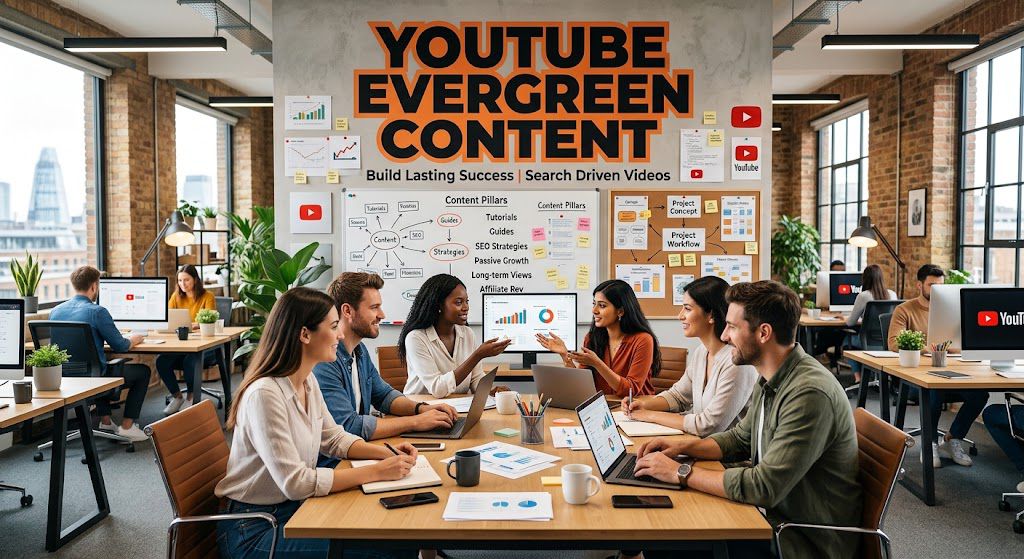
Chasing viral trends on YouTube is like buying a sprint ticket when you’re running a marathon.
Sure, riding a trending topic gives you a fast burst of speed, but as soon as the hype dies, your traffic drops to zero. Evergreen content, on the other hand, is your channel’s engine. It focuses on timeless topics, burning questions, and high-search problems that viewers will be looking up today, next month, and five years from now.
Stop building a channel that lives for 48 hours. Here are 20 evergreen YouTube content ideas that will keep views rolling in for years to come.
How Evergreen Content Turns YouTube into a Passive Lead-Generation and Views Engine
When creators and business owners launch a YouTube channel, they often fall into the trap of the “Trend Treadmill”—constantly churning out news reactions, seasonal topics, or fast-fading viral formats. While trend chasing can produce short-term view spikes, those views vanish just as quickly as they appear. Once you stop publishing, your traffic flatlines.
Evergreen YouTube content changes the rules completely.
By focusing on timeless, high-intent topics that answer fundamental questions, evergreen content turns your channel from a temporary broadcast line into a compounding digital asset. Here is how evergreen videos fuel sustainable long-term views and automated lead generation:
1. YouTube is the World’s 2nd Largest Search Engine
Unlike social platforms (like Instagram or TikTok) that prioritize immediacy in a real-time feed, YouTube functions primarily as an intent-driven search and recommendation engine.
Search Intent: Millions of users turn to YouTube daily searching for specific solutions (e.g., “How to set up Google Analytics 4” or “Best camera settings for real estate photography”).
Search Longevity: A well-optimized evergreen video ranks in search results and keeps accumulating targeted views month after month, year after year—long after its initial upload date.
2. The Compounding Traffic Effect
Trending content front-loads 90% of its lifetime views into its first 72 hours. Evergreen content does the exact opposite.
As you build a library of 20, 50, or 100 evergreen videos, every new upload adds a permanent layer to your daily baseline traffic. Even when you take a vacation or step away from creating for a month, your catalogue continues working, educating, and capturing attention 24/7.
3. High-Intent Lead Generation on Autopilot
Evergreen content attracts viewers at the exact moment they are actively trying to solve a problem. This makes them far more qualified and receptive to taking action than passive feed scrollers.
How to structure evergreen videos for lead capture:
Free Resource Bridge: Offer an extended guide, template, checklist, or resource in the description box or pinned comment that expands on the video’s topic.
In-Video Call to Action (CTA): Verbally direct viewers to your lead magnet halfway through or at the end of the video when viewer trust is highest.
Evergreen Sales Funnel: Once viewers enter your email list via the lead magnet, your automated email sequences can nurture them into paying clients or customers without any manual intervention.
4. Maximized ROI on Content Creation
High-quality video production takes time, energy, and financial resources.
Spending 10 hours creating a video on a news story that loses relevance in 48 hours offers a low return on investment (ROI).
Spending 10 hours creating a definitive tutorial on a core industry problem can generate thousands of organic leads, sales conversions, and ad revenue for the next 3 to 5 years.
Trend-driven videos buy you attention today; evergreen videos build you an asset for tomorrow. When you build content around timeless audience challenges, YouTube stops being a content grind and becomes your most reliable, automated growth engine.
Here is a comprehensive list of 20 beginner-friendly evergreen video ideas every creator can use, categorized by strategy and content type.
1. Step-by-Step How-To Tutorials
Unlike news commentary or trending topic reactions—which lose relevance within days—a high-quality tutorial solving a specific, recurring problem continues to rank in YouTube search for years. As long as people face that problem, your video will generate steady, organic views on autopilot.
YouTube is the world’s second-largest search engine, and the vast majority of search queries begin with “How to…”
Key Benefits for Creators
High Search Intent: Viewers clicking a tutorial have an immediate problem and are actively seeking a solution, leading to higher engagement.
Affiliate & Monetization Opportunities: Tutorials naturally allow you to feature specific tools, software, or equipment with affiliate links in the description.
Authority Building: Solving a viewer’s problem instantly builds trust and positions you as an expert in your niche.
How to Structure an Evergreen Tutorial Video
The Hook (0:00 – 0:15): Show the end result immediately. Tell the viewer exactly what they will accomplish by the end of the video.
Prerequisites / What You Need (0:15 – 0:45): Briefly list tools, software, or materials required so the viewer can follow along.
Numbered Step-by-Step Execution: Keep explanation clear and concise. Use on-screen text overlays for each step (e.g., Step 1: Set Up Your Canvas).
Pro-Tip or Common Pitfall: Share one extra tip or warn about a common mistake to add extra value that competitors miss.
Clear Call-to-Action (CTA): Point viewers to a related tutorial or link to resources in the description.
Focus on Specificity over Generalization.
Instead of targeting a broad keyword like “How to edit video,” target long-tail keywords like “How to edit YouTube Shorts in CapCut for beginners.” Specific tutorials face less competition and match precise viewer search queries much better.
2. Beginner’s Ultimate Masterclasses
Long-form “Beginner’s Ultimate Masterclasses” are among the most lucrative evergreen video formats on YouTube. Unlike quick 5-minute tutorials, a masterclass (typically 20–60+ minutes) combines full end-to-end guidance into a single resource.
Below is a breakdown of how to structure this topic within your blog post, including top niche ideas, a winning video blueprint, and SEO monetization tips.
Why “Beginner’s Ultimate Masterclasses” Work
High Watch Time: Long-form content keeps viewers on YouTube longer, sending strong signals to the algorithm.
High Search Intent: Beginners actively search for complete guides rather than fragmented, short-form answers.
Passive Traffic Engine: A well-structured masterclass can rank on YouTube and Google search results for years.
🛠️ The Winning Blueprint for a YouTube Masterclass
To maximize retention and prevent drop-off, structure the video into structured modules:
- The Hook (0:00 – 0:30): State the exact outcome the viewer will achieve by the end of the video.
- The Roadmap (0:30 – 1:30): Briefly outline the modules/chapters covered.
- Core Modules (Body):
Module 1: Terms, tools, and prerequisites.
Module 2: Step-by-step execution/hands-on demo.
Module 3: Common beginner mistakes to avoid. - Actionable Summary & CTA: Provide a download (e.g., a free PDF checklist or template) to capture email leads.
Pro Tips for Video Creators
- Add Timestamps/Video Chapters: Use YouTube chapters in your description. This improves search indexing and helps users navigate long videos easily.
- Monetize Naturally: Mention relevant tools, courses, software, or gear throughout the masterclass and place affiliate links in the video description.
- Update the Thumbnail & Title Annually: Keep the core video content the same, but update titles to include the current year (e.g., “2026 Edition”) to keep click-through rates high.

3. “Things I Wish I Knew Before…” (Retrospective Advice)
The Retrospective Advice format is one of the most powerful evergreen video types on YouTube. It sits right at the intersection of empathy, authority, and curiosity.
High Click-Through Rate (CTR): It plays on the viewer’s fear of making costly or embarrassing mistakes.
Instant Relatability: Instead of lecturing from a pedestal, you position yourself as someone who was once in their shoes.
Broad Evergreen Search Intent: Beginners entering a new niche, career, software, or lifestyle constantly search for real-world advice to fast-track their learning curve.
5-Step Structure for an Engaging Video or Article
When writing a blog section or scripting a video around this topic, use this 5-part framework to maximize retention:
- The Hook: State the mistake or misunderstanding clearly upfront.
- The Impact: Briefly explain how much time, energy, or money that mistake cost you.
- The Shift: Explain what changed when you finally realized the truth.
- The Takeaway: Wrap it up with a single memorable rule or principle.
Key Tips for Content Creators Executing This Format
Be Brutally Honest: Don’t hide your early fails or bad results. Authentic vulnerability builds trust faster than polished success stories.
Keep It Actionable: Don’t just list regrets—pair every “wish I knew” point with a concrete “do this instead” solution.
Use Visual Proof: Show old footage, early analytics screenshots, or draft designs to contrast where you started versus where you are now.
4. Direct Head-to-Head Comparisons (Product A vs. Product B)
Head-to-head comparison videos target consumers right at the bottom of the buying funnel—the decision stage. Whether a buyer is deciding between two cameras, software subscriptions, car models, or productivity frameworks, they search for direct comparisons to resolve their indecision.
Because new buyers enter the market every day searching for the exact same choice, comparison videos generate steady search traffic for months or years after being uploaded.
Video Title Archetype: “[Product A] vs. [Product B]: Which Should You Buy in [Year]?”
Search Intent: High Commercial Intent / Decision-Making Stage
Key Elements of a Winning “Versus” Video
- Unbiased Methodology: Clearly outline testing criteria upfront (e.g., Price, Features, Ease of Use, Performance).
- Clear Verdict: Avoid cop-out endings like “It depends.” Declare an explicit winner or define precisely who should buy Option A vs. who should buy Option B.
- Visual Side-by-Sides: Use split-screen visuals, comparison tables, and direct audio/visual side-by-side samples.
- Timestamps / Chapter Markers: Allow viewers to jump directly to the specific feature comparison they care most about.
Monetization & CTR Tips for Creators
Thumbnail Strategy: Place both products side-by-side on opposite ends of the thumbnail with a high-contrast “VS” in the center. Use subtle visual cues (e.g., a green checkmark on one side or a question mark) to drive curiosity.
Affiliate Revenue: Place trackable affiliate links for both products in the top lines of the description box to maximize conversion rate regardless of which item the viewer picks.
Updating Strategy: Re-evaluate and re-title these videos annually (e.g., updating the thumbnail tag or title year) to maintain high search visibility without needing to re-film.
5. Myth-Busting & Industry Misconceptions
Every industry, niche, and hobby is filled with outdated advice, common misconceptions, and persistent myths. Because new people join your target audience every single day, these misconceptions are repeatedly re-learned—and repeatedly searched for.
Myth-busting videos perform exceptionally well for two main reasons:
- High Click-Through Rates (CTR): Human psychology is naturally drawn to curiosity and fear of being wrong. Titles that challenge existing beliefs make viewers pause and click.
- High Engagement & Debates: Challenging widely accepted beliefs creates spirited discussions in the comments section, which triggers the YouTube algorithm to boost your video’s reach.
Angle & Framing Ideas
The Direct Call-Out: Explicitly state the myth and dismantle it with evidence.
The “Stop Doing This” Frame: Focus on common mistakes people make because they believed a myth.
The Expert vs. Beginner Perspective: Compare what beginners think works versus what pros actually do.
How to Structure a Winning Myth-Busting Video
To keep viewers watching, guide creators on following a simple 4-step story arc:
- The Hook (0–30s): Name the popular myth immediately and tease the unexpected truth or consequence of believing it.
- The Origin: Briefly explain why so many people fall for this myth (validates the viewer so they don’t feel foolish).
- The Evidence: Use real data, visual demonstrations, side-by-side comparisons, or expert testimony to disprove it.
- The Actionable Alternative: Don’t just tear down the myth—give the viewer the correct strategy to use instead.
Use contrast-heavy thumbnails featuring visual elements like a large red “FALSE” stamp, a “Myth vs. Fact” side-by-side visual, or a confused/surprised face paired with the mythized item/concept.
6. “Best Tools/Software for [Target Audience]”
A roundup of essential software and tools is one of the highest-performing evergreen formats on YouTube. Buyers and creators actively search for tool recommendations year-round before spending money or upgrading their stack.
Why This Format Delivers Long-Term Success
“Best Tools” videos capture high-intent traffic. Viewers searching for software recommendations are actively looking to solve a workflow problem or purchase a tool. Because tools are central to any professional or creative workflow, these videos maintain consistent search volume month after month.
- Search Intent: High purchase intent & high audience retention.
- Monetization Potential: High affiliate commission potential (SaaS affiliate programs, hardware referral links).
- Refreshability: Easy to update annually (e.g., updating titles to reflect the current year) without re-filming the entire video.
Angles & Niche Variations
Adapt this idea to your target niche using these specific angles:
- For Video Creators & YouTubers: “Top 7 Tools Every YouTube Creator Needs to Scale in 2026”
- For Freelancers & Solo Businesses: “Essential Software Stack to Run a $10k/Month Service Business”
- For Graphic Designers & Photographers: “Best Free vs. Paid Design Tools for Beginners”
- For Automation & AI Creators: “5 AI Video Creation Tools That Save 20+ Hours a Week”
Key Takeaways & Best Practices to Include in Your Post
Categorize by Workflow Stage: Group tools logically (e.g., Idea Generation $\rightarrow$ Production $\rightarrow$ Editing $\rightarrow$ Distribution) so viewers can easily find what they need.Show,
Don’t Just Tell: Demonstrate a quick 15-second screen recording showing the tool solving a specific problem rather than just listing features.
Be Transparent About Pricing: Clearly mention free tiers, free trials, and paid plans so viewers can choose based on their budget.
Leverage Chapter Markers: Timestamp each software tool in the video description to improve user experience and gain search snippets on Google and YouTube.

7.Best Book / Resource Recommendations
Whether people want to build a business, improve their focus, or master a new skill, their first stop on YouTube is often: “What should I read or use to get good at this fast?”
Book and resource roundups are evergreen powerhouses because foundational human desires—like productivity, financial independence, and self-improvement—do not change overnight. A video reviewing timeless books like Atomic Habits by James Clear or The 7 Habits of Highly Effective People by Stephen Covey will draw views today, next year, and five years from now.
Additionally, these videos naturally create high-intent affiliate revenue opportunities (Amazon Associates, software affiliate links) without feeling forced or overly promotional.
Angle & Title Ideas
- 5 Books That Changed the Way I Work (And Why You Should Read Them)
- The Top 7 Must-Read Books for [Niche/Industry] Beginners
- If You Only Read 5 Books on [Topic] in Your Life, Make It These
- Stop Wasting Time: The Only 3 Productivity Resources You Actually Need
Video Structure & Outline Strategy
- The Hook (0:00 – 0:45)
Address the pain point immediately (e.g., “Most people read 20 self-help books a year and retain zero actionable habits. Here are the 5 books that actually moved the needle for me…”). - The Categorized Breakdown (0:45 – 8:00)
Group your recommendations by outcome rather than just listing them randomly. - Actionable Next Steps & Call to Action (CTA)
Direct viewers to the description box for organized links or downloadable PDF summaries to capture email subscribers. - The Key Takeaway for Each Recommendation
Don’t summarize the entire book; share the 1 big lesson and who it is specifically for (and who should skip it).
Pro Tips to Maximize Long-Term Views & CTR
Show, Don’t Just Tell: Show physical copies of the books, highlighted passages, or real-life application notes on screen to keep visual engagement high.
Timestamp Your Chapters: Add clear YouTube chapter markers for every book or resource mentioned so searchers can jump directly to what they need.
Pin a Recommended Reading List: In the pinned comment, list all featured titles with your affiliate links and a short summary line.
8. “Things I Wish I Knew Before…” (Retrospective Advice)
Every single day, newcomers enter your niche. Whether it’s starting a YouTube channel, learning photography, launching a freelance business, or switching to a vegan diet, beginners are actively trying to avoid costly mistakes and save time.
This retrospective format taps into two powerful viewer motivations: curiosity (learning from someone else’s journey) and fear of missing out/making mistakes. Because the core challenges of starting out rarely change, this type of video continues to gather views month after month, year after year.
Key Elements of a High-Performing Video
Honest Reflection: Focus on genuine missteps, wasted money, or mindset shifts that slowed you down.
Actionable Counter-Advice: Don’t just list mistakes—explain what you should have done instead.
Empathy: Frame the video warmly so beginners feel encouraged, not intimidated.
Tech / Content Creation: “10 Things I Wish I Knew Before Buying My First Camera Setup”
Finance: “5 Money Habits I Wish I Knew in My Early 20s”
Fitness: “What I Wish I Knew Before Starting Strength Training (Avoid My Mistakes)”
Keep this content relevant long-term by focusing on foundational principles (mindset, workflow, core skills) rather than specific software versions or temporary trends that might age quickly.
9. Business / Tech: “Things I Wish I Knew Before Learning to Code in Python”
When newcomers enter any niche, field, or hobby, they are immediately confronted with unfamiliar jargon, acronyms, and technical terms. Instead of searching for complex tutorials, their first instinct is to look up simple definitions: “What does [Term] mean?”
Glossaries and concept explainers tap into high-volume, low-competition search queries. Because foundational definitions rarely change overnight, a well-structured explainer video can easily sit at the top of YouTube search results for years, steadily feeding targeted traffic to your channel.
Angles & Video Formats to Try
- The Single-Term Deep Dive: Dedicate a short, focused video (3–5 minutes) to thoroughly explaining one specific concept or acronym.
Examples: “What is ROI? (Return on Investment Explained simply)”, “ISO Speed Explained for Beginners”, or “What is API in Software Engineering?” - The “Niche Dictionary” Video: Combine 10 to 20 essential terms into one structured video with clear chapter timestamps.
Examples: “20 Photography Terms Every Beginner Needs to Know”, “The Ultimate Crypto Jargon Glossary for 2026” - Visual & Analogy-Driven Explanations: Use visual metaphors, sketches, or real-world analogies to make abstract concepts instantly click.
Examples: “How the Cloud Works (Explained Using a Public Library Analogy)”
How to Monetize & Maximize Long-Term Value
Pin a Glossary Resource in the Comments: Convert YouTube viewers into newsletter subscribers by providing a free downloadable PDF cheat sheet or glossary guide in the description and pinned comment.
Internal Channel Linking: Use Glossaries as bridge content. Inside your advanced tutorials, whenever you mention a complex concept, add an Info Card pointing to your concept explainer video.
Target Search Intent in Titles: Format your video titles to mirror exactly how people type their questions into search engines—start with “What is…”, “How does… work?”, or “[Term] Explained simply”.
10. The Best Free vs. Paid Options Comparison
A “Free vs. Paid” comparison video evaluates the entry-level or open-source software, gear, and resources in your niche against their premium, paid counterparts.
Viewers watching this content format are at a specific stage: they are ready to invest in a solution but want to know if spending money is actually necessary or if the free alternative is good enough to reach their goals.
Why It Works for Long-Term Evergreen Traffic
High-Intent Search Queries: People frequently search terms like “DaVinci Resolve Free vs. Studio” or “Canva Free vs. Pro” when deciding where to allocate their budget.
Low Degradation Rate: Core differences between free and paid tools stay relatively stable over long periods, meaning the video continues earning views for years.
High Affiliate Monetization Potential: These videos attract ready-to-buy viewers. Including affiliate links in your description allows you to monetize free-tier users who decide to upgrade.
Establishes Authority: By giving an honest, unbiased breakdown—even when recommending the free route—you build deep trust with your audience.
Feature Comparison Breakdown
- The Hook (0:00 – 0:45): State directly who the video is for. Pose the central question: “Is the paid version worth it, or are you wasting your money?”
- Feature Comparison Breakdown:The Essentials: What both options do equally well.The Paywalls: The specific features, limits, or watermarks locked behind the paid tier.
- The Verdict / Decision Framework: Give a clear recommendation based on viewer personas (e.g., “If you’re a complete beginner, stick to the free tier. If you generate revenue, upgrade immediately.”).
11. My Story / How I Got Started in [Niche]
Unlike trend-based videos that lose relevance within days, origin stories age gracefully over time. As your audience grows, new subscribers naturally become curious about who you are, how you acquired your skills, and what inspired your journey. This video serves as a permanent anchor on your channel—functioning as an informal welcome video that converts casual viewers into dedicated, long-term followers.
Key angle to stand out
The “Zero to Hero” Narrative: Focus on where you started—especially the failures, budget constraints, and early mistakes—to make your current success relatable and attainable.
The Career Switch / Plot Twist: Highlight the turning point that made you pivot into this niche (e.g., leaving a 9-to-5, self-teaching a new skill, or solving a personal problem).
The “What I’d Do Differently” Take: Reframe your personal story as a guide by pointing out the exact shortcuts or lessons you wish you knew when starting out.
Suggested Video Titles
How I Got Started in [Niche] (And What I’d Do Differently Today)
From Zero Experience to [Achievement]: My [Niche] Journey
How I Turned [Niche/Hobby] Into My Full-Time Career
My Origin Story: How I Started [Niche] with $0
Recommended Structure for Maximum Engagement
The Hook (0:00 – 0:45): Show a quick snapshot or dynamic visual of where you are today versus where you started, establishing immediate curiosity.
The Backstory & Pain Point (0:45 – 3:00): Share the initial struggle, the spark of interest, or the problem you needed to solve.
The Turning Point & Breakthrough (3:00 – 7:00): Detail the key actions, tools, habits, or mindsets that helped you make progress.
Key Takeaways for Viewers (7:00 – 9:00): Package your experience into 3–4 actionable lessons the audience can apply to their own journey.
Call to Action (9:00 – End): Direct viewers to a beginner-friendly tutorial or playlist on your channel to continue learning.
Pro-Tip for YouTube Automation & Faceless Creators
If you operate a channel without showing your face, you can still leverage this format! Frame the narrative around the journey of the brand, channel, or business model using compelling voiceovers, archival footage, progress screenshots, animated timelines, and on-screen metrics.
12. Case Studies & Real-World Results Breakdown
A deep dive into a real project, experiment, or journey where you (or a client/guest) achieved a specific outcome. Rather than speaking theoretically, you show the exact strategy, execution, analytics, and numbers behind the results—whether it was a resounding success or an insightful failure.
Why It Works for Long-Term Evergreen Traffic
High Proof & Credibility: Anyone can give advice, but showing real data and step-by-step proof positions you as a trusted expert in your niche.
Timeless Value: While tactics evolve, the fundamental lessons learned, problem-solving frameworks, and analytical thinking behind a case study remain relevant for years.
High Engagement & Watch Time: Viewers are naturally curious about “behind-the-curtain” details, revenue figures, and transformational results, which keeps retention rates consistently high.
Real-World Video Title Examples
Business / Marketing: “How We Scaled an E-commerce Store from $0 to $100k in 6 Months (Full Strategy)”
Fitness / Health: “I Trained Like a Marathon Runner for 90 Days: Here Are My Blood Work & Body Results”
Creative / Design: “Redesigning a Client’s Website That Was Losing Sales (Before vs. After Analysis)”
Personal Finance: “How I Paid Off $45,000 in Student Loans on an Average Salary”
How to Format This Video for Maximum Impact
The Hook & Outcome: Start by immediately showing the end result or the problem you set out to solve.
The Context: Briefly outline where things started (the baseline/starting metrics).
The Playbook: Break down the 3 to 5 core actions or strategies that drove the result.
The Obstacles & Mistakes: Share what went wrong or what surprised you along the way.
Key Takeaways for the Viewer: Summarize actionable lessons so viewers can replicate the success in their own lives or businesses.
Don’t obscure or hide your struggles! “Failed” case studies or transparent breakdowns of mistakes often perform just as well as—if not better than—perfect success stories because they build deep trust and feel genuinely relatable.
13. “A Day in the Life” Vlogs
“A Day in the Life” (ADITL) Vlogs are one of the most versatile and durable video formats on YouTube. While often mistaken as purely casual or trend-based lifestyle content, a strategic ADITL vlog acts as an evergreen traffic engine by offering career transparency, productivity frameworks, or lifestyle inspiration that viewers search for year-round.
Here is a comprehensive breakdown of why this format works, key sub-niches to explore, and actionable tips to turn personal routines into long-lasting, searchable assets.
Why “A Day in the Life” Works as Evergreen Content
High Career & Lifestyle Search Intent: People constantly search for authentic insight into specific professions, routines, or living situations before making major life decisions (e.g., “Day in the life of a software engineer,” “Day in the life living in Tokyo”).
High Viewer Engagement: The cinematic/vlog style creates a narrative arc (Morning $\rightarrow$ Midday Work $\rightarrow$ Evening Wind Down) that keeps audience retention high.
Affiliate & Sponsorship Goldmine: Because the video naturally follows your daily activities, product integrations (workspace setups, desk accessories, software tools, coffee gear, fitness apps) feel organic rather than forced.
Evergreen “Day in the Life” Angles by Niche
1. Profession & Career-Focused
Examples: “A Day in the Life of a Remote Software Engineer,” “Day in the Life of an Architecture Student,” “A Realistic Day as a Freelance Graphic Designer.”
Why It’s Evergreen: Students and job seekers continuously search these terms when researching potential career paths, income expectations, or work-life balance.
2. Location & Living Style
Examples: “A Day in My Life Living Alone in Tokyo,” “Day in the Life of a Van Lifer in Winter,” “A Realistic Day in My Small NYC Apartment.”
Why It’s Evergreen: Satisfies curiosity about relocation, solo living, or alternative lifestyles.
3. Productivity & Discipline
Examples: “A Realistic 5 AM Morning Routine & Day in My Life,” “How I Structure My Day for Maximum Productivity as a Solopreneur.”
Why It’s Evergreen: Self-improvement and time management are topics viewers actively seek out year after year.
4. Student & Academic Routines
Examples: “Day in the Life of a Medical Student during Finals Week,” “A Realistic Day at [University Name].”
Why It’s Evergreen: High seasonal and recurring search interest from prospective or struggling students.
💡 How to Make ADITL Content Truly Evergreen
To ensure your “Day in the Life” video continues gaining views years after publication, structure it with searchability and longevity in mind:
Optimize for Search Keywords (SEO): Instead of a vague title like “Vlog #12: What I did today,” use clear search intent: “A Realistic Day in the Life of a Work-From-Home Content Creator.”
Focus on the “Systems” over Spontaneity: Viewers return to videos that teach or inspire. Share your time-blocking routine, meal prep strategy, or workflow apps alongside the video footage.
Include Timestamped Chapters: Divide the video into clear sections (0:00 – Morning Routine, 2:30 – Deep Work Session, 6:15 – Evening Wind Down) to make the video user-friendly and jump-capable.
Build a Reusable Gear & Resource List: Link all tools, desk setups, and apps used during the day in your description to generate long-term affiliate income.
14. Workspace / Desk Setup Tour
Desk and workspace setups are among YouTube’s most consistently searched content formats. Viewers naturally love seeing behind the scenes of creators, professionals, and remote workers to get design inspiration, discover gear, and optimize their own productivity.
High Evergreen Demand: People continually search for setup ideas, desk organization tips, and gear reviews regardless of the season.
Monetization Powerhouse: It is one of the highest-converting video formats for affiliate marketing, as viewers are actively looking for recommendations on monitors, lighting, microphones, chairs, and desk accessories.
Cross-Niche Appeal: Whether your channel focuses on tech, gaming, productivity, design, coding, or video creation, a workspace tour is relevant to your audience.
Angle & Headline Variations
Productivity Focus: “My Minimalist Desk Setup for Maximum Productivity in [Year]”
Budget/Value Focus: “The Ultimate Budget Desk Setup: Clean, Functional, & Affordable”
Creative/Niche Focus: “Inside a Full-Time Video Editor’s Workspace Setup”
Clean & Aesthetic Focus: “Zero Cable Desk Setup Tour: Aesthetics & Functionality Combined”
Step-by-Step Video Structure Blueprint
When outlining or writing about how to create a Workspace Tour video, break it down into these four logical stages:
1. The Hook & Wide Shot (0:00 – 1:00)
Show the full setup immediately using a clean, well-lit, cinematic wide shot or a quick montage.
State who the setup is for (e.g., “This is the exact setup I use to edit 4K videos, record courses, and stay focused for 8 hours a day.”).
Briefly mention the core theme (e.g., minimalist, budget-friendly, high-performance, or cozy).
2. The Core Hardware & Tech (1:00 – 4:00)
The Foundation: Desk type (sit-stand vs. fixed, wood finish, size) and ergonomics (chair, monitor arms).
Display & Computing: Laptop vs. desktop PC, monitor specs, layout (dual monitor, ultrawide, vertical setup), and why you chose them.
Peripherals: Keyboard, mouse, desk mat, and external storage drives.
3. Production & Lighting Gear (4:00 – 7:00)
Audio & Video Setup: Microphone (boom arm positioning, audio interface), camera/webcam, and mounting solutions.
Lighting: Key lights, desk lamps, monitor light bars, and ambient screen backlighting (RGB vs. warm bias lighting).
4. Organization, Aesthetics & Cable Management (7:00 – End)
Cable Management Secret: How you hide wires under the desk (cable raceways, sleeves, power strip trays).
Personal Touches: Plants, artwork, pegboards, drawer organizers, and desk organizers.
Closing CTA: Invite viewers to check the description for all gear links and ask them about their favorite piece of the setup in the comments.
When including this format in your YouTube evergreen guide, give your readers these pro tips to maximize their video’s performance:
Include Timestamps in the Description: Help viewers skip directly to the gear they care about (e.g., 02:15 – Monitor & Arms).
Organize Affiliate Links Cleanly: Group gear by category in the description box using trackable affiliate links (Amazon Associates, Kit.co, etc.).
Focus on “Why,” Not Just “What”: Don’t just list products; explain why a piece of gear solves a specific problem or improves workflow.
Update Annually: Re-visit the setup every 12–18 months with minor tweaks or upgrades to create a refreshed version that pulls in new search traffic year after year.
15. My Morning/Night Routine for Productivity
Productivity and time management are timeless human goals. People across different career stages—students, entrepreneurs, remote workers, and busy professionals—are constantly searching for ways to optimize their day. While specific apps or tools in a routine might change, the core format remains relevant year after year.
YouTube Video Blueprint & Outline
Suggested Video Titles
My Daily Routine for Maximum Productivity (Realistic & Sustainable)
How I Structure My Day for 8+ Hours of Deep Work
The Ultimate Morning & Evening Routine for High Performance
How to Create a Daily Routine That Actually Sticks
Video Structure & Timestamps
- 0:00 – 0:45 | The Hook & Promise
Show dynamic b-roll snippets of your routine (lighting a candle, brewing coffee, writing in a planner, working).
State clearly what viewers will get out of watching: Not an impossible 4:00 AM drill sergeant routine, but a practical blueprint for consistent focus. - 0:45 – 3:00 | Phase 1: The Morning Anchor (6:00 AM – 8:00 AM)
Mindset & Physical Transition: Hydration, natural light exposure, movement, or light stretching.
Low-Dopamine Start: Avoiding phone scrolling for the first 30–60 minutes. - 3:00 – 6:00 | Phase 2: Deep Work Setup (8:00 AM – 12:00 PM)
Setting daily top 3 priorities before opening emails or messaging apps.
Time-blocking and using techniques like Pomodoro or deep focus sessions. - 6:00 – 8:00 | Phase 3: The Evening Shutdown Routine (8:00 PM – 10:00 PM)
Work Shutdown Ritual: Closing tabs, reviewing tomorrow’s schedule, writing down open loops.
Wind-Down Phase: Screen-free time, reading, meal prep, dimming lights. - 8:00 – 9:30 | Key Takeaways & Customization Tips
Remind viewers that routines should fit their personal energy levels rather than copying someone else’s blindly. - 9:30 – 10:00 | Call to Action (CTA)
Ask viewers: “What is one habit in your morning or night routine you can’t live without?”
Prompt them to check the description for template downloads or related videos.
15. My Morning / Night Routine for Productivity
Why It Works:
Routine videos tap into two powerful viewer motivations: curiosity about how successful or organized people structure their time, and a desire to improve their own daily habits. Because productivity and self-improvement are evergreen topics, a well-produced routine video will attract steady search traffic for years.
How to Keep It Evergreen & Engaging:
Keep It Realistic: Viewers respond far better to actionable, sustainable routines than hyper-intense 4:00 AM schedules that feel impossible to maintain.Focus on Principles Over Products: While featuring gear or apps is great for affiliate links, emphasize why a habit works (e.g., “delayed phone use reduces morning brain fog”) so the advice remains valid regardless of software updates.
Include a Work Shutdown Ritual: Night routines are often overlooked, but teaching viewers how to transition out of work mode creates high-value engagement.
Monetization Potential:
Routine videos are prime real estate for affiliate marketing. You can seamlessly link to productivity planners, desk setups, lighting, coffee gear, software apps, and journals in the video description.
16. Mistakes to Avoid in [Niche]
High Click-Through Rate (CTR): Humans are psychologically hardwired for loss aversion—we are far more motivated to avoid making a costly mistake than we are to acquire a minor gain. Headlines highlighting negative outcomes or warning against mistakes naturally capture attention.
Timeless Search Intent: Beginners entering any industry or hobby will continuously search for things like “Biggest mistakes beginner photographers make” or “Coding mistakes to avoid starting out”.
Instant Authority: Pointing out common pitfalls and explaining why they happen positions you as an experienced expert who has already navigated those obstacles.
Key Elements of a Great “Mistakes” Video
The Hook: Start directly by mentioning a high-stakes mistake or a widespread misconception to grab attention immediately.
The “Why”: Explain clearly why people fall into this trap (e.g., outdated advice, impatience, lack of proper tools).
The Solution / Better Alternative: Don’t just point out what’s wrong—always provide a step-by-step fix or healthier alternative.
Personal Experience / Real-World Example: Share a story of when you made that exact mistake and the lesson you learned from it.
Niche Examples & Title Formulas
Photography: 5 Huge Mistakes Every Beginner Photographer Makes (And How to Fix Them)
Personal Finance: 7 Financial Mistakes You Must Avoid in Your 20s
Fitness/Bodybuilding: Stop Doing This! Top 5 Bench Press Mistakes Hurting Your Progress
Digital Marketing/SEO: The #1 SEO Mistake That Is Killing Your Web Traffic
Cooking: 10 Mistakes Destroying Your Steak (And How to Cook It Perfectly)
17. Step-by-Step Project Walkthroughs
Why It Works for Long-Term Success:
While high-level tutorials explain concepts, a project walkthrough shows application. Viewers watch someone take a real project from a blank canvas to a completed result. Because the core process of creating or building rarely changes overnight, these videos stay relevant for years—attracting high-intent viewers who are actively working on a project right now.
Key Elements of a Great Walkthrough Video:
The Final Result First: Show the finished build or outcome in the first 10 seconds so viewers know exactly what they are learning to create.
Timestamped Chapters: Break complex projects into clear phases (e.g., Phase 1: Setup, Phase 2: Design, Phase 3: Assembly) using YouTube Key Moments/Chapters.
Mistakes & Troubleshooting: Include real obstacles faced during the project and how to fix them—this adds immense trust and real-world value.
18. Level-Up / Advanced Tips Series
Most creators on YouTube compete for beginners because search volume for basic questions is high. However, beginner content quickly hits a plateau.
Creating Advanced Tips & Level-Up Guides secures a dedicated, high-intent audience that has already mastered the basics and is actively looking to bridge the gap between competent and expert.
High Audience Retention: Viewers watching advanced tutorials are deeply invested in the subject, leading to longer watch time and higher retention metrics.
Established Authority: Position your channel as a trusted leader in your niche rather than just another introductory channel.
Monetization Potential: Advanced audiences are far more likely to buy premium courses, specialized software, high-end gear, or consultation services.
2. Content Structure Checklist for Advanced Videos
To make an advanced video truly evergreen, guide your readers/viewers through this structure:
Skip the Basic Intro: Don’t waste time explaining fundamental definitions. Assume the viewer already knows the basics so you keep them engaged immediately.
State the Prerequisite: Briefly state who the video is for (e.g., “If you already know how to build basic lighting setups, this video will show you three-point cinema adjustments”).
Show Before & After Comparisons: Demonstrating the immediate visual or functional difference between a “standard” approach and the “advanced” method builds instant credibility.
Provide Actionable Checklists / Downloads: Offer a cheat sheet, preset, or template in the description to capture email leads.
19. Q&A / FAQ Master Posts
Every niche has a core set of questions that newcomers and enthusiasts ask over and over again. Instead of answering these questions individually across dozens of comments, social posts, or short clips, a Q&A / FAQ Master Video consolidates those answers into a single, highly searchable, value-packed resource.
Because beginners enter your niche every single day, the core questions rarely change—making this format a reliable source of traffic for years.
Why Viewers Love This Format
One-Stop Efficiency: Viewers get answers to multiple pressing questions in a single watch session.
Timestamp Navigation: Detailed timestamps in the description allow viewers to jump straight to the exact solution they need.
Relatability: Seeing other community members ask questions makes viewers feel understood and eager to participate in the comments.
3 High-Performing Video Title Examples
“Top 10 Questions Beginners Ask About [Niche] (Answered!)”
“Everything You Need to Know Before Starting [Topic]: Your Ultimate FAQ Guide”
“I Answered 15 of Your Biggest [Niche] Questions So You Don’t Have To”
How to Source Your FAQ Content
Analyze Your Comment Section & DMs: Pull the recurring questions you get asked across YouTube, Instagram, or TikTok.
Use Google & AnswerThePublic: Search your main topic keyword and look at the “People Also Ask” section to find high-volume search queries.
Check Forum Communities: Browse Reddit threads, Quora, or niche Discord servers to see what beginners are struggling with most right now.
Pro-Tips for Creators Executing This Format
Chapter Markers are Essential: Always use YouTube Chapters / timestamps in your video description and progress bar. Search engines often index individual chapters, directing viewers straight to specific timestamps directly from Google search results.
Turn it into a Series: Revisit your FAQ master post annually or every few thousand subscribers as your community and industry evolve (e.g., “Ultimate Creator FAQ [2026 Edition]”).
Link to Detailed Videos: When answering a question briefly in the FAQ video, drop a link or pinned card to a dedicated, in-depth video on that specific topic to keep viewers on your channel longer.
20. “What’s in My [Bag / Tech Kit / Pantry]?”
The “What’s in My…” video format is a classic YouTube classic because it combines human curiosity with practical product recommendations. Viewers love seeing the actual tools, gear, and daily essentials that creators use to get results in their personal or professional lives.
Why This Idea Works as Evergreen Content
High Curiosity & Relatability: People are naturally curious about what industry experts, digital nomads, filmmakers, or fitness creators carry and use daily.
Massive Affiliate Revenue Potential: Every item you feature can be linked in the video description (Amazon Associates, custom partner links), creating a long-term passive income stream.
Niche Adaptability: The format works in almost any niche—from tech and filmmaking to fitness, travel, photography, or productivity.
Structure for a High-Retention Video
The Hook (0:00 – 0:30): Briefly introduce why you selected these specific items and how they make your workflow or daily routine smoother.
Categorized Breakdown: Group items logically (e.g., Core Gear $\rightarrow$ Audio $\rightarrow$ Accessories & Cables) so the video flows cleanly.
Contextual Proof: Briefly explain why each item made the cut over alternatives you’ve tried.
Call to Action (CTA): Prompt viewers to check the description for direct links to all featured items and ask them in the comments what item they can’t live without.
Optimization Tip for Evergreen Views
Keep your list organized in the video description with clear timestamped chapters (e.g., 01:45 – Backpack, 03:20 – Main Camera) and direct affiliate links. Updating the links or adding a updated pinned comment once a year keeps the video driving clicks long after publication.
Conclusion
Chasing viral trends might give your YouTube channel short-term spikes in views, but evergreen content is what builds sustainable, long-term success. By creating videos that address timeless problems, answer common questions, and showcase practical tools, you build a library of content that works for you 24/7/365.
Every evergreen video you publish acts as a digital asset that continues to bring in search traffic, new subscribers, and passive revenue for months—or even years—after you hit publish.