
Have you ever felt like you are playing a game of hide-and-seek with YouTube, and you are always losing?
You spend hours making a great video, you hit upload, and… nothing happens. Zero views. It feels like the mysterious YouTube “algorithm” is a scary monster hiding in the dark, actively trying to crush your dreams. Or maybe you think it’s a massive math puzzle that only computer geniuses can solve.
Well, I have good news for you: It is neither of those things.
Stop thinking of the algorithm as a gatekeeper or a complicated math formula. Instead, think of it as a friendly, automated matchmaker.
The Matchmaker’s Only Job
Imagine a giant room filled with billions of people on one side, and millions of videos on the other. The matchmaker has one single job: find the perfect video for the exact person who wants to watch it right now.
YouTube doesn’t look at your video and say, “Hmm, let me see how I can hide this.”
Instead, it looks at a viewer who is bored, tired, or looking for an answer, and says, “What video will make this person happy right now?”
The Golden Rule of YouTube Success
If you want the matchmaker to choose your video and recommend it to thousands of new people, you only need to master one golden rule:
YouTube does not care about what you want. It only cares about what the viewer wants.
If a viewer clicks on your video, stays to watch it, and leaves feeling happy, the matchmaker wins. And when the matchmaker wins, it rewards you by pushing your video out to a massive new audience.
You don’t need a degree in computer science to get your videos recommended. You just need to understand how normal human beings think and behave. In this post, we are going to break down 15 simple, everyday steps you can take to make the matchmaker fall in love with your channel.
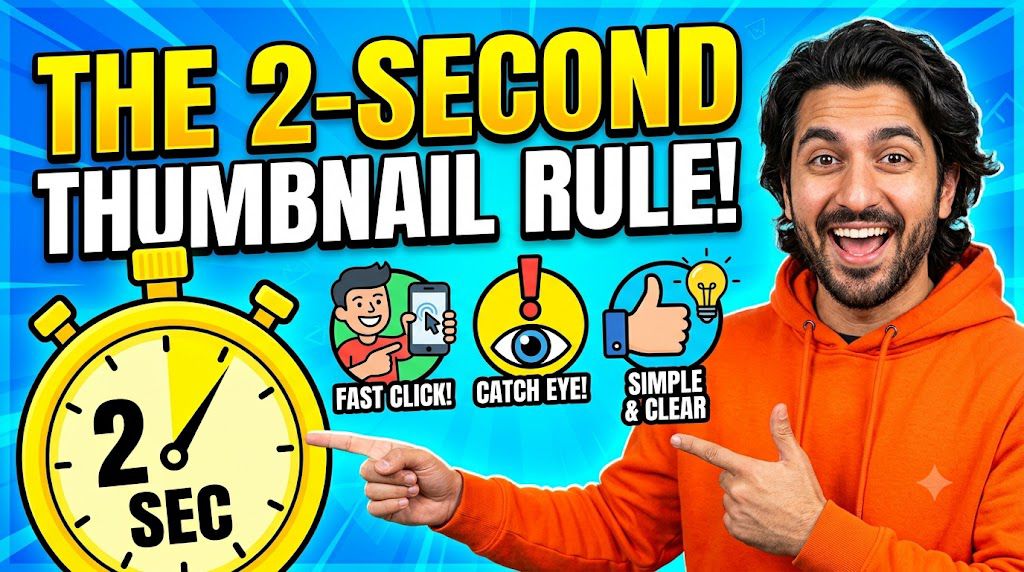
1. The 2-Second Thumbnail Rule
Think of your thumbnail like a billboard on a fast highway. Viewers are scrolling past hundreds of videos on their phones with their thumbs flying. You don’t have minutes to explain why your video is great—you have exactly two seconds to grab their attention and stop the scroll.
If a viewer looks at your thumbnail for two seconds and still doesn’t understand what the video is about, they will scroll right past it. When thousands of people do this, YouTube assumes your video is boring and stops recommending it.
How to Pass the 2-Second Test
To make sure your thumbnail passes the test every single time, follow these three simple rules:
The 3-Element Limit: A human brain cannot process a messy image in two seconds. Keep your thumbnail restricted to a maximum of three elements: One face or main object, one clean background, and one short text phrase.
The “Squint” Test: Before you upload your thumbnail, zoom out until it is tiny—the size of a postage stamp. Now, squint your eyes. Can you still tell what the main image is? If it turns into a blurry, confusing blob, it is too crowded.
Big Faces, Real Emotions: If you use a human face or an animated character, make the eyes big and the emotion extreme (shock, anger, excitement, or extreme happiness). Humans are naturally wired to look at eyes and decode emotions instantly.
Simple Rule of Thumb: If you have to explain what your thumbnail means to a friend, it is too complicated. Start over and make it simpler.
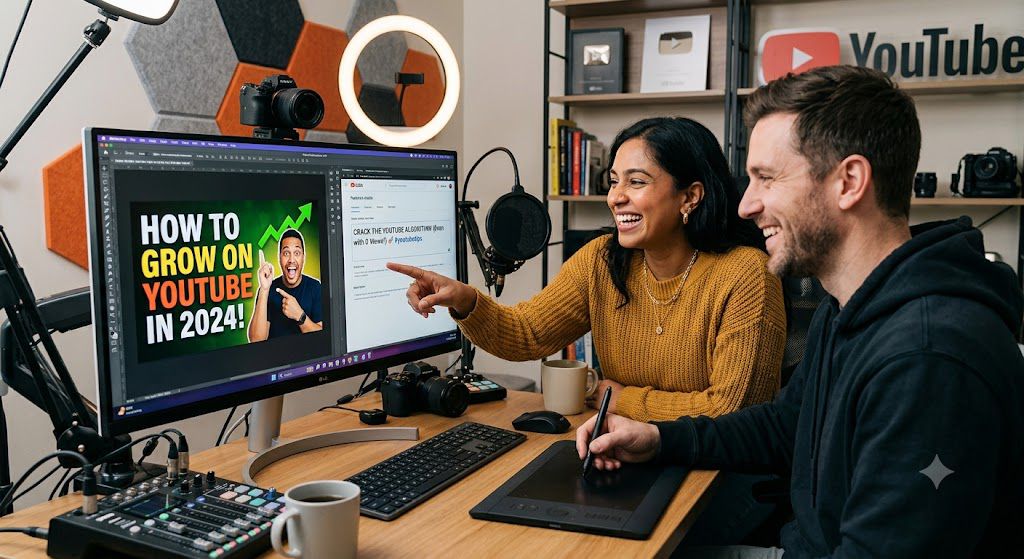
2. The Title-Thumbnail Teamwork
The absolute biggest mistake creators make is repeating their exact video title word-for-word inside their thumbnail image. This is a massive waste of valuable visual real estate.
Think of your title and your thumbnail as a two-person team. They should not do the exact same job; instead, they should pass the ball to each other to score the click.
The Thumbnail’s Job (The Visual Hook): The thumbnail should stop the scroll by triggering an emotional reaction—curiosity, excitement, disbelief, or shock. It uses very few words (usually 2 to 4 words max) to highlight the core hook or the ultimate result.
The Title’s Job (The Context & Proof): The title steps in right after the viewer stops scrolling. It provides the context, explains exactly what the video is about, and promises a clear benefit or solution.
Bad Example (No Teamwork):
Thumbnail Text: How to Get 1k Subscribers
Video Title: How to Get 1k Subscribers on YouTube Fast
Why it fails: It’s redundant. The viewer reads the same thing twice, feels no curiosity, and keeps scrolling.
Good Example (Perfect Teamwork):
Thumbnail Text: 0 to 1,000 Fast! (Creates excitement/curiosity)
Video Title: The 3-Step Strategy to Grow Your Audience This Month (Provides the plan/context)
Simple Rule of Thumb:
Use the thumbnail to state the problem or the shocking result, and use the title to promise the method or the solution. When they work together like a 1-2 punch, your click-through rate will skyrocket.
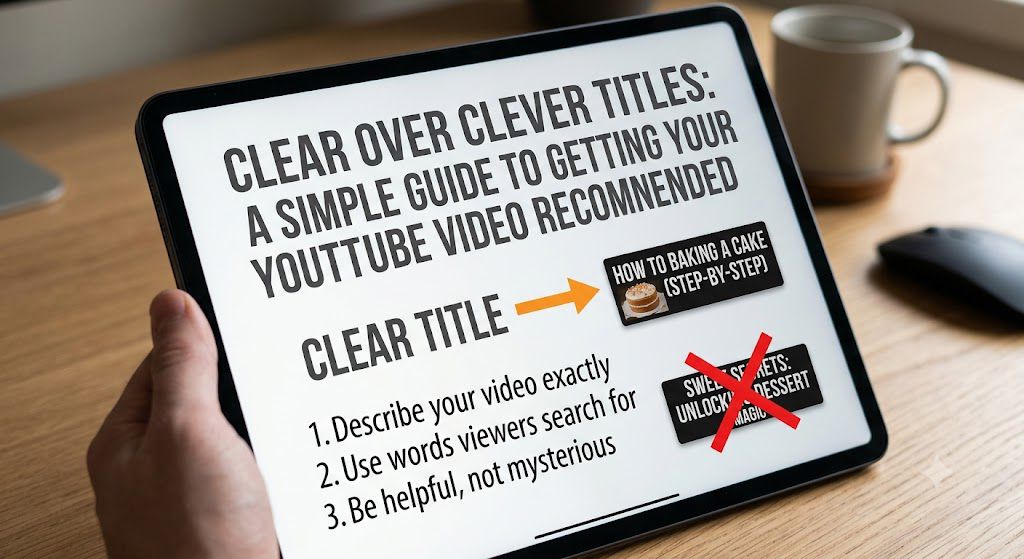
3. Clear Over Clever Titles
Many new creators make a big mistake: they try to be artsy, poetic, or mysterious with their video titles. They use inside jokes or clever puns.
Here is the problem: A computer cannot understand a pun, and a busy scroller will not take the time to guess what your video means. If they don’t understand it instantly, they skip it.
To get recommended, your title needs to be completely clear. A viewer should know exactly what they are getting before they click.
How to Write a “Clear” Title:
Use Normal Human Words: Write your title the exact same way a regular person would say it to a friend.
Instead of: “Navigating the Digital Wilderness of Content Creation” 🌲
Use: “How to Start a YouTube Channel for Beginners” 🚀
Focus on the Result or Problem: Tell the viewer exactly what value or answer is waiting for them inside the video.
Instead of: “My Deep Thoughts on Video Length” 🤔
Use: “The Perfect YouTube Shorts Length to Get More Views” ⏱️
Pass the “So What?” Test: Read your title out loud. If a stranger reads it and says, “So what? Why should I care?”, your title is too vague. It needs to promise a specific benefit.
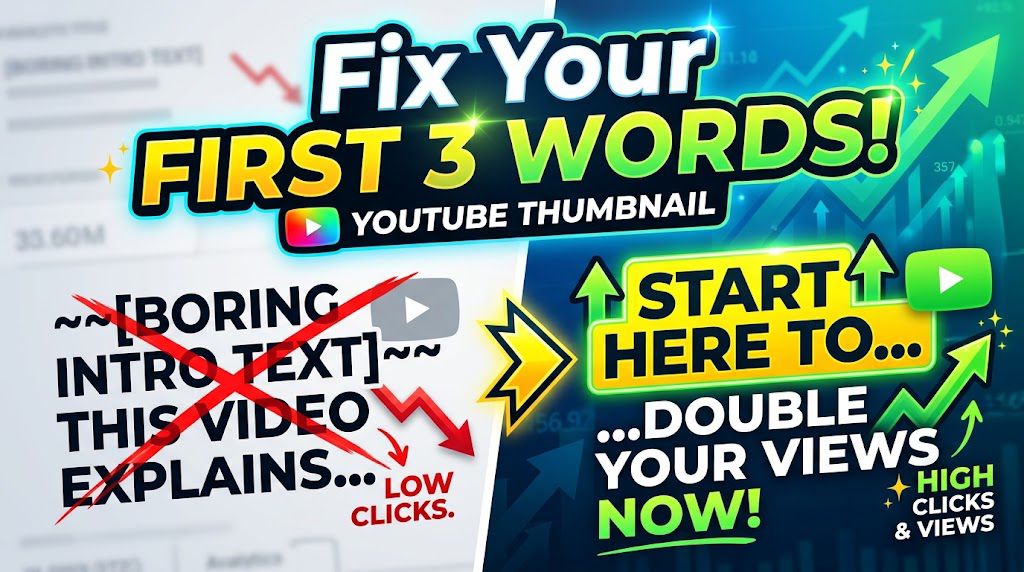
4. Fix Your “First 3 Words”
When people scroll through YouTube on their phones, they don’t read every word of your title. They scan quickly. Even worse, if your title is too long, YouTube cuts it off with three dots (…).
That means your first three words have to do all the heavy lifting. They must immediately tell the viewer exactly what the video is about and why they should care.
The Mistake: Starting with your channel name, video episode number, or slow filler words.
Bad: “Kuma Academy Video Essay: How to Fix Your Title…”
Bad: “In This Video I Will Show You My Easy Setup…”
The Fix: Put the most exciting, searchable words at the very front.
Good: “Get 1K Subscribers…”
Good: “Faceless YouTube Channel…”
Good: “Stop Making This…”
Why this works: It instantly triggers the viewer’s brain to stop scrolling because they see the exact answer to their problem right away.
5. Skip the Long Intro
Here is how you can write or expand this specific section for your blog post using simple, direct words:
The Problem: Most creators treat their videos like a traditional TV show. They start with a 10-second animated logo, loud music, and then spend another 30 seconds saying, “Hey guys, welcome back to my channel, my name is…”
The Reality: The viewer does not care who you are yet. They clicked your video because your title and thumbnail promised to solve a problem. Every second you spend talking about yourself or showing a spinning logo is a second they spend looking for the “back” button.
The Fix (The “Hook” Formula): Drop the viewer straight into the action within the first 5 seconds. Use this simple 3-step opening instead:
Confirm: State the exact problem they want to solve right away (“If you want to get more views from YouTube recommendations, you are in the right place.”).
Promise: Tell them what they will achieve by the end of the video (“In this video, I’m going to show you the exact steps to make it happen.”).
Jump: Move immediately into your first tip. No pauses, no filler.
Simple Rule of Thumb: If a piece of your intro doesn’t directly help the viewer solve their problem, cut it out. Save your introduction and channel name for the middle of the video after you have already given them real value.
6. Cut the “Fluff” (Aggressive Editing)
Most creators think their videos get boring because their topic is boring. That is rarely true. Usually, the video gets boring because the creator left in too much fluff.
Fluff is any word, pause, or sentence that does not add real value to the viewer. When a viewer feels like you are wasting their time, they click away. When they click away early, YouTube stops recommending your video.
To fix this, you need to practice aggressive editing.
How to Find and Kill the Fluff:
The “So What?” Test: Listen to every single sentence you say during editing. Ask yourself, “Does the viewer actually need to know this to get the result?” If the answer is no, cut it out immediately.
Delete Your Mistakes Instantly: Do not leave in long “umms,” “ahhs,” or moments where you stumble over your words. Cut those frames out so your speech flows perfectly from one point to the next.
Stop Repeating Yourself: Creators often explain the same point three different ways because they are afraid the viewer won’t understand. Trust your audience. State your point clearly once, show an example, and move on.
Tighten the Gaps: Look at your video timeline. If there is a half-second gap of silence between your sentences, pull the clips closer together.
The Golden Rule of Editing: Your job isn’t to make the video as long as possible. Your job is to deliver the absolute best information in the shortest amount of time.
When you edit aggressively, your video feels fast, exciting, and highly valuable. Viewers will watch all the way to the end, and that tells the YouTube system to start pushing your video to thousands of new homepages.
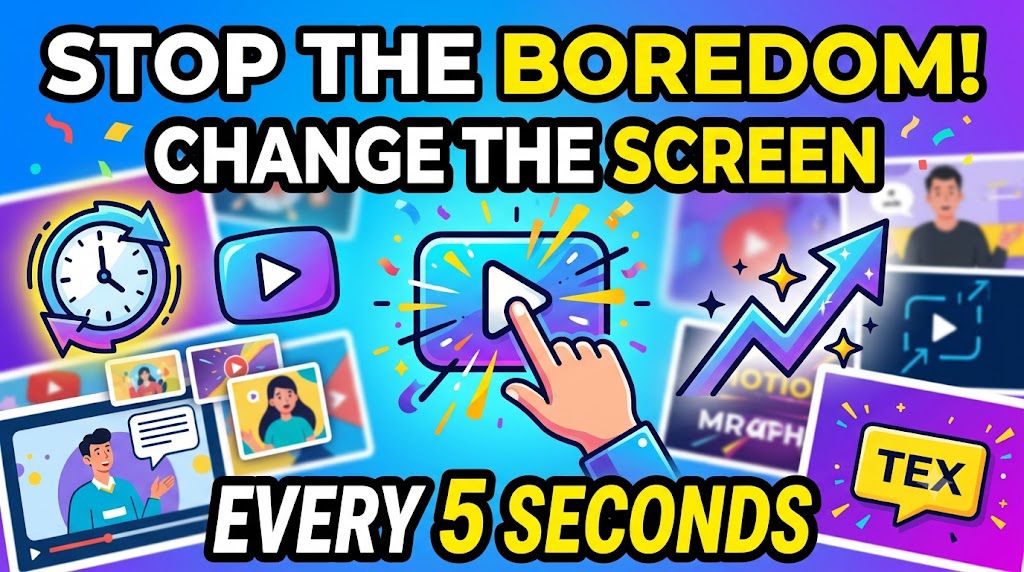
7. Change the Screen Every 5 Seconds
Imagine sitting in a quiet room looking at a picture that never moves. Your eyes get heavy, your mind drifts, and eventually, you look away.
The exact same thing happens when a viewer watches your YouTube video. If you stay on the exact same camera shot for two minutes straight without moving, the viewer’s brain gets bored. And a bored viewer is only one second away from clicking off your video completely.
To keep people watching long enough for YouTube to recommend your content, you need to trick the brain into paying attention. The easiest way to do this is by changing what is on the screen every 5 to 7 seconds.
You do not need an expensive Hollywood studio to do this. You can easily do it in your editing software using these four simple tricks:
The Subtle Zoom (The Jump Cut): If you are talking directly to the camera, cut the video clip and zoom in slightly (by about 5% to 10%) on a key sentence. This makes it look like a second camera just punched in closer, resetting the viewer’s attention.
Pop-up Words (On-Screen Text): When you say an important word, make that word pop up on the screen in big, bold text. It gives the viewer’s eyes something new to look at and emphasizes your point.
Simple Sound Effects: Add a quick “swoosh,” “pop,” or “ding” sound whenever text or a picture appears on screen. Audio changes grab attention just as fast as visual changes.
B-Roll and Screenshots: Instead of just talking about a step, jump away from your face or screen layout to show a quick 3-second picture, diagram, or stock video clip that matches your words.
Every time the screen changes, the viewer’s brain says, “Oh, look! Something new!” This keeps them hooked for another 5 seconds, boosting your watch time and signaling to YouTube that your video is highly engaging.
8. Use Visual “B-Roll” Proof
If you only show your face or a static screen for five minutes, viewers will tune out. Human brains get lazy when nothing changes. To fix this, use B-Roll—which is just extra footage, screenshots, or screen recordings that play over your voice while you speak.
When you say a tool is easy to use, don’t just say it—show a 3-second clip of your mouse clicking the button. If you are talking about results, flash a screenshot of the stats on screen.
This does two things:
It proves you are telling the truth. Viewers can see the evidence with their own eyes.
It resets the viewer’s attention span. Every time the visual cuts to a new piece of B-roll, it forces the brain to re-focus on your video, keeping them watching longer.
9. Ask for One Specific Action
Have you ever watched a video where the creator says: “Make sure to like this video, subscribe to the channel, hit the notification bell, drop a comment down below, share this with three friends, and click the link in my description to check out my course!”?
What happens when you hear that? Your brain feels overwhelmed, you experience what experts call “choice paralysis,” and you end up doing absolutely nothing.
When you ask people to do five things at once, you confuse them. And in the world of online video, a confused viewer is a viewer who leaves.
If you want the YouTube algorithm to recommend your videos, you need strong engagement signals. The easiest way to get them is to ask for one single action at a time.
Pick Your One Golden Goal
Before you even hit record, decide exactly what you want the viewer to do most. Choose just one of these goals per video:
Goal A (Best for community): “If you learned something new, drop a comment below with the word ‘READY’ so I know you’re tracking with me.”
Goal B (Best for channel growth): “If you want to see my next video on how to edit these clips, click that subscribe button right now.”
Goal C (Best for sales): “I put the exact template I used in the first link in the description. Go click that right now to download it for free.”
Why this works
When you give people a single, clear instruction, it is incredibly easy for their brain to follow. Your conversion rate—the percentage of people who actually do what you ask—will skyrocket.
When YouTube sees a massive wave of viewers all commenting the exact same word, or all hitting subscribe at the exact same moment in your video, it signals to the platform that your content is highly engaging. YouTube will immediately start testing your video on the homepages of brand-new viewers.
Rule of Thumb: One video, one clear goal. Don’t split your viewers’ attention. Tell them exactly what to do next, and make it simple.
10. The Comment Conversation Spark
When someone takes the time to leave a comment on your video, they are giving you a massive opportunity. Most creators waste this by either ignoring the comment or replying with a simple “Thanks!” or a heart emoji. While that is polite, it ends the conversation right there.
YouTube’s system loves active engagement. If a video has a busy, buzzing comment section where people are actively talking back and forth, the system sees it as a high-value community hub. It realizes, “Wow, people aren’t just watching this video; they are deeply passionate about it.” As a result, YouTube starts pushing that video into more people’s recommendations.
To turn your comment section into an engagement machine, use the Question Reply Strategy:
By keeping the conversation sparking, you double your comment count, increase your return viewer rate, and signal to YouTube that your video is worth talking about.
11. Read Aloud Your Key Phrases
Most people think YouTube only “reads” your title, description, and tags to understand what your video is about. But today, YouTube is much smarter than that.
YouTube has an automated ear. The moment you upload a video, an AI program listens to every single word you say and automatically creates a text script (the closed captions) of your audio. It uses this text to figure out who should see your video.
If you want the system to recommend your video to the right audience, you need to help it out by speaking clearly.
How to do it simply
Say your main topic in the first 30 seconds: If your video is about “how to edit videos fast,” make sure you say those exact words out loud right at the start.
Don’t use vague words: Instead of saying, “In this video, I will show you how to do this thing,” say, “In this video, I will show you how to get more subscribers.”
Keep it natural: Do not just shout your keywords over and over again—that sounds robotic and drives viewers away. Just weave your main topic naturally into your regular sentences.
Why this works: When what you say in the video matches perfectly with what is written in your title, YouTube feels 100% confident that your video is exactly what it promises to be. When YouTube trusts your video, it gladly recommends it to new viewers.
12. Create “Part 1 and Part 2” Pairs
Think of your videos like episodes of a favorite TV show. If an episode ends with a great cliffhanger, you immediately want to watch the next one. You can use this exact same trick on your YouTube channel to get people to watch two or three of your videos in a row.
When someone watches more than one of your videos back-to-back, YouTube’s system notices it. The platform thinks, “Wow, this creator keeps people watching for a long time!” and starts recommending your channel to more strangers.
How to Build a Perfect Video Pair:
Split One Big Topic into Two Steps: If you are teaching a strategy, do not pack everything into one giant 30-minute video. Break it in half.
Video 1: How to set up the system (The Strategy).
Video 2: How to get your very first sale or result using that system (The Action).
The “Open Loop” Secret: At the end of your first video, do not say goodbye. Instead, tell the viewer exactly what problem they will face next, and promise that your next video solves it.
Example to use in your script: “Now that your channel layout is perfectly set up, you have a new problem: you need traffic. Click on this next video right here where I show you how to get your first 1,000 subscribers using simple short videos.”
Link Them in the Description and Pinned Comment: Do not make the viewer hunt for the next part. Put the direct link to Part 2 as the very first line in the description and pin it as the top comment of Part 1.
YouTube rewards “Session Time”—the total amount of time a viewer stays on the platform after clicking your video. If your video acts as the bridge that keeps them on the app, YouTube will push your content out to a much wider audience.
13. The Clean End Screen Hand-Off
Most creators accidentally kill their video’s momentum right at the very end. The moment you say words like “In conclusion,” “To wrap things up,” or “Thanks for watching,” you are giving the viewer a signal. You are telling them, “The value is over. You can leave now.”
When a viewer closes your video or exits the app because you signaled the end, YouTube sees that as a hard stop. To get recommended, you want to keep them on the platform.
How to execute the perfect hand-off:
Never say goodbye: Eliminate outro speeches, thank-yous, and social media plugs at the very end.
Keep teaching until the last second: Keep delivering valuable tips right up until the final screen pops up.
The Seamless Bridge: Connect your current video directly to your next one. While you are finishing your last point, point your finger to the side of the screen where your next video will appear.
The Ultimate Scripting Trick: Say something like: “Now that you know how to build the perfect thumbnail, you need to know the exact words to say in your first 5 seconds to keep them watching. Click on this video right here where I break down the ultimate hook formula step-by-step.”
By treating your end screen like a bridge instead of a finish line, you turn a single view into a binge-watching session. YouTube loves channels that keep people watching, and it will reward you by recommending your videos to thousands of others.
14. Keep Playlists Tight and Focused
Many creators treat playlists like giant, messy storage closets where they dump every video they have ever made. If a viewer clicks on a playlist with 50 random videos, they will get overwhelmed and click away.
To get YouTube to recommend your content, you want to use Micro-Playlists. These are tight, hyper-focused groups of just 3 to 5 videos that solve one specific problem from start to finish.
Why This Works for Recommendations
When a viewer watches a video inside a playlist, YouTube automatically queues up the next video in that list to play right after. If the next video perfectly matches what they just watched, they will stay and watch it.
This creates a “Binge-Watching Chain.” YouTube loves channels that keep people watching multiple videos in a row. When you increase your channel’s total watch time like this, the system starts recommending your videos to completely new viewers on the homepage.
How to Do It Simply:
Pick One Micro-Topic: Instead of a massive playlist called “Digital Marketing Tips,” make a mini-playlist called “How to Run Your First TikTok Ad.”
Order Them Logically: Put the videos in a clear 1-2-3 step order. The viewer should feel like they are watching a short, free mini-course.
Keep It Short: Stick to 3 to 5 videos max. It feels achievable to a viewer, making them much more likely to sit down and finish the whole series.
15. The “7-Day Return” Goal
Many creators treat playlists like giant, messy storage closets where they dump every video they have ever made. If a viewer clicks on a playlist with 50 random videos, they will get overwhelmed and click away.
To get YouTube to recommend your content, you want to use Micro-Playlists. These are tight, hyper-focused groups of just 3 to 5 videos that solve one specific problem from start to finish.
Why This Works for Recommendations
When a viewer watches a video inside a playlist, YouTube automatically queues up the next video in that list to play right after. If the next video perfectly matches what they just watched, they will stay and watch it.
This creates a “Binge-Watching Chain.” YouTube loves channels that keep people watching multiple videos in a row. When you increase your channel’s total watch time like this, the system starts recommending your videos to completely new viewers on the homepage.
How to Do It Simply
Pick One Micro-Topic: Instead of a massive playlist called “Digital Marketing Tips,” make a mini-playlist called “How to Run Your First TikTok Ad.”
Order Them Logically: Put the videos in a clear 1-2-3 step order. The viewer should feel like they are watching a short, free mini-course.
Keep It Short: Stick to 3 to 5 videos max. It feels achievable to a viewer, making them much more likely to sit down and finish the whole series.
Conclusion
At the end of the day, getting YouTube to recommend your videos isn’t a game of tricking a computer program. YouTube’s algorithm has only one job: to follow the audience.
When you make your thumbnails easy to understand, get straight to the point in your videos, and respect your viewer’s valuable time, YouTube will naturally reward you. If the viewers love your content, the platform will proudly push it out to thousands of new screens.
FAQS
1. Does one bad video hurt my entire channel?
No. YouTube looks at every video by itself. If one video doesn’t get many views, YouTube does not punish your other videos. You can try new ideas or change your topics without worrying about ruining your whole channel.
2. Is watch time the only thing that matters?
Not anymore. In the past, YouTube just wanted people to watch for a long time. Today, YouTube cares much more about viewer satisfaction. A short 3-minute video that people love, finish, and share with friends is worth more to YouTube than a 20-minute video that people get bored of and turn off halfway through.
3. How many times a week do I need to upload?
There is no magic number. Uploading every single day will not automatically make you famous, and it can actually make your quality drop. YouTube cares about consistency and quality, not speed. Pick a schedule you can handle—like once a week or once every two weeks—and stick to it.
4. Why does my video get views at first and then completely stop?
shows your video to a small group of people to see how they react. If that small group clicks the thumbnail and watches for a long time, YouTube shows it to a bigger group. If the first group ignores it or clicks away quickly, YouTube stops showing it. If your views flatlined, it means the test group didn’t show enough interest.
5. Do keywords still matter for getting recommended?
Keywords matter for YouTube Search, but they don’t drive recommendations on the Homepage. YouTube’s system has gotten incredibly smart; it listens to your words, reads your automated captions, and looks at what similar viewers enjoy. Focus on writing titles that make humans emotional or curious, rather than just stuffing them full of search tags.
Great content! Keep up the good work!