
A great video with terrible SEO is like a billboard in the desert. If the algorithm cannot understand what your content is about, your audience will never find it.
Too many creators treat YouTube like a lottery ticket. They come up with an idea they personally find interesting, pour hours into scripting, editing, and designing a thumbnail, and hit publish—only to watch the video flatline. Relying on “gut feeling” or intuition is the fastest way to burn out, because passion alone doesn’t guarantee an audience.
A YouTube keyword generator flips this outdated model on its head. Instead of creating a video and praying an audience finds it, you find the audience first.
Keyword tools give you access to hard data: exact search volumes, trends, and the precise phrases viewers are typing into the search bar right now. By letting the data drive your strategy, you transition from creating what you want to creating exactly what the market demands.
When you treat your channel like a business—especially if you are managing a content pipeline or running automated, faceless channels—this data becomes your foundation. It tells you definitively whether a topic has enough demand to justify the production time and cost before you even write the first line of your script. It takes the emotion out of the equation and replaces it with mathematical proof that viewers are waiting for your content.
What is YouTube keyword generator
A YouTube keyword generator is a specialized digital marketing tool designed to help creators discover the exact search terms, phrases, and queries their target audience uses on YouTube.
Unlike traditional Google SEO software, a YouTube keyword generator extracts data directly from YouTube’s search algorithm, public suggest endpoints, and autocomplete API. It analyzes these data streams to provide actionable metadata recommendations.
Core mechanics and functions
- Pulling YouTube Autocomplete & Query Data
The tool takes a broad topic or primary “seed keyword” entered by the user and scrapes YouTube’s search engine suggestions. It appends and prepends terms, numbers, and common question formats (e.g., how to, vs, review, tutorial) to uncover hundreds of long-tail variations. - Identifying High-Volume Search Terms
It quantifies viewer interest by providing estimated monthly search volume specifically for video searches. This helps creators prioritize topics with proven viewer demand over unsearched ideas. - Spotting Low-Competition Opportunities
Many advanced keyword generators calculate a Keyword Difficulty or Competition Score. By analyzing top-ranking videos for a term, the tool highlights “sweet spot” keywords—phrases with solid search volume where existing competing videos are weak or outdated. - Generating Video Tags & Metadata Optimization
Beyond simple keyword lists, the tool organizes extracted terms into formatted tags, titles, and description suggestions. Creators can copy these optimized terms directly into the YouTube Studio upload panel to signal relevance to YouTube’s recommendation system.
By targeting low-competition, high-intent keywords instead of guessing terms, smaller or growing channels can consistently rank in YouTube Search and Suggested Videos, driving organic, long-term views.

Key difference between YouTube SEO and Google SEO
While both Google and YouTube function as search engines, their underlying algorithms optimize for entirely different human behaviors and business goals.
Google is an information retrieval system designed to route users off its search engine to the best external web page. YouTube is a content consumption and recommendation system designed to keep viewers on the platform watching video for as long as possible.
1. User Intent: Quick Answers vs. Immersive Consumption
- Google: Driven largely by transactional, directional, or informational micro-intents. A user searching “how to change a flat tire” wants a quick diagram, bulleted list, or immediate answer. Fast page speeds and high bounce rates (if intent was satisfied) are common.
- YouTube: Driven by entertainment, deep tutorials, and narrative consumption. The user wants visual demonstration and engagement. Short-form skimming is replaced by watch sessions, where viewers expect detailed, continuous video content.
2. Click-Through Rate (CTR): Text Links vs. Visual Grids
- Google: CTR is driven primarily by title tags, meta descriptions, and position #1–3 placement on the Search Engine Results Page (SERP).
- YouTube: CTR is directly driven by Thumbnail + Title dynamic pairing. Because YouTube displays content in visual grids, the thumbnail does up to 80% of the heavy lifting to earn the click. High CTR acts as an immediate signal to the algorithm to push the video to broader audiences.
3. Authority Signals: Backlinks vs. Watch Time & Retention
Google (Backlink Engine): Traditional search heavily relies on external votes of confidence—backlinks from authoritative domain names—to rank content. You can rank page #1 on Google without receiving direct user comments or shares if your backlink profile and domain authority are strong.
YouTube (Retention Engine): YouTube ignores external backlinks for video rankings. Instead, it measures:
4. The Discovery Ecosystem: Search vs. Recommendation
- Google: Search represents the vast majority of organic web traffic discovery.
- YouTube: Search is only a gateway. Once a video performs well in YouTube Search via strong CTR and high retention, the algorithm promotes it into Suggested Videos (Sidebar), Browse Features (Homepage), and Notifications, where the majority of long-term YouTube views are generated.
Top Features to Look for in a YouTube Keyword Tool
When choosing a YouTube keyword tool, you aren’t just looking for a simple list of words; you need actionable search intelligence that reveals what viewers are searching for and how easily your channel can rank for those topics.
vidIQ
Here are the essential features to evaluate before picking a keyword generator for your workflow:
1. YouTube-Specific Search Volume Data
- Why it matters: YouTube is the world’s second-largest search engine, and user behavior on YouTube differs significantly from Google. A query with high text-search volume on Google might have zero video demand on YouTube.
- What to look for: Ensure the tool pulls data directly from the YouTube API or native auto-complete query databases rather than relying solely on Google Web Search metrics. Look for tools that provide estimated monthly YouTube search volumes.
2. Competition & Keyword Difficulty Scoring
- Why it matters: High search volume means very little if you are competing against massive channels with high authority.
- What to look for: A clear Competition or Difficulty Score (usually rated Low/Medium/High or on a 1–100 scale). Advanced tools offer personalized channel scores, which calculate your likelihood of ranking based on your specific channel’s past performance and authority compared to top-ranking competitors.
3. Long-Tail Keyword & Phrase Suggestions
- Why it matters: Broad search terms (e.g., “video editing”) are overcrowded. Breakthrough growth—especially for small-to-midsize channels—comes from ranking for hyper-specific 3–5 word queries (e.g., “how to edit YouTube Shorts on CapCut”).
- What to look for: The ability to enter a broad “seed keyword” and automatically generate dozens of relevant long-tail variations, question-based queries, and related search clusters.
4. Competitor Tag & Metadata Extraction
- Why it matters: You don’t always need to reinvent the wheel. Inspecting what keywords and tags high-performing videos in your niche are currently using yields instant market context.
- What to look for: Features like a browser extension (e.g., for Chrome or Edge) or a built-in inspector that lets you view, copy, and analyze the underlying video tags, title structures, and descriptions of top-ranking competitor videos directly on YouTube.
5. Search Intent & Trend Analytics
- Why it matters: Video topics spike and decay quickly. Capitalizing on rising search trends early allows you to publish videos right as demand peaks.
- What to look for:
Historical Trend Graphs: Visual indicators showing whether a search term’s popularity is rising, stable, or declining over time. - Search Intent Identifiers: Breakdown of whether searchers want quick step-by-step tutorials (“how to”), product reviews (“is X worth it”), or comparisons (“X vs Y”) so you can tailor your content to viewer expectations.
4. Popular YouTube Keyword Generators (Brief Overview)
Finding the right YouTube keyword generator comes down to your channel’s goals, workflow preferences, and budget. While some tools focus exclusively on search volume and tags, others offer full-suite channel growth and AI insights. Here are the leading tools creators rely on:
TubeBuddy: Best for direct YouTube integration, channel-specific target scores, and tag management.
TubeBuddy is widely considered the industry standard for on-platform YouTube optimization because it operates as a direct browser extension inside YouTube Studio.
Here is a breakdown of why these three core areas make it a essential tool for creators:
1. Direct YouTube Integration
- In-Browser Overlay: Unlike standalone web apps, TubeBuddy embeds tools, buttons, and analytics overlays directly onto the YouTube web layout and inside your YouTube Studio upload flow.
- Seamless Workflow: You don’t need to export or copy data across platforms—you can edit metadata, run A/B thumbnail tests, and adjust video settings directly on YouTube.
- Bulk Processing: Allows creators to make channel-wide updates (such as updating end screens, cards, or descriptions across dozens of videos) in a single click without leaving YouTube.
2. Channel-Specific Target Scores (Weighted vs. Unweighted)
- Weighted Keyword Scores: Generic keyword tools only tell you if a term has high overall search volume or high competition across all of YouTube. TubeBuddy’s Weighted Score evaluates your specific channel size, past performance, and authority to tell you if your channel specifically can rank for that term.
- Personalized Feasibility: A competitive keyword might get an “Unweighted Score” of 20/100 (Poor) for a general user, but a 75/100 (Very Good) “Weighted Score” for a channel with established topical authority in that niche.
3. Native Tag Management
- Recommended Tag Generator: Auto-suggests relevant keywords and long-tail tags directly in the upload screen based on your title and description.
- Competitor Tag Inspector: Allows you to view, copy, and import the exact tag lists used by top-ranking competitor videos.
- Tag Lists & Organizer: Create and save pre-built category lists of channel/niche tags to apply to new uploads instantly, preventing tag-stuffing while maintaining proper metadata optimization.
Ahrefs / SEMrush YouTube Keyword Tools: Best for comprehensive cross-platform SEO analysis and search volume accuracy.
While browser extensions like TubeBuddy and VidIQ analyze YouTube-native metrics directly within the YouTube interface, enterprise platforms like Ahrefs and SEMrush provide broader, cross-platform search data. They are ideal for brands, agencies, and creators building a cohesive web and video content ecosystem.
Key Strengths
Cross-Platform Traffic Opportunities: They identify keywords that rank on both Google and YouTube, allowing creators to optimize videos to appear in Google search carousel results alongside traditional blog posts.
Massive Global Databases: They process clickstream data across 170+ countries, giving a more complete picture of international search demand and search behavior than platform-limited extension tools.
Historical Search Data: They offer detailed multi-year search volume trends to distinguish between temporary hype, seasonal traffic spikes, and evergreen topics.
Content Gap Analysis: They make it easy to analyze competitor websites and channels side-by-side, identifying high-demand topics that competitors have missed.
When to Use Ahrefs/SEMrush Over Native YouTube Tools
You want Google Search Traffic: If your goal is to make videos that show up on Google search results pages (SERPs) in addition to YouTube search, these tools show which queries display video carousels.
You are building an Integrated Content Strategy: They allow you to plan a blog article and a YouTube video around the same high-performing topic using unified search metrics.
You need precise CPC / Commercial Intent Data: For creators focusing on high-RPM niches (finance, tech, marketing), these tools reveal ad value and commercial intent better than creator-focused plugins.
Limitations to Keep in Mind
No Packaging Insights: Neither tool provides thumbnail CTR analysis, hook strength evaluations, or audience retention data.
Lack of Channel Authority Scores: Difficulty metrics in Ahrefs or SEMrush measure domain authority and backlinks rather than YouTube-specific ranking factors like watch time, subscriber count, or session duration.
1. to uncover low competition gems.
Targeting broad, highly competitive keywords when you have a smaller or newer channel is a guaranteed way to get buried under established creators. The secret to early traction isn’t fighting for the biggest terms—it is dominating the specific, underserved queries that big channels ignore. Here is exactly how to identify and exploit these low-competition gems to drive consistent, targeted views.
The Anatomy of a “Gem” Keyword
A true low-competition gem shares three distinct characteristics:
- Long-Tail and Specific: Instead of a broad term like “affiliate marketing,” a gem is highly specific, such as “how to start Temu affiliate marketing with zero followers.” It targets a precise problem.
- High Search Intent: The more specific the search, the closer the viewer is to taking action. Someone searching “AI voiceover tools for faceless channels” is actively looking for a solution, making them highly engaged and more likely to watch until the end (or click a link in your description).
- Underserved by the Market: The search volume might be moderate (e.g., 500 to 2,000 searches a month), but if the top results are outdated, poorly edited, or don’t answer the specific question, the algorithm is starving for a better video to rank.
How to Find Them (The System)
You do not need to rely on guesswork to find these gaps. Here is a repeatable system to uncover them:
- The Autocomplete “Alphabet Trick”: Open YouTube in Incognito mode. Type your broad niche (e.g., “faceless YouTube”) and then type the letter “a”. Note the autocomplete suggestions. Then delete “a” and type “b”. This surfaces the exact, hyper-specific phrases real viewers are actively typing that you would likely never think of on your own.
- Filter by Word Count: When using a keyword generator tool, filter your results to only show keywords with 4 or more words. Short phrases are battles for massive channels. Long-tail phrases (4+ words) have proven to be 3x to 5x easier to rank for on page one.
- Analyze the “Search vs. Video” Gap: Look at the search results for a potential keyword. If the top-ranking videos do not have the exact keyword phrase in their title, or if the videos are over two years old, you have found a massive content gap. If you create a highly relevant video with the exact keyword in the title and first line of the description, YouTube will prioritize it.
The Compounding Effect
Targeting these gems isn’t just about getting a few hundred views on one video; it is about building a system.
When you consistently rank #1 or #2 for dozens of hyper-specific search terms, you create a web of evergreen traffic. Those small, daily views compound over months, signaling to the algorithm that your channel is an authority. Once you establish that baseline authority through low-competition gems, you can gradually start targeting more competitive keywords with a built-in audience ready to push your video into the recommended feed.
2. Help you master search intent.
Understanding the keyword is only half the battle; understanding why someone typed it is where you actually make money. This is called Search Intent.
If your video format doesn’t match the viewer’s intent, they will click off within the first 10 seconds, killing your audience retention and signaling the algorithm to bury your video. A keyword generator doesn’t just hand you words—it gives you the psychological context of your viewer.
Here is how to break down search intent for your next video:
The Four Pillars of YouTube Search Intent
When you pull a list of keywords from your generator, every single one falls into one of these four categories.
1. Informational Intent (The “How-To” Crowd)
The Vibe: The viewer has a problem and needs a free solution. They are in learning mode.
Keyword Examples: “How to edit videos with AI,” “What is YouTube automation,” “Football betting strategies explained.”
Your Strategy: Give away immense value up front. These videos are your top-of-funnel traffic drivers. Keep the pacing fast and the tutorials highly structured.
Monetization: Standard AdSense and building email lists/Telegram communities.
2. Navigational Intent (The Brand Searchers)
The Vibe: The viewer already knows exactly what they are looking for and just needs to find the right page or channel.
Keyword Examples: “Kuma YouTube Academy login,” “1xBet app download,” “CapCut PC tutorial.”
Your Strategy: Be the clearest, most direct authority on that specific brand or tool. Keep titles clean and exact.
Monetization: Usually lower, but great for establishing authority if it’s your own brand.
The Vibe: The viewer wants to buy a product or start a system, but they haven’t decided which one yet. They are looking for reviews and comparisons.
Keyword Examples: “InVideo vs Pictory for faceless channels,” “Best VPN for betting sites 2026,” “Is the Temu affiliate program worth it?”
Your Strategy: Be the objective judge. Break down pros, cons, and pricing. This is where you position your preferred tool as the ultimate winner.
Monetization: This is the golden goose for affiliate marketing. The viewer is primed to click your link in the description.
4. Transactional Intent (The Ready Buyers)
The Vibe: The wallet is out. They just need the final push, a discount code, or a walkthrough on how to sign up.
Keyword Examples: “Hostinger discount code 2026,” “Buy YouTube automation course,” “Promo code for 1xBet deposit.”
Your Strategy: Keep it incredibly brief and action-oriented. Show them exactly how to apply the code, navigate the checkout, or access the bonus.
Monetization: High-converting affiliate links and direct sales for your own digital products or courses.
The Generator Advantage: A good keyword tool will show you the Cost Per Click (CPC) for a term. High CPC keywords almost always indicate Commercial or Transactional intent. Advertisers are willing to pay more for those ads because those viewers are ready to spend money.
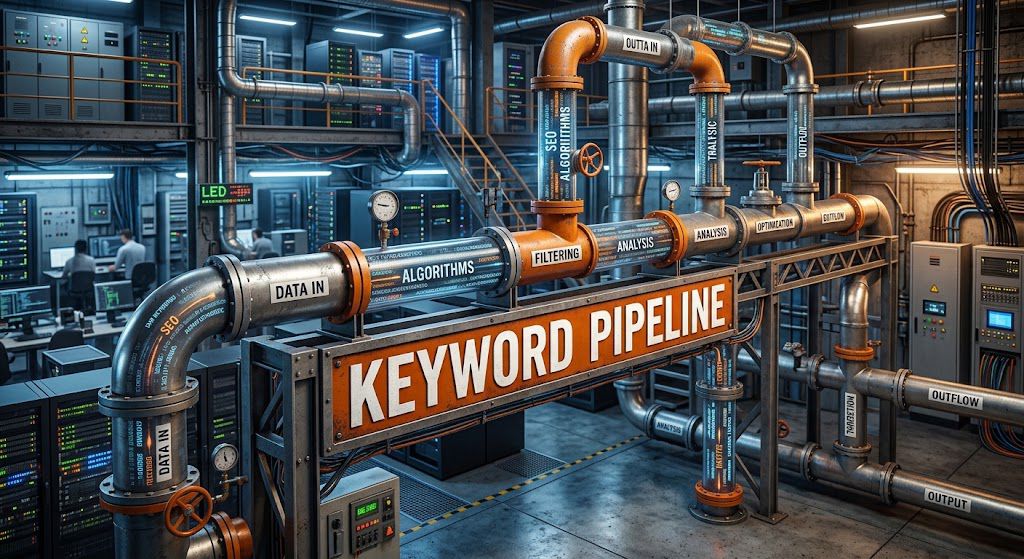
3. Build a Content Pipeline Instantly
Hovering over a blank screen wondering what to upload next is the number one reason channels stall out. If you want to scale—especially if you are running automated or faceless channels where consistency is everything—you cannot rely on daily bursts of inspiration. You need a system.
A keyword generator removes the friction of ideation entirely, turning one simple search into a factory line of content.
Here is how a keyword tool instantly builds your production pipeline:
- The “Seed to Series” Method: When you type a broad “seed” keyword into a generator (like “AI tools”), it doesn’t just give you one video idea. It outputs hundreds of long-tail variations (e.g., “best AI tools for scriptwriting,” “free AI video editors 2026”). Instantly, what would have been a single video becomes a highly targeted 5-part or 10-part series.
- Batching for Delegation: A keyword tool gives you the exact titles and target search terms upfront. With 10 to 20 proven titles backed by actual search volume, you can sit down and batch-write your scripts—or generate your outlines—in a single afternoon. This allows you to hand off clear, optimized briefs to your voiceover artists and video editors without any downtime.
- Predictable Publishing: A packed pipeline means you are no longer scrambling to meet an upload deadline. You can schedule fully optimized videos weeks or even months in advance.
By letting search data dictate your content calendar, you transition from a frantic, day-to-day creator into someone managing a predictable, systemized digital asset.
4. Optimize the Entire Metadata Stack
Keywords are useless if they only sit in a spreadsheet. To truly trigger the algorithm, you need to weave your target phrases through every layer of your video’s metadata. Think of it as leaving multiple, consistent breadcrumbs for YouTube’s search crawlers to follow.
Here is exactly how to distribute your generated keywords across the stack:
The Title: The Heavy Hitter
Your title carries the most SEO weight, but it also has to click with human psychology.
- The Strategy: Place your exact-match primary keyword as close to the beginning of the title as possible.
- Example: Instead of “My Ultimate Guide on How to Start Affiliate Marketing,” use “How to Start Affiliate Marketing with No Money in 2026.” The algorithm reads left to right; make the first few words count.
The Description: The First 200 Characters
The first two lines of your description appear in the search results right beneath your video title. This is prime real estate.
- The Strategy: Write natural, conversational sentences that include your primary keyword and 1-2 secondary keywords.
- Example: “If you want to learn how to start affiliate marketing, this video covers the best ClickBank strategies for beginners. Discover how to generate passive income without showing your face.”
- Pro Tip: Avoid keyword stuffing (just listing words separated by commas). The algorithm penalizes spammy behavior.
The Script and Audio: The Invisible Metadata
YouTube automatically transcribes your video upon upload to generate closed captions. This means the algorithm “listens” to what is said.
- The Strategy: When scripting, especially for systemized or faceless channels relying on voiceovers, explicitly write your main keywords into the first 30 seconds of the script.
- Example: Hook the viewer by literally saying, “Today, we’re breaking down exactly how to start affiliate marketing…” This reinforces the video’s topic to both the viewer and the algorithm.
Chapters and Timestamps
Adding timestamps to your description doesn’t just improve viewer retention by letting them skip to what they want; it creates additional indexable links.
- The Strategy: Use long-tail keywords from your generator as the titles for your video chapters. (e.g., 03:45 – Choosing the best affiliate networks). These chapters can actually rank independently on Google Search.
The File Name and Tags (The Finishing Touches)
While YouTube has stated that tags carry less weight than they used to, every data point helps when establishing a new channel.
- The Strategy: Rename your raw video file from final_render_v2.mp4 to your exact keyword, like how-to-start-affiliate-marketing.mp4, before uploading. Then, drop your list of broad and specific generated keywords into the tags section to catch common misspellings and variations.
5. Create Evergreen Assets
If you are treating your channel like a news station—constantly chasing the latest drama, trending news, or 24-hour viral spikes—you are signing up for an exhausting hamster wheel. The moment you stop uploading, your views tank.
This is where a keyword generator shifts your channel from a daily grind into a machine for system-based income.
By using a keyword tool, you can identify “evergreen” search terms. These are topics that people search for consistently, day in and day out, regardless of the season or year.
How a Keyword Generator Builds Your Evergreen Library:
- Identifying Stable Search Volume: Instead of guessing what might be popular today, you can filter for keywords that show a steady, flatline search volume over a 12-to-24 month period.
- Creating “How-To” Foundations: Educational and tutorial content thrives on search. A generator will help you pinpoint exactly how people are phrasing their problems. For example, instead of a broad, highly competitive title like “Make Money Online,” a tool might reveal a steady evergreen query like, “How to start a faceless channel with AI tools.”
- Cumulative Channel Growth: When you optimize a video for an evergreen keyword, that video becomes a digital asset. It might only get 50 views on its first day, but because it ranks in search, it pulls in 20 views every single day for the next three years.
When you build a catalog of 50 or 100 of these evergreen, heavily optimized videos, you create a compound effect. Your channel begins generating traffic, subscribers, and ad revenue around the clock—even on the days you don’t publish anything new. Ultimately, a keyword generator doesn’t just give you video ideas; it hands you the blueprint for long-term, passive channel growth.
6. Exploit Competitor Content Gaps (Outsmart the Giants)
When you are growing a channel, trying to compete head-to-head with massive creators on broad topics is a losing game. The algorithm will almost always favor the channel with millions of subscribers and established authority.
But big channels have a glaring weakness: they leave money on the table by ignoring the hyper-specific questions their audience is asking. This is called a content gap, and a keyword generator is your radar for finding them.
Here is how you use keyword data to exploit these gaps:
- Find the “Long-Tail” Leftovers: A massive channel might make a broad video titled “How to Start a Faceless YouTube Channel.” That video will dominate the main search. However, a keyword generator will reveal that thousands of people watched that video and immediately searched for a more specific sub-topic, like “best free AI voiceover tools for faceless channels 2026.” If the big creator didn’t make that follow-up video, that traffic is yours for the taking.
- Identify Outdated Content: Sometimes, a generator will show high search volume for a keyword where the top-ranking videos are three or four years old. Software changes, interfaces update, and strategies evolve. By creating a 2026-updated version of that exact topic, you provide a fresher, more relevant answer that YouTube will eventually push to the top.
- Solve the Friction Points: Look for negative keywords or troubleshooting phrases. Searches that start with “why isn’t…” or “how to fix…” often represent immediate pain points. If you are the only one providing a clear, concise solution to a specific software error or strategy roadblock, you instantly win a loyal viewer.
You don’t need to invent entirely new concepts to succeed. You just need to use a keyword generator to find the profitable cracks in your competitors’ content strategies and fill them with highly targeted videos.
7. Ride Breakout Trends Early
Timing is the ultimate equalizer on YouTube. When a new topic spikes in search volume, the algorithm is starved for relevant videos to serve viewers. If you are one of the first creators to publish high-quality content on that breakout trend, you can completely bypass larger, established channels and capture massive, immediate reach.
Why Velocity Beats Authority
For a growing channel, trying to rank for a saturated keyword like “how to make money online” or “sports betting predictions” is often a losing battle. The top spots are heavily guarded by massive channels with years of accumulated authority.
However, when a new AI video generator launches, or a fresh YouTube automation strategy suddenly goes viral on TikTok, there is near-zero existing competition on YouTube. The algorithm doesn’t care about your subscriber count in these moments; it prioritizes answering the immediate, surging user search intent.
Spotting the Wave Before It Peaks
Modern keyword research tools are designed to catch this momentum before the market is flooded with competing videos:
- Views-Per-Hour (VPH) Outliers: Tools like vidIQ feature “Rising Keywords” and “Outliers” dashboards. Rather than just showing historical data, they track real-time velocity. If a faceless channel with only 2,000 subscribers suddenly hits 500 VPH on a tutorial for a new automation tool, the software flags it. You now know exactly what format is breaking out.
- Custom Trend Alerts: You can set keyword-specific monitors for your niche. If search volume for “ChatGPT prompt engineering for script writing” jumps by 300% in 24 hours, you receive an immediate alert.
- Momentum Metrics: Generators cross-reference YouTube search data with Google Trends, helping you distinguish between a fleeting 48-hour news cycle and a sustained shift in viewer interest.
The “Trend Surfing” Playbook
Spotting a trend is only half the battle. Here is how you execute a strategy to capitalize on it:
- Speed-to-Publish is Critical: For sudden news-cycle trends, you have a tight 48-to-72-hour window. The first channel to publish a comprehensive, actionable guide (e.g., “How to Use [New AI Tool Name] for YouTube Ads”) wins the lion’s share of the initial traffic.
- Filter by Competition Density: Don’t blindly chase high search volume. Look for keywords that demonstrate spiking demand but maintain a low competition score
- Cross-Platform Validation: Often, a strategy or format will break out on TikTok first. If you notice a specific faceless video style or ad framework blowing up there, use your keyword tool to confirm if audiences are starting to search for tutorials on how to replicate it on YouTube.
By consistently monitoring trend alerts, you transition from reacting to what other creators did last month to publishing the exact content your audience will be searching for tomorrow.
8. Optimize Existing “Dead” Videos
It is a common frustration in the content creation process: a video takes hours to script, voice, and edit, only to flatline after 48 hours. However, in a properly structured, system-driven channel, no asset is ever truly dead.
The YouTube algorithm is a machine that constantly crawls and re-indexes content. If a video failed to gain traction, it usually isn’t because the content itself was bad—it is because the algorithm didn’t know who to serve it to. By using a keyword generator to inject fresh, high-intent data into your older uploads, you can trigger a second life for your videos and turn them into passive, evergreen assets.
Here is the exact framework to execute a successful “video revival” campaign:
1: Identify the Right “Dead” Assets
Not every dead video is worth saving. You need to look at your YouTube Studio analytics to find the hidden gems.
- The Target: Look for videos with a high Average View Duration (AVD) but a low Click-Through Rate (CTR) and very few impressions.
- The Translation: This data tells you that when people do click, they watch the video. The system just isn’t showing it to enough people because the current title and SEO are weak.
2: Conduct a Keyword Gap Analysis
Take the core topic of your dead video and plug it into a YouTube keyword generator.
- Search for Shifts in Intent: Perhaps your original title was broad, like “How to Start a Business.” The keyword tool might reveal that audiences are currently searching for something much more specific, like “How to start a faceless digital business with zero capital.”
- Identify Long-Tail Opportunities: Look for low-competition, long-tail keywords that perfectly describe the existing video.
Execute the Metadata Makeover
Once you have your new, data-backed keywords, it is time to optimize the video’s packaging.
- The Title: Craft a brand new title that leads with the highest-volume keyword. Ensure it creates curiosity or urgency.
- The Description: Do not just stuff keywords. Rewrite the first two sentences of the description to naturally include your new primary and secondary keywords. This area is heavily weighted by YouTube’s search algorithm.
- Chapters & Tags: Update your video chapters using secondary keywords from your generator. While tags carry less weight today, updating them with highly relevant terms helps solidify the video’s categorization.
9. Optimize Existing “Dead” Videos
It is a common frustration in the content creation process: a video takes hours to script, voice, and edit, only to flatline after 48 hours. However, in a properly structured, system-driven channel, no asset is ever truly dead.
The YouTube algorithm is a machine that constantly crawls and re-indexes content. If a video failed to gain traction, it usually isn’t because the content itself was bad—it is because the algorithm didn’t know who to serve it to. By using a keyword generator to inject fresh, high-intent data into your older uploads, you can trigger a second life for your videos and turn them into passive, evergreen assets.
10, Reason 15: Scale Channel Growth Data-Driven & Predictably
Relying on luck, gut feelings, or viral trends creates a volatile growth pattern where view counts fluctuate wildly from upload to upload. A YouTube keyword generator grounds your strategy in real-time audience search metrics, transforming video creation into a predictable, repeatable growth engine.
1. Transition from Guesswork to Data-Backed Content Selection
Without keyword data, creators spend hours scripting and editing videos that target zero existing search demand. A keyword generator surfaces actual search volume, competitive saturation scores, and emerging search queries. This allows you to greenlight video topics that already have a built-in audience actively waiting to watch.
2. Build a Compounding Organic Traffic Engine
While algorithm recommendations (home feed and suggested videos) spike initially and fade quickly, search-optimized content generates steady passive traffic over months and years.
By systematically targeting validated keywords, every upload adds a long-term asset to your channel that continues driving views, subscribers, and revenue automatically.
3. Structure a Balanced 70/20/10 Content Portfolio
A keyword generator gives you the metrics needed to allocate your video strategy like an investment portfolio:
70% Evergreen Topics: Stable, high-volume search queries that generate consistent daily views.
20% Rising/Trending Terms: Fast-growing phrases caught early via search volume spikes to capture quick momentum.
10% High-Risk / Experimental Ideas: Community-focused or opinion-based content for audience bonding.
4. Standardize Pre-Production & ROI Forecasting
With data upfront, you can evaluate a video’s potential return on effort before hitting record. Ranking potential and CPM indicators give clear signals on where to focus high production value versus where to produce simple, high-turnover instructional content.
Channel scaling stops being a gamble when your content pipeline is informed by viewer demand data. A YouTube keyword generator delivers the search intent signals necessary to build an audience predictably, capture long-tail views, and hit long-term channel milestones.
Reason 14: Cross-Optimize Content for Google Search & SERPs
Ranking inside YouTube’s internal search ecosystem is only half the battle. Because Google owns YouTube, video content gets prime real estate directly on Google Search Engine Results Pages (SERPs) through dedicated video carousels, featured key moments, and rich search snippets.
A YouTube keyword generator bridges the gap between YouTube algorithms and Google’s primary search engine, giving your videos double the organic exposure.
1. Capture High-Value Google “Video Intent” Queries
Google does not display video carousels for every search query. It selectively renders videos for queries where visual learning is preferred—such as how-to guides, product reviews, tutorials, comparisons, and technical demonstrations. A keyword generator helps you identify search terms that carry dual intent so you can target keywords already proven to trigger video results on Google.
2. Win Prime Real Estate via Google Video Carousels & Featured Snippets
Google SERPs increasingly prioritize media components near the top of the fold. When you use a keyword generator to optimize your title, tags, and description around precise search queries:Your video can secure a spot in Google’s Video Carousel, placing your content above traditional text-based search results. You land on page one of Google without having to build a high-authority website or write a 3,000-word blog post.
3. Fuel Google’s “Key Moments” & Timestamp Indexing
Google automatically parses structured video descriptions to generate Key Moments (interactive chapter markers directly on the SERP).
A keyword generator provides long-tail semantic keywords that you can insert into your video timestamps and chapter titles.
This enables individual segments of your video to rank for separate sub-topic queries on Google, multiplying the entry points for prospective viewers.
4. Build Dual-Traffic Funnels to Compound Growth
Targeting keywords optimized for both YouTube and Google SERPs creates a compounding traffic flywheel:
External Search Traffic: Viewers searching on Google find your video on SERPs and click through directly to YouTube.
Algorithmic Boost: YouTube registers this high-intent external traffic as a strong quality signal, triggering further recommendations on the home feed and suggested video sidebar.
Before committing to a target keyword, test it on Google Search. If the top of the SERP displays a video carousel, plug that query into your keyword generator to harvest related LSI (Latent Semantic Indexing) terms. Use these terms in your title, top 3 lines of your description, and chapter timestamps to claim your spot on both search engines simultaneously.
Conclusion
MyA common mistake many creators make is treating YouTube as a silo. They spend hours using a keyword generator to find the perfect topic, optimize a single video, and then stop. But excellent SEO data isn’t just for YouTube—it reflects human psychology and search intent across the entire internet.
If an audience is desperately searching for a specific solution on YouTube, they are typing those exact same phrases into Google, TikTok, and even Pinterest. By leveraging your initial keyword research across multiple platforms, you transform a single video into a comprehensive content ecosystem.