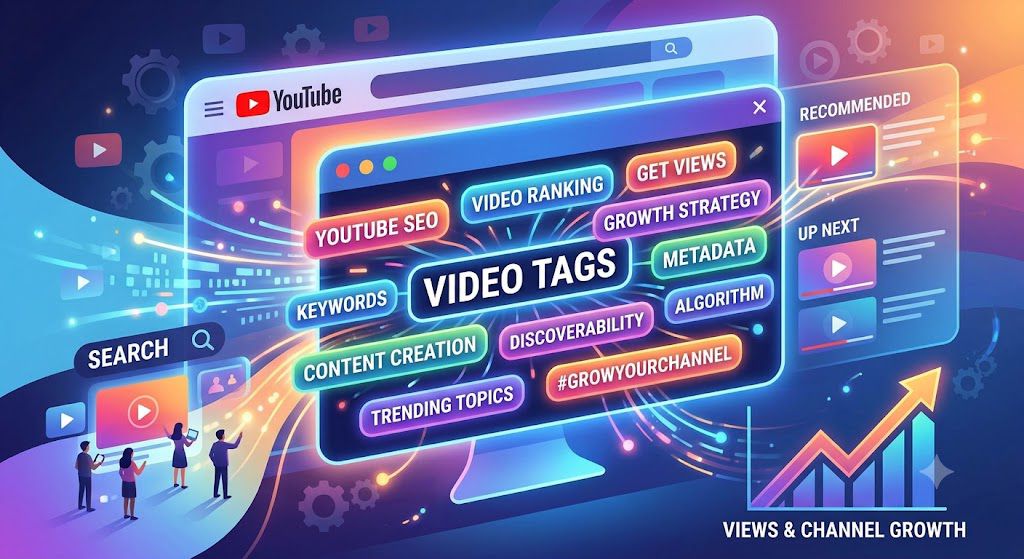
“Picture this: You just spent ten hours editing a great video. You upload it to YouTube, and then you spend another 45 minutes digging through competitor channels, copying and pasting dozens of tags into that little box at the bottom. You hit publish, cross your fingers, and wait for the thousands of views to roll in… only to get crickets. If this sounds familiar, don’t worry. You aren’t doing it wrong; you’ve just been lied to about what YouTube tags actually do.”
Years ago, the YouTube algorithm was blind. It couldn’t watch a video or perfectly analyze audio, so it relied entirely on text metadata—titles, descriptions, and tags—to figure out what a video was about. Creators could easily game the system by filling the tag box with trending words.
It sounds like you are zeroing in on the core promise of your introduction! That sentence is the perfect way to set expectations and keep your readers hooked because it addresses their exact frustration: spending too much time on things that don’t actually move the needle.
If you are drafting the introduction around that point, here is a quick, punchy way to write out that specific opening paragraph using simple words:
“If you’ve been spending hours copying and pasting dozens of tags into your YouTube Studio, hoping for a sudden wave of views, I have some news for you: the game has changed. In this post, we are going to look at what YouTube tags actually do today, why you shouldn’t obsess over them, and the high-impact things you should focus on instead to grow your channel fast.”
What Exactly Are YouTube Tags? (In Simple Words)
Think of YouTube tags as hidden text labels. When you upload a video inside YouTube Studio, you will find a small box near the bottom of your settings page labeled “Tags.” This is where you can type in short words or phrases related to your video before you hit publish.
Here is the thing: your viewers cannot see these words. They are completely invisible on your public video page. Instead, they act as behind-the-scenes text signals meant specifically for YouTube’s computer system.
To understand how much tags matter, imagine you run a bakery:
- The Donut: This is your actual video. It needs to taste good (be high quality) for people to come back.
- The Window Display: This is your video’s title and thumbnail. It is what makes people stop walking down the street, look inside, and decide to click.
- The Sprinkles: These are your YouTube tags. They are a nice final touch, but nobody buys a donut just for the sprinkles!
If your video (the donut) is bad, or your thumbnail (the window display) is boring, a handful of perfect tags won’t save you.
The Real Job of Tags Today: Fixing Mistakes
If the algorithm is already so smart, why does this box still exist? YouTube officially states that tags are mostly useful if the topic or keywords of your video are commonly misspelled.
For example, if you make a video about the “iPhone,” users searching for it might accidentally type “ihpone” or “ifone.” By putting those incorrect spellings into your hidden tags box, you help YouTube connect the dots so your video can still show up to help that user.
If you look directly inside YouTube Studio when uploading a video, YouTube explicitly adds a small note right above the tag box that reads:
“Tags can be useful if the content of your video is commonly misspelled. Otherwise, tags play a minimal role in your video’s discovery.”
Because YouTube’s natural language processing and AI are so advanced now, they don’t need a list of keywords to understand a video. It instantly processes the spoken audio, the visual frames, the title, and the description.
Why this is a game-changer for creators to know:
- It saves hours of useless work: Instead of spending 20 minutes researching 50 different tags, creators can fill out 5 to 8 tags (including common typos) in 60 seconds and move on.
- It shifts focus to what actually drives views: It forces creators to spend that extra 20 minutes perfecting the thumbnail and the title, which actually dictate whether a video succeeds or fails.
Do Tags Help Your Channel Grow? (The Truth)
If you ask ten different YouTubers whether tags matter, you will get ten different answers. Some will tell you they are the secret to going viral, while others say they are completely dead.
So, what is the actual truth?
The short answer is yes, but only a tiny bit. Think of tags as contributing about 5% to your video’s overall search engine optimization (SEO). They are helpful helpers, but they are not the main engine that drives your channel’s growth.
Why YouTube Tags Changed
Years ago, the YouTube platform couldn’t look inside a video file to see what was happening. It had to rely entirely on whatever words the creator typed into the background settings. Back then, tags were incredibly powerful.
Today, YouTube’s system is incredibly smart. It doesn’t just read the tags you type; it actually “listens” to the words you speak in the video, reads the text on your thumbnail, and analyzes every sentence in your video description. Because the system can understand your video just by watching it, the text boxes in your settings have become much less important.
In fact, if you open up YouTube Studio right now and look at the tag box, YouTube has a small note directly above it that says:
“Tags can be useful if the content of your video is commonly misspelled. Otherwise, tags play a minimal role in your video’s discovery.”
The Danger of “Tag Stuffing”
Because people think tags are a magic trick to get more views, many new creators fall into a dangerous trap called tag stuffing. This means copying and pasting 50 popular, trending keywords into the box—like putting “gaming,” “ASMR,” or “MrBeast”—even if the video is just a simple cooking tutorial.
Doing this actually hurts your channel for two big reasons:
- It confuses the algorithm: If you give YouTube contradictory signals, its system won’t know who to show your video to. If it shows a cooking video to a gaming fan, they won’t click, and YouTube will assume your video is bad.
- It breaks the rules: YouTube considers misleading tags a form of spam. If you get caught tricking the system to get clicks, your video can be taken down, or your channel could face a penalty.
Tags won’t make a bad video blow up, and a lack of tags won’t keep a great video hidden. Use them as a quick safety net for misspellings and broad topics, but don’t spend hours stressing over them.
How to Make the Best Use of YouTube Tags (The 3-Step Strategy)
Now that you know tags are just minor helpers for YouTube’s algorithm, you don’t need to waste hours overthinking them. Instead of guessing or filling the box with random words, you can use this simple 3-step strategy on every video you upload. It takes less than two minutes and gives YouTube exactly what it needs.
Step 1: Quality Over Quantity (Aim for 5 to 8 Tags)
YouTube gives you a limit of 500 characters in the tag box, but you do not need to use all of them. In fact, stuffing 40 different tags into the box actually confuses YouTube’s system. It makes it harder for the algorithm to figure out the exact point of your video.
Instead, aim for 5 to 8 highly focused tags that describe your video perfectly. If a tag doesn’t directly match what happens in your video, leave it out.
Step 2: Use the “Targeting Formula”
The Exact Focus (1 Tag): Your first tag should always be your main video title or the exact phrase someone would type to find it.
Example: how to bake a chocolate cake
The Variations (2-4 Tags): These are different ways a person might type the same idea, or common misspellings you think people might make.
Example: baking chocolate cake, easy choclate cake recipe, how to make chocolate cake from scratch
The Big Picture (2-3 Tags): These are broad categories that your video fits into.
Example: baking tips, dessert recipes
3: Use a “Branded Tag” on Every Video
A branded tag is simply your unique channel name. Make sure to type your channel name exactly the same way in the tag box of every single video you publish.
Why does this matter? When multiple videos on your channel share the exact same unique tag, it helps YouTube connect them behind the scenes. This increases the chances that when someone finishes watching one of your videos, your other videos will appear right next to it in the “Suggested Videos” sidebar. It is a great, effortless way to keep people watching your channel longer.
How to Make the Best Use of YouTube Tags (The 3-Step Strategy)
Now that you know tags are just minor helpers for YouTube’s algorithm, you don’t need to waste hours overthinking them. Instead of guessing or filling the box with random words, you can use this simple 3-step strategy on every video you upload. It takes less than two minutes and gives YouTube exactly what it needs.
Step 1: Quality Over Quantity (Aim for 5 to 8 Tags)
YouTube gives you a limit of 500 characters in the tag box, but you do not need to use all of them. In fact, stuffing 40 different tags into the box actually confuses YouTube’s system. It makes it harder for the algorithm to figure out the exact point of your video.
Instead, aim for 5 to 8 highly focused tags that describe your video perfectly. If a tag doesn’t directly match what happens in your video, leave it out.
Step 2: Use the “Targeting Formula”
To get the best results, organize your tags using a simple formula that goes from very specific to broad:
The Exact Focus (1 Tag): Your first tag should always be your main video title or the exact phrase someone would type to find it.
Example: how to bake a chocolate cake
The Variations (2-4 Tags): These are different ways a person might type the same idea, or common misspellings you think people might make.
Example: baking chocolate cake, easy choclate cake recipe, how to make chocolate cake from scratch
The Big Picture (2-3 Tags): These are broad categories that your video fits into.
Example: baking tips, dessert recipes
Step 3: Use a “Branded Tag” on Every Video
A branded tag is simply your unique channel name. Make sure to type your channel name exactly the same way in the tag box of every single video you publish.
Why does this matter? When multiple videos on your channel share the exact same unique tag, it helps YouTube connect them behind the scenes. This increases the chances that when someone finishes watching one of your videos, your other videos will appear right next to it in the “Suggested Videos” sidebar. It is a great, effortless way to keep people watching your channel longer.
What Matters WAY More Than Tags for Channel Growth
While YouTube tags give the algorithm a tiny hint about your video, they only account for about 1% to 5% of your search engine optimization (SEO) success. Today, YouTube’s AI doesn’t rely on hidden text—it reads your thumbnail, looks at consumer behavior, and literally “listens” to the words you say in your video.
If you want to explode your channel growth, you need to shift 100% of your focus to the things that actually drive views, retention, and subscribers.
1. The Title & Thumbnail Combo (The Click)
No matter how good your video is, nobody will ever know if they don’t click on it. Your title and thumbnail act as a team to pitch your video to potential viewers.
- The Thumbnail (The Visual Hook): Your thumbnail should catch the eye in less than a second. Keep it simple—use clear imagery, high contrast, and no more than 3–4 words of text. Never just repeat the title word-for-word on the image.
- The Title (The Curiosity Gap): A great title confirms what the thumbnail promised while creating curiosity or emotion. Instead of a boring title like “My Cooking Video #4,” use an active, high-intent title like “How to Bake a Perfect Chocolate Cake (Even If You’re a Beginner).”
2. Saying Your Target Keywords Out Loud
YouTube automatically transcribes every single video uploaded to the platform. The algorithm “hears” everything you say.
How to use it: Within the first 30 to 60 seconds of your video, state your main topic clearly out loud. If your video is a blueprint for faceless YouTube growth actually say the words “In this faceless YouTube automation blueprint…” early on. This signals to the AI exactly who your target audience is.
3. The First 3 Lines of Your Description
YouTube’s algorithm crawls text from top to bottom. The first 150–200 characters of your video description carry massive weight because they show up in search results right under your title.
- How to use it: Write a natural, compelling summary of your video in the first two sentences. Naturally weave your main target keywords into this text so both YouTube and human viewers immediately know they are in the right place.
4. Watch Time and Audience Retention (The Hook & Pacing)
YouTube’s ultimate goal is to keep users on the platform for as long as possible so they can show them ads. If your videos keep people watching, YouTube will reward you by promoting your content to thousands of new feeds.
- The Hook: Eliminate long, boring intros or generic channel logos. Dive straight into the value or the promise of the video within the first 5 seconds to prevent viewers from clicking away.
- The Pacing: Keep your video moving. Use visual changes, clear transitions, or shifts in your talking points every few seconds to reset the viewer’s attention span.
Conclusion
At the end of the day, YouTube tags are just minor helpers behind the scenes. They are fantastic for catching common spelling mistakes (like when someone types “teh” instead of “the”), but they are not the secret weapon to blowing up your channel.
If there is one thing you take away from this post, let it be this: stop stressing over tags and start focusing on your viewers.
Instead of spending an extra 20 minutes trying to find the perfect 500 characters of tags, spend that time where it actually matters:
FAQS
1. Does filling up all 500 characters in the tag box help my video get more views?
No. Filling up the entire box with dozens of tags can actually confuse YouTube’s algorithm. If you put too many broad or slightly different tags, YouTube might struggle to figure out exactly who your ideal viewer is. It is much better to use 5 to 8 highly specific, relevant tags than to force 30 random ones just to hit the character limit.
2. Can I get banned for using popular tags that don’t match my video?
Yes, you can. This is called “tag stuffing” or misleading metadata, and it goes against YouTube’s community guidelines. For example, if you put “MrBeast” or “GTA 6” in your tags just because they are trending, but your video is a cooking tutorial, YouTube can penalize your video, take it down, or even strike your channel. Always keep your tags honest and relevant.
3. Should I put hashtags (#) in the tag box?
No, do not use hashtags inside the regular tag box. The tag box is meant for plain words and phrases (like how to grow a channel). Hashtags (like #Shorts or #Tech) belong in your video description or your video title. When you put them there, they turn into clickable blue links that help viewers find similar content.
4. Do YouTube Shorts need tags?
Not really. YouTube Shorts are discovered almost entirely on the mobile “Shorts Feed,” where viewers swipe from video to video. The algorithm chooses which Shorts to show people based on watch time, the title, and the hashtags in your description. Regular tags have almost zero impact on how a Short performs.
5. Can viewers see the tags I add to my videos?
Not by default. Tags are hidden behind the scenes inside your YouTube Studio dashboard. However, anyone using a specialized browser extension (like TubeBuddy or vidIQ) can see the tags you used on any public video. Because of this, don’t put anything in your tags that you wouldn’t want your competitors or audience to see!
One comment on “What Do YouTube Tags Actually Do? (And How to Use Them Right)”