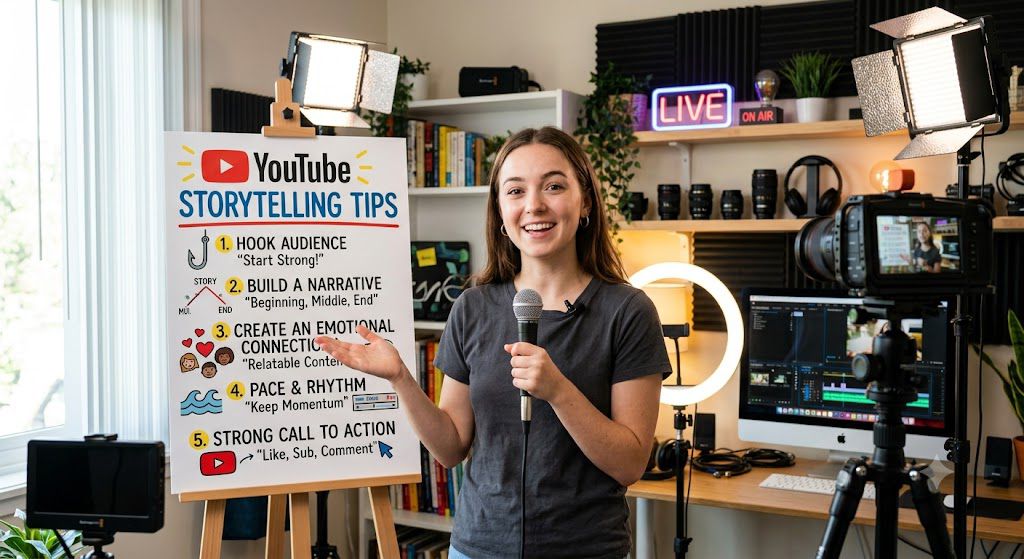
Exactly! That is the core truth behind some of the most successful channels on the platform today.
When you remove the camera from the equation, you take away a lot of pressure. You don’t have to worry about lighting your room perfectly, buying an expensive camera, or having a “good hair day.” Instead, all of your energy goes into what actually matters: the story.
By focusing entirely on great audio, clever visuals, and strong pacing, a faceless creator can build a massive, loyal audience. The viewer stops focusing on who is telling the story and becomes completely wrapped up in the story itself.
“You don’t need a fancy camera, a studio setup, or even a smile to get millions of views on YouTube. In fact, some of the biggest channels on the platform use nothing but stock pictures, video clips, and a great voiceover to tell stories that glue people to their screens. If they can build an empire from behind the scenes, so can you.”
Tip 1: Use the 5-Second Rule
When someone clicks on your YouTube video, a silent timer starts. You have exactly 5 seconds to prove to the viewer that your video is worth their time. If you fail, they will click away, and YouTube will stop showing your video to other people.
The biggest mistake faceless creators make is starting with a slow intro. They spend the first 20 seconds showing a fancy animated logo, playing loud music, or saying things like:
“Hey guys, welcome back to my channel! If you’re new here, please like and subscribe, and today we are going to talk about…”
By the time you finish that sentence, half of your audience is already gone.
Instead, you need to use a Hook. A hook is a sentence that grabs the viewer’s brain and makes them curious. Here are two simple ways to do this without showing your face:
Ask a Bold Question: Start with something that makes them think.
Example: “What if everything you were told about the Bermuda Triangle was a lie?”
Share a Shocking Fact: Start with a piece of information that surprises them.
Example: “In 1923, a single man accidentally destroyed an entire country’s economy with one phone call.”
When you combine a powerful sentence like this with a fast, interesting visual on screen, the viewer’s brain instantly wants to know the answer. They will keep watching to find out what happens next.
Tip 2: Speak Like You Talk to a Friend
When you do not show your face on camera, your voice has to do all the heavy lifting. A common mistake people make is trying to sound like a textbook or a nightly news anchor. They use big, fancy words to sound smart.
But here is the truth: big words build a wall between you and the person watching.
Instead, write your script exactly the way you would talk to a good friend at a coffee shop.
- Ditch the fancy vocabulary: Don’t say “utilize” when you can just say “use.” Don’t say “subsequently” when you can say “next.”
- Keep sentences short: Long sentences make people lose track of your point. Short sentences keep the energy moving forward. They are also much easier for you (or an AI voice) to read out loud without running out of breath.
- Read it out loud while you write: If you stumble over a sentence while reading your script, erase it and rewrite it. If it doesn’t sound natural coming out of your mouth, it won’t sound natural to your viewer.
When you speak like a friend, people trust you. And when people trust you, they stay to hear the rest of your story.
Tip 3: Create an Enemy or a Big Problem
Every great story needs a challenge. Think about your favorite movies—there is always a hero trying to beat a bad guy, survive a storm, or fix a massive mistake. Your YouTube video needs that exact same energy.
You do not literally need a cartoon villain with a cape. In a faceless video, your “enemy” can be anything that stands in the way of success.
- If you are making a history video, the enemy might be a harsh winter or a rival army.
- If you are making a finance video, the enemy is inflation, high taxes, or bad spending habits.
- If you are telling a celebrity story, the enemy might be a bad contract or a public scandal.
The secret is to introduce this big problem in the first 30 seconds. Do not wait until the middle of the video to explain what is wrong. Show the viewer the danger or the obstacle immediately. When the audience knows what the stakes are, they will stay glued to the screen to see how the problem gets solved.
Tip 4: Keep Open Loops (The Curiosity Trap)
An “open loop” is simply a promise you make to the viewer. You open a loop when you give them a tiny piece of a puzzle, but you don’t give them the whole picture right away.
Think of it like a movie that shows you the bank robbery in the first two minutes, but doesn’t show you who the robber is until the very end. The viewer’s brain hates unfinished stories. It craves closure. If you give them a mystery early in the video, they will stay glued to the screen just to see how it ends.
How to do it in a faceless video:
- The Wrong Way: “Today we are talking about 5 people who got lost in the jungle. Let’s start with person number one…” (Borings blocks of facts).
- The Open Loop Way: “Today we are looking at 5 people who got lost in the jungle. But pay close attention to person number three—because what the rescue team found in his backpack 10 years later changed the entire case forever. More on that in a few minutes. First, let’s look at…”
By opening that loop, you have just given the viewer a powerful reason not to click away. They have to stick around to find out what was in that backpack. Just make sure you always close the loop and give a satisfying answer at the end of the video, or your viewers will feel tricked!
Tip 5: Clean Up Your Sound
On YouTube, bad video quality is annoying, but bad audio quality is unwatchable. If your video looks a little blurry, people will stay if the story is great. But if your microphone has a loud hum, echo, or sounds muddy, viewers will click away within three seconds. Since they cannot see your face, your voice is the only bridge connecting them to the story.
Here is how you can get crisp, professional audio without spending a fortune:
1. Fix Your Room Before Buying a Mic
You do not need a recording studio, but you do need to stop echo.
The Problem: Hard surfaces like bare walls, windows, and hardwood floors bounce your voice around, making it sound hollow.
The Fix: Record in a room with carpets, curtains, or lots of clothes (like a walk-in closet). These soft materials absorb the extra sound.
2. Control Your Distance
Do not sit too far from your microphone. If you are too far, the mic picks up more background noise than your actual voice. Stay about 4 to 6 inches (roughly one fist-width) away from the microphone for a warm, intimate tone.
3. Use Free AI Audio Cleaners
You do not need to be an audio expert to fix mistakes. If you have background noise like a fan or traffic, run your audio track through free tools like Adobe Podcast AI Enhance or use the built-in noise reduction features in editors like CapCut or Audacity. With one click, they remove background static and make your voice sound clear.
Tip 6: Change Your Reading Speed (Pacing)
Imagine listening to someone speak in the exact same slow, flat voice for 10 minutes. You would probably fall asleep! Because viewers cannot see your face or hand gestures, your voice has to do all the heavy lifting to show emotion.
To keep people listening, change how fast you speak based on what is happening in your story:
Tip 6: Change Your Reading Speed (Pacing)
Imagine listening to someone speak in the exact same slow, flat voice for 10 minutes. You would probably fall asleep! Because viewers cannot see your face or hand gestures, your voice has to do all the heavy lifting to show emotion.
To keep people listening, change how fast you speak based on what is happening in your story:
- Speed up during exciting parts: When the story gets intense, dramatic, or full of action, talk a little bit faster. This builds energy and makes the viewer feel like they are on a roller coaster.
- Slow down for serious moments: When you share a shocking fact, a sad twist, or the main lesson of your video, slow your voice down. Speak clearly and give each word extra weight so the viewer knows, “Wow, this part is really important.”
By matching your speed to the mood of the story, you control exactly how the audience feels.
Tip 7: Pick the Right AI or Real Voice
Your voice is the anchor of a faceless video. Since viewers cannot see your facial expressions or body language, they rely entirely on the tone of the audio to feel emotion.
- Avoid the “Robot Effect”: If you use an artificial voice, stay away from cheap, monotone software. If it sounds like a computer reading a grocery list or a GPS giving directions, viewers will click away within ten seconds.
- Look for Human Elements: Choose an AI voice that knows how to take a breath, pause naturally at commas, and change its pitch. The best AI voices sound warm, inviting, and conversational.
- Match the Voice to the Niche:
For scary stories or true crime, pick a deeper, slower, and slightly raspy voice.
For business, tech, or education, pick a clear, confident, and energetic voice. - The Golden Rule: Before you render a full video, listen to a 30-second sample with your eyes closed. If you can forget that a computer is speaking, your audience will too.
Tips 8: the strategic silence:
When you cannot use your facial expressions or hand gestures to show emotion, silence becomes your superpower.
Many beginner creators make the mistake of editing out every single breath and gap in their audio. They think fast talking equals high engagement. But when information comes at a viewer like a rapid-fire machine gun, their brain gets tired and they click away.
Here is how to use strategic silence to control the emotional rhythm of your faceless video:
1. The “Plot Twist” Pause
When you reveal a shocking piece of information, do not rush to the next sentence. Give it a full second of complete silence.
Without Pause: “…and that is when the police realized the killer was actually the judge. The judge grew up in a small town…” (Feels rushed, loses impact).
With Pause: “…and that is when the police realized the killer was actually the judge. [1-Second Silence] The judge grew up in a small town…” (Gives the viewer a moment to say “Wait, what?!”).
2. The “Let it Sink In” Pause
If you ask a deep question or state a profound fact, leave a gap. This forces the viewer to think about your words rather than just passively listening.
Example: “Imagine losing everything you own in a single second. [1-Second Silence] That is exactly what happened to John.”
3. Pair Silence with Visuals
During your 1-second pause, let the visuals do the heavy lifting. Slow down the video clip, zoom in slowly on an image, or let a subtle sound effect (like a clock ticking or distant wind) fill the gap. This keeps the viewer’s eyes glued to the screen while their brain processes the story.
Pro Tip: In your video editing software, physically look at your audio track. If you do not see tiny, flat gaps between your major storytelling beats, your video is moving too fast. Go back and insert some breathing room.
Tip 9 — The 3-to-5 Second Rule
This tip is the secret weapon for keeping viewers glued to the screen. Because you aren’t on camera to hold their attention with your facial expressions or hand gestures, the visuals must do the heavy lifting to prevent the brain from getting bored.
- Why the Brain Craves Change: Human attention spans are shorter than ever. If the image on the screen stays the same for more than 5 seconds, the viewer’s brain registers it as a “still image” and their eyes wander to the recommended videos sidebar.
- The “Micro-Movement” Technique: You don’t always need a brand-new video clip. You can keep the same clip but apply a slow, subtle zoom-in (often called the Ken Burns effect) or crop the video slightly every few seconds to create a visual reset.
- Mixing Media Formats: Keep the pacing dynamic by rotating through three types of visuals:
Relevant B-Roll: High-quality stock footage that matches your narrative.
Still Images with Motion: Photos that slowly drift across the screen.
Pop-up Graphics: Simple animations, green-screen effects, or icons that slide into view.
Use the beats of your background music as cutting points. If your music has a clear rhythm, changing the visual right on the beat makes the video feel incredibly satisfying and professionally produced.
Tip 10: Match Visuals Directly to Words.
This is one of the most powerful rules in faceless YouTube automation. When you don’t have a human face on camera to hold the viewer’s attention, the connection between what they hear and what they see must be perfect.
If there is even a two-second delay between the word and the image, the viewer’s brain feels a disconnect, and they are more likely to click away.
- The “Brain Glitch” Concept: Explain to your readers that when the audio says “he opened the door” but the video is still showing a picture of a car, it confuses the viewer. Matching visuals keeps the viewer’s brain locked into the story.
- Don’t Over-Literalize Everything: While showing cash for “money” works, you can also use metaphorical matches. If the script says “he felt crushed,” you can show a glass shattering or a heavy weight dropping.
- How to Edit It Quickly: Advise creators to use the audio waveform in their editing software (like CapCut or Premiere Pro). They should look for the visual spike in the sound where the keyword is spoken and drop the image asset exactly on that line.
How to Edit It Quickly: Advise creators to use the audio waveform in their editing software (like CapCut or Premiere Pro). They should look for the visual spike in the sound where the keyword is spoken and drop the image asset exactly on that line.
Tip 11: Stick to a Visual Theme
When you run a faceless YouTube channel, you do not have a recognizable face to build your brand. Instead, your visual style becomes your face. If every video looks completely different, your channel will feel messy, and viewers won’t remember you.
To look like a professional storyteller, you need to create a consistent theme. Here is how to do it simply:
- Pick 2 or 3 Colors: Choose a specific color palette and stick to it. For example, if your channel is about mystery, you might use dark gray, black, and a bright neon yellow for highlights. Use these same colors for your text, background graphics, and thumbnails.
- Choose One Main Font: Do not use five different text styles in one video. Pick one clean, easy-to-read font (like Montserrat or Arial Black) for all your big on-screen words.
- Match Your Art Style: If you use gritty, historical black-and-white photos in your first video, do not suddenly switch to bright, colorful 3D cartoons in your next one. Keep the mood of the images the same.
When your videos have a strict visual theme, people will instantly recognize your content the moment it pops up on their home page. It builds trust, and trust turns casual viewers into loyal subscribers.
Tip 12: Use Large Text Overlays
When you do not show your face on screen, viewers can sometimes zone out. They might listen to your voice but stop really looking at the video. A great way to pull their eyes back to the screen is by using Large Text Overlays.
This simply means taking the most important words, numbers, or short quotes from your script and popping them up on the screen in big, bold letters.
Why this works so well:
It creates a visual “bump”: When text suddenly appears, the human eye naturally moves to read it. It wakes up the viewer’s brain.
It highlights key points: If you say a specific number (like “$5,000,000” or “1945”), seeing the actual digits on screen helps the viewer remember it better.
It helps people watching on mute: Many people watch videos in public places with the sound turned down. Big text keeps them hooked.
How to do it correctly:
Keep it short: Never put whole paragraphs on screen. Only use 1 to 3 words at a time (e.g., “THE TRAP,” “BROKE,” or “SUCCESS”).
Make it pop: Use a bright color that stands out from the background video, like bright yellow or white with a black outline.
Use animations: Do not just let the text sit there. Have it quickly “pop,” “fade,” or slide onto the screen right at the exact second you say the word.
Tip 13: Let the Music Tell the Mood
Think of background music as the invisible actor in your video. Because viewers cannot see your face or expressions, music does the heavy lifting to tell them exactly how they should feel.
If you keep the same happy, upbeat track playing during a sad or intense part of your story, it confuses the audience and ruins the moment. Instead, match your music to the emotional beats of your script:
For sad or mysterious parts: Use quiet, slow tracks with soft pianos or low strings.
For action or exciting parts: Switch to fast drums or high-energy beats to build tension.
For moments of realization: Use a sudden shift in the music to show that something important just changed.
The Golden Rule of Audio Mixing
Always lower the music volume when you are speaking. Your voice should always be the loud, clear leader of the video. A good rule of thumb is to keep your background music at around -20dB to -30dB so it hugs your voice rather than drowning it out.
Tip 14: Add Realistic Sound Effects
When you cannot show your face, your audio has to do double the work to keep people interested. This is where sound effects (SFX) come in.
Imagine you are telling a spooky story and say, “He opened the old door.” That is okay. But if you add a sharp, wooden creak sound at that exact moment, the viewer instantly feels like they are in the room.
Sound effects take a flat, boring video and make it feel three-dimensional. Here are three simple sounds you should use:
The “Whoosh”: Use a quick whoosh sound whenever you switch from one image or video clip to another. It makes transitions feel fast and smooth.
The “Paper Crumble” or “Page Turn”: Use this when you show an old document, a book, or a map on the screen. It grounds the digital image in real life.
The “Pop” or “Ding”: Use a light pop sound whenever a graphic, text overlay, or icon appears on screen. It tells the viewer’s brain, “Look here!”
Keep the volume low. Sound effects should support your story, not drown out your voice. If a viewer notices a sound effect because it is too loud, it breaks the magic. It should be subtle enough that they feel it rather than actively think about it.
Tip 15: Create a Loop at the End.
This is one of the most powerful retention tactics used by top YouTubers today. In the industry, this is often called the “Seamless Outro.”
When you say things like, “Well, that is all for today’s video, thanks for watching,” you are giving the viewer a cue that it is safe to click away. Their brain switches off, and they leave your channel.
Instead, a loop connects the very end of your script straight into the End Screen element (the clickable video box) or even back to the beginning of your own video if it’s a Short.
How to Write a Seamless Loop Outro:
The Wrong Way: “…and that is how the mystery was solved. Thanks for watching, subscribe for more!” (Viewer clicks away immediately)
The Right Way: “…and that is how the mystery was solved. But it wasn’t the only time history was rewritten. In fact, a much weirder event happened just three years later, and you can see exactly how it unfolded right here.” (The viewer clicks the recommended video box that just popped up on screen)
Conclusion
You do not need to show your face to build a massive, loyal audience on YouTube. By using smart script tricks, clear audio, fast visual changes, and a seamless loop at the end, your videos can compete with the biggest creators on the platform.
Remember, when you make a faceless video, the story is the star of the show.