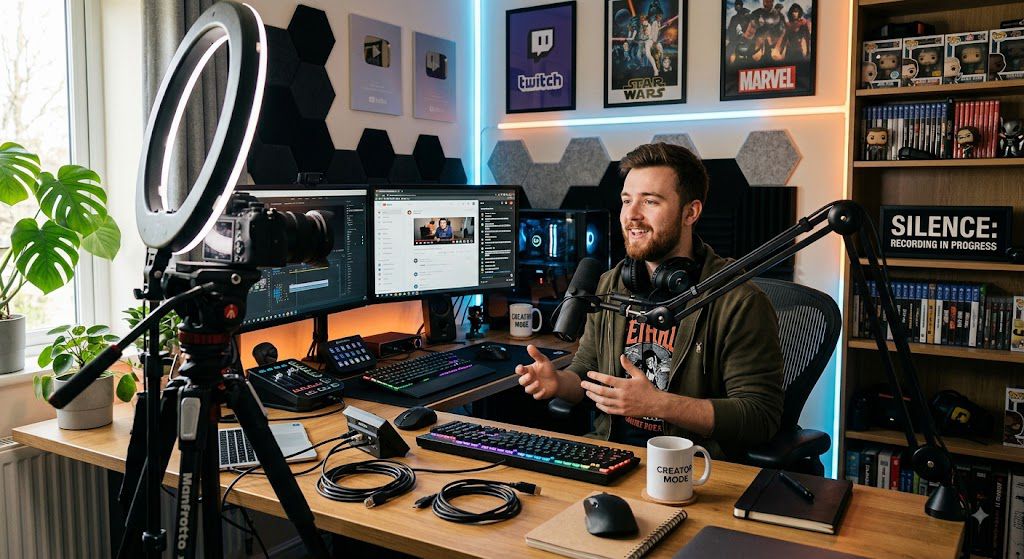
AI tools like ChatGPT, ElevenLabs, and Midjourney have made starting a faceless YouTube channel easier and faster than ever before. You no longer need an expensive camera, professional studio lighting, or even the courage to put your face on screen. With a few clever prompts, you can generate a complete video script, voiceover, and visual content in just a fraction of the time it used to take.
However, there is a catch: up to 97% of aspiring YouTube automation creators fail to reach monetization, with thousands giving up in their first 90 days.
The internet is flooded with tutorials promising automated, “push-button” passive income. This causes beginner creators to fall into the same trap: they flood YouTube with low-effort, robotic, copy-pasted AI content. Instead of building a profitable channel, they run into zero views, harsh audience drop-offs, or outright monetization bans from YouTube for “reused content”.
If you want to build a faceless channel that actually attracts viewers, ranks in the algorithm, and generates reliable revenue, you need to know where others go wrong. Below are the 15 biggest mistakes new AI creators make when launching a faceless YouTube channel—and the simple fixes to make sure your channel thrives.
Automating parts of your workflow with AI is a brilliant business strategy, but automation without strategy is just fast-tracking your failure.
Mistake #1: Picking a Niche That Is Too Broad
When beginners start a faceless YouTube channel, their first instinct is often to go as big as possible. They think, “If I make videos about general ‘Finance’ or ‘Technology,’ I’ll have billions of potential viewers!”
In reality, the exact opposite happens: broad channels get hidden, ignored, and eventually abandoned.
Why Broad Niches Fail on YouTube
1. The Algorithm Gets Confused
YouTube’s algorithm has one primary goal: matching the right video to the right viewer. If you upload a video about investing in stocks on Monday, a video about saving money on groceries on Wednesday, and a video about crypto news on Friday, the algorithm can’t pinpoint who your target audience actually is. As a result, it stops pushing your content.
2. You Can’t Compete with Established Giants
If you start a broad channel named “Tech World,” you are directly competing with giant creators and news networks who have million-dollar budgets and massive loyal followings. An AI-generated, faceless channel won’t stand out in that ocean.
3. Low Viewer Loyalty
People don’t subscribe to random collections of topics; they subscribe to solutions for specific interest areas. A viewer who clicks on your video for real estate advice will immediately scroll past your next video about paying off student loans
How to Fix It: The “Niche Down” Rule
To build a fast-growing faceless channel with ChatGPT, you need to go 3 levels deep.
Level 1 (Too Broad): Finance
Level 2 (Better): Investing
Level 3 (Goldmine): Dividend Growth Investing for Beginners
Action Steps for Your Channel
Pick One Specific Persona: Write down exact details about your ideal viewer (e.g., “a 30-year-old trying to buy their first home”). Every AI script you generate in ChatGPT should talk directly to that person.
Test the 10-Video Rule: Before locking in a sub-niche, ask ChatGPT to outline 10 distinct video topics for it. If all 10 topics feel focused on the same core audience, you’ve found a winning niche.
Mistake #3: Expecting “Push-Button” Overnight Wealth
Social media is full of self-proclaimed gurus claiming you can generate 50 AI videos in ten minutes, post them on YouTube, and wake up to thousands of dollars in passive income.
This “get-rich-quick” hype leads to one of the biggest reasons creators fail: unrealistic expectations. When the money doesn’t roll in by week two, beginners assume the model doesn’t work, get frustrated, and quit.
Why the “Push-Button” Mindset Destroys Channels
1. The Algorithm Needs Time to Learn
When you create a brand-new YouTube channel, the algorithm has zero historical data on your content. It usually takes 20 to 40 videos just for YouTube to test your content on different audience clusters and figure out who actually wants to watch it. Expecting viral views on video #2 is like expecting to run a marathon without training.
2. Low-Effort Automation Gets Ignored
If an AI workflow is so simple that you can do it with a single click, millions of other people are doing the exact same thing. YouTube’s algorithm favors viewer satisfaction and watch time over generic volume. Channels that pump out automated “junk” quickly see their reach flatline.
3. Monetization Takes Consistent Effort
To join the YouTube Partner Program, you need either 1,000 subscribers + 4,000 public watch hours on long-form videos or 10 million Shorts views in 90 days. Hitting those thresholds takes strategy, iteration, and steady posting.
Realistic Timeline for a Faceless AI Channel:
Goal: Upload 20–30 high-quality videos.
• Focus: Learn tools, refine scripts, and find your editing style.
• Expectation: Low views, small subscriber growth ($0 income).
Months 3–6: The Momentum Phase
• Goal: Analyze data and double down on what works.
• Focus: Improve viewer retention and click-through rates.
• Expectation: Hitting YouTube Partner Program monetization thresholds.
Months 6–12: The Scaling Phase
• Goal: Streamline production and build secondary revenue streams.
• Focus: Add affiliate links, digital products, and brand deals.
• Expectation: Consistent monthly cash flow that scales over time.
Action Steps for Your Channel
Commit to the 30-Video Rule: Promise yourself you won’t judge your channel’s success until you have published 30 well-crafted, optimized videos.
Track Skill Progression, Not Just Views: In your first month, measure success by how much faster and better you become at writing ChatGPT prompts, creating thumbnails, and editing audio.
Build a System, Not a Side-Hustle: Set aside a dedicated 1–2 hours each day or a single weekend batch-production session to make content creation a consistent habit.
Mistake #4: Copy-Pasting Raw ChatGPT Scripts (“AI Slop”)
The biggest trap new creators fall into is asking ChatGPT to write a script, copying the exact text, sending it straight to a voice generator, and calling it a day.
This process creates what the internet now calls “AI Slop”—generic, repetitive, robotic content that viewers can spot from a mile away.
Why Raw ChatGPT Scripts Kill Your Views
1. They Use Obvious “AI Buzzwords”
ChatGPT has a very specific default writing style. It loves overusing dramatic filler phrases like “In today’s fast-paced world,” “Delve into,” “It’s important to remember,” and “Testament to.” Humans rarely talk like this in real life. When viewers hear these patterns, they realize it’s unedited AI and click away.
2. They Lack Emotional Hooks and Personality
Base ChatGPT responses tend to play it extremely safe. They deliver neutral summaries instead of hot takes, strong opinions, or vivid storytelling. Without personal flair, your video feels like reading a textbook out loud.
3. High Bounce Rates Hurt You in the Algorithm
If your opening lines sound stiff and mechanical, audience retention plummets within the first 10 to 15 seconds. YouTube’s algorithm notices viewers leaving early and stops recommending your channel altogether.
Action Steps for Your Next Video
Add Real-World Examples: Insert specific names, current news events, or step-by-step scenarios into the AI draft.
Inject Opinions: Have the script take a clear stance (e.g., “Most people think X is the best method, but here is why that is actually wrong”).
Trim the Fluff: Delete the first 2-3 introductory sentences ChatGPT writes. Jump straight into the core value.
Mistake #6: Having a Boring First 5 Seconds (Weak Hooks)
You can have the best AI-generated script, flawless audio, and stunning visuals, but if the first five seconds of your video are boring, nobody will stick around to watch it.
On modern YouTube, viewers decide whether to watch or swipe away in the blink of an eye. If your opening doesn’t instantly grab their attention, your watch time will plummet—and YouTube will stop recommending your video.
Why Most AI Hooks Fail
When you ask ChatGPT to write a video script, its default opening usually looks something like this:
“Hello guys, welcome back to the channel! Today, we are going to dive deep into five ways you can improve your productivity using simple tools…”
This is a weak hook. It fails because:
- It wastes time on intros: Viewers don’t care about your channel name or greetings yet; they care about their own problems.
- It lacks tension or curiosity: It states what the video is about instead of making the viewer feel compelled to keep watching.
- It sounds like a textbook: Raw AI scripts tend to be overly formal and slow to start.
How to Fix It: The 3-Step Hook Formula
To hold a viewer’s attention past the critical 5-second mark, every faceless video intro needs three key components:
The Conflict or Mystery: State a bold problem, a shocking fact, or a counterintuitive statement immediately in line 1.
The Stakes: Briefly explain why failing to solve this problem costs the viewer time, money, or happiness.
The Payoff: Promise a clear, exciting solution that will be revealed by the end of the video.
Action Steps for Prompting ChatGPT
Stop letting ChatGPT write default intros. Use specific prompts to generate high-retention openings:
Prompt ChatGPT for multiple options:
“Write 3 punchy, curiosity-driven opening lines for a YouTube video about [Your Topic]. Do not include greetings, channel intros, or filler words. Make line 1 start with a shocking statistic or a bold question.”
Cut the first 10 seconds of raw AI output: When recording or editing, delete the fluff and start the voiceover at the exact moment the main point or tension begins.
Match visuals to the hook: Pair the opening sentence with rapid visual edits, text on screen, or a dramatic sound effect to lock in both visual and audio attention.
Mistake #7: Using Robotic AI Voiceovers
The voice in a faceless video isn’t just delivering text—it is the entire personality, emotional anchor, and host of your YouTube channel.
Yet, many creators paste their ChatGPT scripts directly into cheap, outdated Text-to-Speech (TTS) software and export a monotone voice that sounds like a GPS giving driving directions.
If your AI voice sounds flat, robotic, or unnatural, viewers will click off within the first 10 seconds.
Why Monotone AI Voices Kill Channel Growth
1. Subconscious Viewer Fatigue
Human brains quickly tune out unnatural, flat speech rhythms. When an AI voice fails to change pitch, pause naturally, or emphasize key words, it triggers mental fatigue, leading viewers to bounce.
2. Loss of Emotional Connection
Audience retention relies heavily on suspense, curiosity, and excitement. A robotic voice cannot express urgency or awe, turning an engaging story into a dry lecture.
3. Low Production Value Perception
Viewers associate robotic voices with low-effort “spam” channels. Using a flat voice immediately lowers the perceived quality of your content, regardless of how good your script or editing might be.
How to Fix It: Humanizing Your AI Voiceovers
To create professional, high-retention narration, transition from standard text-to-speech tools to advanced AI voice generation strategies. Raw Text Draft ➡️ Formatting Pacing Cues ➡️ Premium AI Voice Engine ➡️ Studio Audio Polish
1. Upgrade Your Voice Tool
Avoid built-in computer voices or outdated TTS generators. Use modern generative AI platforms (such as ElevenLabs or HeyGen) that offer realistic pitch variation, natural breathing pauses, and human-like inflection.
2. Format Your Script for Speech (Punctuation Direction
AI voice models interpret punctuation marks as speech directions:
Use Ellipses (…) to force a natural pause or hesitation before a big reveal.
Use Em-Dashes (—) to create a mid-sentence break or shift in tone.
Spell Out Numbers and Symbols (e.g., write “five hundred dollars” instead of “$500” and “forty-two” instead of “42”) to prevent awkward pronunciations.
3. Balance Voice Settings
When using platforms like ElevenLabs, adjust your voice controls instead of leaving them on default:
Stability (35%–45%): Lower stability allows the AI voice to sound more expressive and dynamic, reducing mechanical flat lines.
Style Exaggeration (Low / 0%–10%): Keep exaggeration subtle to prevent the delivery from sounding forced or unnatural.
Pro Tip: Audio Post-Processing
Never drop raw, unedited AI audio directly onto your video editing timeline. Apply basic audio equalization (EQ) and subtle compression to warm up the vocal frequencies, smooth out volume levels, and give the AI narration a studio-quality broadcast sound.
Mistake #8: Repeating the Same Generic Stock Footage on a Loop
One of the biggest telltale signs of a lazy faceless channel is predictable visual loops. We’ve all seen them: a 10-minute video talking about “business growth” that rotates through the exact same three clips of a person typing on a laptop, a city skyline, and two people shaking hands over and over.
AI voiceovers move fast and deliver a lot of information quickly. If your visuals stay static or repeat in a dull pattern, your audience will disengage within seconds.
Why Static Visuals Destroy Your Retention Metrics
1. Viewer Fatigue Happens Fast
Modern YouTube audiences—especially those accustomed to high-paced media—expect constant visual stimulation. Repeating the same generic clips signals that your video lacks effort, causing viewers to exit (which tanks your Average Percentage Viewed).
2. Visual Disconnect Kills Understanding
Stock clips should illustrate what your voiceover is talking about. When you display a random, generic office scene while your AI voiceover is explaining a specific economic concept or technical process, the viewer’s brain experiences visual dissonance and stops paying attention.
3. It Triggers YouTube’s Low-Value Content Flags
YouTube actively penalizes channels that use templated, low-effort video assemblies. Slapping an AI voiceover over a continuous loop of standard royalty-free clips is one of the fastest ways to get flagged for low original educational or narrative value.
How to Fix It: Create Dynamic Visual Variety
To keep viewers hooked from start to finish, aim to change or alter what is on screen every 3 to 5 seconds. You don’t need expensive custom video shoots to do this—you just need better visual layering.
Visual Layering Techniques:
- Mix Media Types: Never rely 100% on standard stock video. Combine motion clips with dynamic text graphics, subtle kinetic typography, custom AI-generated image illustrations, relevant screenshots, and data charts.
- Apply Active Motion: Always keep static images moving. Use simple pan-and-zoom actions (the Ken Burns effect) to keep the camera constantly moving inward or outward
- Incorporate Micro-Transitions: Place subtle cuts, screen wipes, or light zooms at natural sentence pauses in your script to reset the viewer’s visual attention span.
- Add Sound Effects to Visual Cues: Pair text pop-ups, arrows, or visual changes with subtle audio cues (like a subtle whoosh, pop, or paper rustle). This double-stimulus (visual + audio) locks in focus
Action Steps for Editing Your Videos
Script Visual Cues in ChatGPT: When generating your script, prompt ChatGPT to add visual suggestions in brackets:
“Write a 60-second script section on inflation, including bracketed suggestions for specific, highly relevant visual cues every 4 seconds [e.g., [Visual: Close-up of price tag changing from $5 to $10]].”
Source Niche-Specific Visuals: Instead of typing generic terms like “money” into stock footage libraries, search for contextual actions like “hands holding a magnifying glass over a tax form” or “close-up of a printing press balance sheet”.
Mistake #9: Terrible Audio Balance
You can have a brilliant ChatGPT script, a top-tier AI voice, and 4K visual stock footage—but if your background music is blasting over the voiceover, viewers will close your video within 3 seconds.
Bad audio is the ultimate hidden channel killer because viewers watch bad video, but they leave bad audio.
Why Terrible Audio Balance Ruins Your Channel
1. Instant Listener Fatigue
When background music is too loud or competes with the narrator’s speech frequencies, the viewer’s brain has to work twice as hard to process what’s being said. This creates subconscious annoyance, driving viewers to click away.
2. Mobile Viewers Get the Worst Experience
Over 70% of YouTube watch time happens on mobile phones. Tiny phone speakers have poor frequency separation—meaning loud bass or aggressive background tracks will completely drown out your AI voiceover on a mobile device, even if it sounded “okay” on your desktop headphones.
3. Destroys Channel Professionalism
Random volume spikes, abrupt audio cuts, or whisper-quiet voiceovers instantly make your channel feel like low-effort spam, destroying trust before the viewer even hears your core message.
3 Golden Audio Rules for Faceless AI Channels
Turn On “Auto-Ducking”: Most free editors like CapCut offer an “Auto-Duck” feature. It automatically lowers the background music volume by 3–5 dB whenever the AI voiceover is speaking, and gently raises it during natural pauses.
Avoid Music with Lyrics: Never use background tracks containing singing or spoken words. The human brain naturally tries to focus on vocal tracks—combining an AI voiceover with sung lyrics creates instant audio chaos.
Perform the “Phone Test”: Before hitting publish, export your video and listen to it on your phone at 50% volume without headphones. If you struggle to catch a single word over the music, adjust your tracks and re-export.
Mistake #10: Falling Victim to the “Reused Content” Rule
Many beginners think faceless YouTube automation works like this: use ChatGPT to generate 20 scripts, feed them into an automated video generator, and upload 5 videos a day.
Then, when they apply for the YouTube Partner Program, they get slapped with a devastating rejection message: “Channel Not Approved: Reused Content” or “Inauthentic Content”.
This single mistake kills more AI channels than anything else.
What Is the “Reused Content” Policy?
When hundreds of creators use the exact same free AI prompts, stock libraries, and robotic voice tracks, their videos end up looking and sounding identical. YouTube views this as mass-produced spam designed to game the system. YouTube does not mind if you use AI. What
YouTube does hate is low-effort, factory-made videos that add zero unique value. Under YouTube’s updated guidelines (often referred to under their Inauthentic Content and Reused Content policies), a video is flagged if it looks like a computer built it without a human ever touching it.
❌ The Fast-Track to Getting Demonetized:
Prompt ChatGPT ➡️ Copy/Paste script ➡️ Auto-generate stock clips ➡️ Upload raw file
3 Things That Instantly Flag Your Channel
Templated AI Visuals: Using the same 5 motion stock clips or generic AI slideshow images with zero custom editing.
MilX
“Copy-Paste” Scripts: Uploading raw text generated by ChatGPT without adding personal commentary, real research, or a unique point of view.
Mass-Uploading: Publishing dozens of near-identical videos every week. To YouTube’s system, high volume with no variation reads like a bot.
Action Steps for Your Channel
Treat AI as Your Assistant, Not Your Master: Let ChatGPT build your outlines and draft research, but ALWAYS rewrite the script yourself.
The “One Unique Thing” Rule: Every single video you post must contain at least one element that no other channel could replicate (e.g., custom graphics, a unique framework, or deep topic research).
Ask the Golden Question: Before hitting publish, ask yourself: “Could a robot have made this video in 60 seconds without human help?” If the answer is yes, edit it more before uploading
Mistake #11: Forgetting the AI / Synthetic Content Disclosure
Many new creators believe that if they quietly upload AI-generated videos without telling anyone, they will slip past YouTube’s systems and make passive income completely unnoticed.
In reality, ignoring YouTube’s synthetic content rules is one of the fastest ways to get your videos flagged, demonetized, or deleted entirely.
Why Skipping Disclosure Will Ruin Your Channel
1. YouTube’s Detection Systems Are Scanning Every Upload
YouTube uses advanced AI detection systems and metadata scrapers (such as C2PA tracking) that scan every video uploaded to the platform. If your video features hyper-realistic synthetic voices, AI-generated faces, or altered real-world footage, YouTube’s system will flag it.
2. Severe Account Penalties
Failing to disclose synthetic content doesn’t just result in a quiet warning. It can trigger:
Loss of monetization and rejection from the YouTube Partner Program.
Reduced video distribution in recommendations and search.
Formal Community Guidelines strikes on your channel.
3. Loss of Viewer Trust
Viewers don’t mind watching AI-assisted content, but they hate feeling trickery or deception. If an audience discovers you tricked them with a fake AI voice clone or synthetic historical footage presented as real, they will bounce and leave negative comments.
Action Steps for Your Channel
Enable the Toggle in YouTube Studio: During the video upload process, scroll down to the “Altered or synthetic content” section. Select Yes if your video contains realistic AI media. YouTube will automatically add a subtle, non-intrusive label to your description.
Don’t Fear the Label: Selecting “Yes” does not harm your video’s algorithm ranking or ad revenue—it simply protects your channel from getting penalized for hidden synthetic content.
Mistake #12: Using Unlicensed Music, Images, or Footage
When creating faceless YouTube videos, you need dozens of visual clips, background tracks, and graphics for every single upload. Beginners often make the critical mistake of grabbing photos from Google Images, downloading random stock clips off Pinterest, or pulling trending songs off TikTok.
They assume, “I’m giving credit in the description, so it’s fine!” or “I only used 3 seconds of the song!”
In reality, YouTube’s Content ID system and automated copyright detectors catch these violations almost instantly.
Why Unlicensed Media Will Ruin Your Channel
1. Your Revenue Gets Hijacked (Content ID Claims)
If you use 5 seconds of a copyrighted song or movie clip, the original owner can place an automated Content ID claim on your video. Your video will stay public, but 100% of the ad revenue you earn goes straight into the copyright holder’s pocket instead of yours.
2. Channel Termination (Copyright Strikes)
If a copyright owner files a formal DMCA takedown request against your video, you receive a Copyright Strike. Accumulating 3 strikes results in YouTube permanently deleting your channel, banning you from creating new accounts, and losing all accumulated earnings.
3. The AI Asset Trap
Many free AI art or music generators do not grant commercial rights on their free tiers. If you monetize a video containing an AI track or image that was generated under a “personal use only” license, the tool owner or platform can retroactively claim or strike your content.
Action Steps for Your Channel
Keep a “License Vault”: Whenever you subscribe to a stock platform or AI tool, download and save a copy of their Commercial Terms of Service. If YouTube ever asks for proof of usage rights during monetization review, you can submit these receipts immediately.Test via “Unlisted” Uploads: Never publish a video immediately after rendering. Upload your video as Unlisted and wait 15–30 minutes. YouTube’s checks will notify you of any hidden Content ID or copyright issues before the video goes public to real viewers.
Mistake #13: Ignoring Thumbnails and Click-Through Rate (CTR)
You can use ChatGPT to generate a masterclass script, power it with a hyper-realistic AI voiceover, and spend hours editing crisp stock footage. But if nobody clicks on the video, zero people will ever see your hard work.
This is where Click-Through Rate (CTR)—the percentage of people who click your video after seeing it on their screen—makes or breaks your channel.
Why Poor Thumbnails Kill Faceless Channels
1. YouTube Will Stop Recommending Your Content
YouTube tests new videos by showing them to a small group of viewers. If your CTR is low (typically under 4–5%), the algorithm assumes your content isn’t interesting and immediately cuts off traffic—no matter how high-quality the actual video is.
2. AI Image Generator Misuse
Many creators ask Midjourney or DALL-E to generate a thumbnail prompt and paste the raw image directly onto YouTube. The result? Overly complex, cluttered images that look cool as standalone art, but fail completely when shrunk down on a mobile screen.
3. Repeating Title Text on the Thumbnail
Copy-pasting your exact title into thumbnail text wastes valuable real estate. A title and a thumbnail must act as a 1-2 punch that creates curiosity, not double down on the same phrase.
How to Fix It: High-CTR Thumbnail Design Rules
To capture attention in a busy YouTube feed, follow these simple, proven rules:
1. The “Rule of 3 Elements”
Keep your thumbnail visual clean so mobile viewers can read it in under a second. Never include more than 3 visual elements:
Element 1: One clear, high-contrast focal subject (e.g., a zoomed-in face expressing emotion, or a striking graphic).
Element 2: 2–4 words of high-impact text in a bold, easy-to-read font (e.g., Impact, Montserrat, or Anton).
Element 3: A subtle background element or a visual indicator (like an arrow, circle, or before/after comparison).
2. Pair Thumbnail Text with Your Title (The “1-2 Punch”)
Your title provides context, while your thumbnail creates emotional curiosity.
❌ Bad Combo:
Title: How to Make $100 a Day with AI
Thumbnail Text: How to Make $100 a Day with AI
✅ Winning Combo:
Title: How to Make $100 a Day with AI (Step-by-Step)
Thumbnail Text: Easiest Way Yet? (with an image pointing to a rising balance chart)
Action Steps for Your Channel
Design Before Editing: Brainstorm 3 thumbnail ideas before you record or edit your video. If you can’t come up with a compelling visual hook, tweak your video concept.
Test the Mobile Shrink Test: Zoom out on your thumbnail design until it’s tiny on your monitor. If you can’t immediately tell what the subject is or read the text, simplify it.
Prompt ChatGPT for Thumbnail Concepts: Ask ChatGPT:
“Give me 3 high-CTR YouTube thumbnail ideas for a video titled ‘[Your Title]’. Describe the main visual subject, background color, and 3 high-impact words for text overlay.”
Mistake #14: Inconsistent Uploading
When creators get access to ChatGPT and AI video tools, they usually fall into one of two dangerous extremes:
The Spurt-and-Ghost: Publishing 5 videos in 3 days, getting burnt out, and disappearing for three weeks.
The Random Dropper: Uploading on a Tuesday night, then two weeks later on a Sunday morning, with no predictable cadence.
In the early days of building a faceless channel, inconsistency is a silent channel killer.
Why Inconsistent Uploading Destroys Your Channel
The Algorithm Can’t Predict Viewer PatternsYouTube’s recommendation system relies heavily on returning viewers and session signals. When you upload on a predictable schedule, your core audience learns when to expect your videos, leading to faster initial clicks (a higher Click-Through Rate). Random uploads mean your subscribers miss your content, causing poor early performance that stops the algorithm from testing your video with a broader audience.
AI Mass-Production BurnoutIt sounds ironic, but AI makes burnout easier. Creators try to publish a video every single day because ChatGPT can write scripts fast. But when the editing, rendering, and thumbnail design catch up to them, they freeze and quit for a month.
Loss of Momentum and Trust
A dormant channel signals to both YouTube and potential subscribers that the business is abandoned. If a viewer lands on your video, enjoys it, and sees that your last upload was 2 months ago, they are far less likely to click “Subscribe.”
How to Fix It: Build a Batching System
To stay consistent without losing your sanity, shift your mindset from “daily publishing” to “predictable publishing.”
Wrong Mindset: “I’ll make a video whenever ChatGPT gives me a good idea.”
Right Mindset: “I publish every Tuesday and Thursday at 3 PM EST, no matter what.”
The 3-Step AI Batching Workflow:
Step 1: Script Batching (1 Day)
Use ChatGPT to generate and refine 4 to 8 scripts in a single session instead of working video-by-video.
Step 2: Voice & Visual Production (1 Day)
Generate all ElevenLabs voiceovers and download stock assets/AI images for all scripts in one batch.
Step 3: Schedule 2 Weeks Ahead
Always use YouTube Studio’s Schedule feature. Never publish a video the second it finishes rendering—always keep a “buffer” of at least 2–3 scheduled videos in your queue.
Action Steps for Your Channel
Pick a Realistic Frequency: If you have a full-time job or other commitments, 1 high-quality video per week is infinitely better than 7 rushed videos in one week followed by total silence.
Leverage YouTube Shorts as Fillers: If you are running behind on long-form video production, use ChatGPT to turn key quotes from your past long-form scripts into 30-second Shorts. This keeps your channel active in the algorithm while you finish your main videos.
Mistake #15: Never Checking YouTube Analytics
When running a faceless AI YouTube channel, it’s easy to get caught up in the production loop: generate the script with ChatGPT, render the voiceover, assemble stock clips, upload, and immediately move on to the next video.
However, ignoring your data means you are running your channel completely blind. If you don’t check YouTube Analytics, you will keep repeating the exact same errors video after video—wondering why your channel isn’t growing.
Why Ignoring Analytics Kills Channel Growth
1. You Miss the “Drop-Off” Point
If 60% of your audience leaves in the first 30 seconds, your script hook failed or your intro visual was boring. Without looking at the retention graph, you’ll never know where you lost them or why.
2. You Waste Time on Topics People Don’t Want
You might spend hours producing a deep-dive topic you love, while a random 3-minute video you posted last week gets 80% of your channel’s views. Analytics tells you what your audience actually cares about.
3. You Rely on Luck Instead of Feedback
YouTube gives you the exact blueprint to improve your content for free. Ignoring YouTube Studio means relying entirely on luck rather than data-driven adjustments.
The 3 Metrics Every Faceless Creator Must Track
You don’t need a degree in data science to understand YouTube Analytics. Focus on these three core metrics:
1. Click-Through Rate (CTR) ➔ Tells you if your Thumbnail & Title work
2. Audience Retention Graph ➔ Tells you if your AI Script & Pacing work
3. Average View Duration ➔ Tells you if the Overall Video satisfies the viewer
Action Steps for Your Channel
The Weekly 15-Minute Audit: Set aside 15 minutes every Sunday to log into YouTube Studio. Look at your last 5 videos and identify the top performer and the worst performer.
Fix One Thing Per Video: Use your retention dips as a lesson. If viewers left during a long stock footage clip, add fast-paced text overlays or sound effects next time.
Double Down on Winners: When a specific video topic gets a spike in Impressions and Views, immediately ask ChatGPT for 3 follow-up video ideas on that exact same sub-topic.
Conclusion
Building a successful faceless YouTube channel in the age of AI isn’t about pushing a single button and watching money roll into your bank account. Tools like ChatGPT, ElevenLabs, and AI video generators are incredible productivity boosters, but they are amplifiers—not shortcuts.
If you feed AI lazy prompts, zero strategy, and generic templates, it will amplify low-quality content that viewers ignore and YouTube refuses to monetize.
However, if you take control of your niche, craft engaging hooks, edit out “AI slop,” and pay attention to your YouTube Analytics, you can build a highly profitable, scalable video business in a fraction of the time it used to take.