20 Proven Strategies to Revive a Dead YouTube Channel
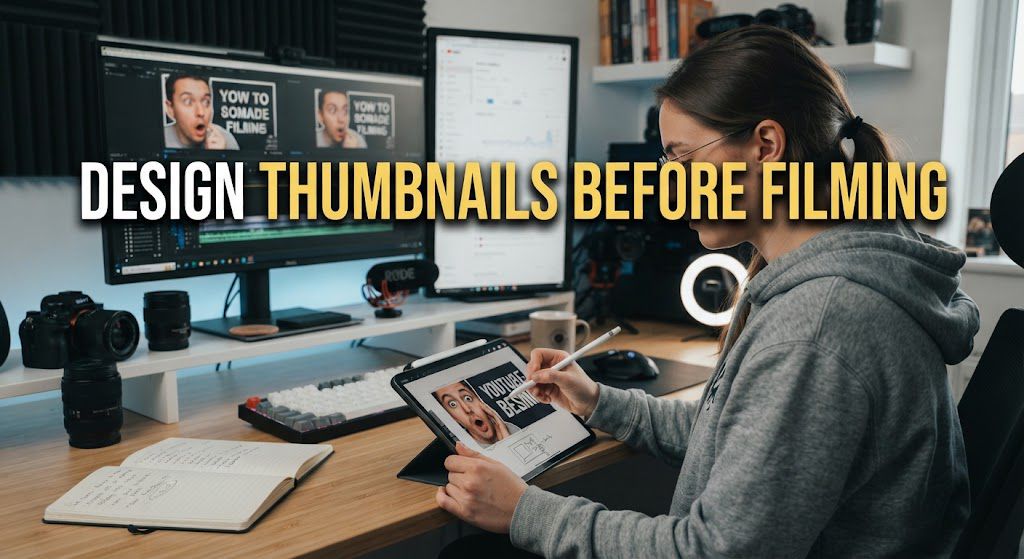
Strategy #1: Design Thumbnails Before Filming
Most creators follow a traditional workflow: Idea → Script → Record → Edit → Render → Publish… and then, in the final five minutes before clicking “Publish,” they scramble to design a thumbnail.
This is one of the most common reasons videos flop.
Why the “Thumbnail-First” Approach Changes Everything
When you design your thumbnail and write your title before shooting a single frame, you unlock three major advantages:
- You Validate the Concept Early: If you can’t create a visual thumbnail concept that instantly grabs attention or creates curiosity, the core video idea might not be strong enough. Catching this early saves you hours of scripting, shooting, and editing a video no one will click on.
- Your Production Aligns with the Promise: When you know the exact visual hook featured on your thumbnail (e.g., holding a specific product, making a dramatic reaction face, or showing a key backdrop), you can plan that exact shot during production rather than trying to freeze-frame a blurred screenshot during editing.
- It Prevents Creator Fatigue: Designing a thumbnail requires creativity and focus. After spending 10+ hours editing a video, your brain is exhausted, leading to rushed, low-effort thumbnails. Designing first ensures your visual packaging gets 100% of your energetic focus.
🛠️ How to Implement This Workflow Step-by-Step
- Step 1: Write 3–5 Title Concepts First
Brainstorm title variations focused on high-curiosity or high-search intent. (Example: “I Tried YouTube Automation for 30 Days” vs. “How to Make $5,000/Mo on YouTube Without Showing Your Face”). - Step 2: Sketch 2 Thumbnail Variations
Keep it simple. On a piece of paper or digital canvas, outline:
The Focal Point: What is the main subject? (Your face, a big stat/chart, an object, or a split-screen comparison?)
The Color Contrast: Choose complementary, high-contrast colors (e.g., yellow text on a dark blue background) that pop against YouTube’s dark and light modes.
Minimal Text: Limit on-screen text to 2–4 words that complement the title rather than repeat it. - Step 3: Capture the Thumbnail Photo During the Shoot
Set aside 5 minutes while lighting and equipment are already set up to take dedicated high-resolution thumbnail photos with expression and high visual energy. - Step 4: Finalize the Design Before Editing
Complete the thumbnail design before opening your video editor. Looking at the finished thumbnail will serve as a visual anchor and remind you of the exact promise your video edit needs to deliver on.
2. Apply the “3-Second Rule” in Thumbnails:
When a user scrolls through their YouTube mobile feed or side recommendations, you don’t have minutes to pitch them—you have split seconds.
The 3-Second Rule dictates that a viewer should be able to look at your thumbnail on a small smartphone screen and instantly understand three core elements in under three seconds:
- Who or what the video is about.
- What emotion or outcome it promises.
- Why it matters to them right now.
If a viewer has to zoom in, read tiny text, or squint to figure out what your thumbnail is showing, they will scroll right past it. High-performing thumbnails sell an at-a-glance concept, not a complex visual puzzle.
The Core Framework: The 3-Element Rule
To keep your thumbnails scannable within 3 seconds, limit your visual composition to no more than 3 primary focus elements:
- Element 1: The Subject / Focal Point
An expressive face, a prominent object, or a high-contrast visual (e.g., a before/after split, a dramatic icon, or an intriguing item). - Element 2: High-Contrast Focal Visual
A glowing arrow, a bold comparison symbol, a bright background highlight, or a single recognizable logo. - Element 3: Minimal, High-Impact Text (Optional)
Keep text to 3 to 4 words max. Never repeat your video title word-for-word; instead, use text that adds a secondary hook or creates a curiosity gap (e.g., instead of “How I Built a YouTube Channel”, use “100k in 90 Days?”).
Actionable Steps to Implement the 3-Second Rule
The Mobile “Squint Test”
Scale down your thumbnail canvas to 10%–15% size in Canva or Photoshop (mimicking a smartphone feed). Close one eye and squint. Is the core visual message still readable and instantly recognizable? If it looks blurry or cluttered, simplify it.
Remove Visual Noise & Clutter
Cut out busy, detailed backgrounds. Replace them with high-contrast, blurred, or solid gradient backgrounds so your primary subject pops off the screen.
Maximize Visual Contrast & Lighting
Use strong rim lighting on subject cutouts, drop shadows behind text, and bold, complementary color combinations (e.g., yellow text on dark backgrounds, blue vs. orange visual splits).
Focus on Extreme Facial Expressions or Action
If your thumbnail features a human face, emphasize clear, exaggerated emotional cues—curiosity, shock, confusion, or intense focus. Human eyes naturally lock onto emotional faces first.
Test your thumbnail against top-ranking competitors in your niche using dark mode on mobile. If your thumbnail blends into the surrounding videos rather than commanding immediate attention, re-adjust your colors and visual contrast.
3. Write Curiosity-Driven, High-Intent Titles:
Even the best thumbnail in the world won’t yield a click if your title fails to create a compelling reason to watch. Too many creators make the mistake of writing dry, descriptive titles that sound like file names rather than invitations.
To turn passive scrollers into active viewers, your titles must strike a delicate balance: they need to satisfy search intent while simultaneously triggering curiosity.
1. The Anatomy of a High-Click Title
A great title bridges the gap between what the viewer wants (intent) and what they don’t know yet (curiosity):
High-Intent Component: Tells the audience (and YouTube’s algorithm) exactly what topic, problem, or goal the video addresses.
Curiosity-Driven Hook: Introduces tension, a surprising premise, an unexpected obstacle, or a strong open loop.
Actionable Frameworks You Can Use Today
- The “Mistake / Warning” Angle:
Formula: Stop [Action] Before You [Undesirable Outcome]
Example: “Stop Scripting YouTube Videos Like This (It’s Killing Your Retention)” - The “Hidden Reality” Angle:
Formula: The Real Reason [Subject] [Surprising Result]
Example: “The Real Reason Your Shorts Get Stuck at 10,000 Views” - The “Comparison / Challenge” Angle:
Formula: [Option A] vs. [Option B]: Which One Actually Works?
Example: “Long-Form vs. Shorts: Which One Gets You Monetized Faster?”
Keep titles concise—ideally under 60 characters—so they don’t get truncated on mobile devices. Pair your curiosity title with a thumbnail that visually completes the sentence or sets up the question, forcing the viewer to click to get the answer.
4. Conduct A/B Testing:
Even seasoned creators misjudge what will resonate with their audience. You might design a thumbnail you personally love, only to watch your Click-Through Rate (CTR) hover around a dismal 2%.
A/B testing (split testing) removes the guesswork from video packaging by letting real viewer behavior decide which visual or text hook wins.
1. Why A/B Testing Is Essential for Channel Revival
Rescuing “Dead” Uploads: A video with flatlining views often isn’t bad—it’s just invisible. Changing the thumbnail and title can trigger a fresh wave of impressions from the algorithm.
Finding Your Channel’s Visual Identity: Split testing teaches you what your specific audience prefers (e.g., high-contrast close-ups vs. illustrative graphics, or short 3-word titles vs. curiosity-driven questions).
Maximizing Early Momentum: Optimizing CTR within the first 24–48 hours of an upload tells YouTube to push your content beyond your subscriber base to broader browse features.
3. Best Practices for High-Impact Split Tests
Test One Variable at a Time: If you change the text, color background, and face expression all at once, you won’t know which element caused the improvement.
Focus on High-Contrast Variations: Don’t test minor tweaks like changing font color from red to orange. Test radically different concepts (e.g., Shocked Face + Bold Text vs. Extreme Close-up of the Result).
Give Tests Enough Time / Impressions: Ensure your test reaches a statistically significant sample size (typically at least 1,000–2,000 impressions) before picking a winner.
Go through your library and identify your top 5 most valuable videos with a CTR lower than 4%. Run an A/B test on their thumbnails this week—reviving legacy videos is often the fastest way to inject instant views back into an idle channel.
5. Eliminate Long Animated Intros & Logos
If your videos start with a 10-second spinning 3D logo, explosive graphics, or a generic title card paired with stock upbeat electronic music, you are unintentionally driving viewers straight to the “Back” button.
Why This Kills Your Channel
YouTube viewers have notoriously short attention spans. When someone clicks on your video, they are looking for immediate validation that your content will deliver on the promise made in the thumbnail and title.
When you insert a long, self-indulgent intro before providing value:
- You create friction: You force the viewer to wait through non-essential branding before getting what they came for.
- You lose 30–50% of your audience immediately: Look at your YouTube Studio retention graph. If you see a sharp, steep cliff in the first 10 to 15 seconds, a vanity intro is usually the prime suspect.
- The algorithm flags low satisfaction: When viewers bounce within seconds, YouTube interprets this as a sign that the video isn’t engaging or relevant, rapidly throttling its reach.
The Modern Alternative: The Cold Open & Micro-Hook
Top-performing creators no longer use traditional broadcast-style intros. Instead, they use a Cold Open combined with a rapid Micro-Hook.
- Deliver on the Promise Instantly: Within the first 3 to 5 seconds, explicitly confirm what the video is about. Address the viewer’s core question, show the end result, or highlight the most exciting moment of the video.
- Reframe Branding as an Overlay: If you want to showcase your brand, logo, or channel name, do it through a subtle, animated lower-third overlay while you are actively speaking, rather than pausing the video for a dedicated branding bumper.
- Get to the Point in Under 10 Seconds: Keep your opening statement punchy. Cut out filler phrases like “Hey guys, welcome back to another video, today we’re going to talk about…” and dive straight into the core topic.
By stripping away vanity branding and respecting your audience’s time from second one, you protect your initial retention curve—giving the algorithm the green light to push your video to a much wider audience.
6. Use Micro-Hooks & Open Loops:
Getting a viewer past the first 30 seconds of your YouTube video is only half the battle. To keep them watching all the way to the end—and maximize your Average View Duration (AVD)—you need to continuously re-engage their curiosity throughout the entire video.
This is achieved using two powerful psychological storytelling tools: Micro-Hooks and Open Loops.
What is an Open Loop?
An Open Loop (also known as the Zeigarnik Effect) is a psychological technique where you plant a question, tease a crucial piece of information, or hint at a pay-off early in the video, but intentionally delay giving the complete answer until later.
Because the human brain naturally seeks closure, viewers will continue watching to “close the loop.”
- Bad/Standard Approach:
“Today I’m going to show you three tips to fix your retention, starting with pattern breaks.” - Open Loop Approach:
“I’m going to share three retention strategies today, but the third one—which doubled my watch time overnight—is something almost no small creator is doing. I’ll break that down in just a few minutes.”
What are Micro-Hooks?
While an Open Loop sets up a long-term payoff for later in the video, a Micro-Hook is a short statement or visual cue used every 45–90 seconds to reset the viewer’s attention span and tease the immediate next segment.
Micro-hooks prevent mid-video drop-offs by giving viewers a compelling reason to stick around for just one more section.
- Examples of Micro-Hooks:
“Now, this next mistake is where 80% of creators accidentally kill their video impressions…”
“Before we move on to step three, there’s one major exception to this rule you need to know…”
“Here is what happened when I tested this exact formula for 30 days…”
How to Structure Micro-Hooks and Open Loops in Your Scripts
Plant the Major Loop Early (0:30–1:00): Right after your main video hook, promise a key reveal, visual transformation, or secret tip that occurs near the end of the video.
Layer Secondary Open Loops: Before finishing one section or point, tease the value of the upcoming point to make transitions seamless.
Always Deliver on the Promise: Never use open loops as false clickbait. Always fulfill the curiosity gap with high-value insights, or viewers will feel cheated and drop off in future uploads.
7. Implement Pattern Breaks Every 15–30 Seconds
Modern audience attention spans are shorter than ever, and visual monotony is the fastest way to drive viewers away from your video. When a viewer sees the exact same camera angle, lighting, and static background for more than 10 to 15 seconds, their brain registers predictability—and predictability leads to fatigue, distraction, or clicking away entirely.
To maintain high audience retention and keep viewers locked into your content, you need to master the art of pattern breaks.
What Is a Pattern Break?
A pattern break (or pattern interrupt) is any subtle change in visual, auditory, or narrative delivery that resets the viewer’s attention span. By altering what the audience sees or hears every 15 to 30 seconds, you continuously re-engage their visual cortex, making your video feel dynamic, fast-paced, and effortlessly watchable.
5 Essential Pattern Break Techniques You Can Use Today
- Dynamic Camera Movement & Crop Cuts (J-Cuts / Jump Cuts)
How it works: If you film in 4K or 1080p, punch in digitally (zoom from 100% scale to 115–120%) whenever you make a key point or switch thoughts.
Why it works: It simulates a multi-camera setup without needing extra gear and keeps the visual pacing fresh. - Strategic B-Roll & Visual Overlays
How it works: Never talk for more than 20 seconds without showing supporting visuals—such as stock clips (Pexels, Storyblocks), screen recordings, product close-ups, or relevant photos.
Why it works: Showing what you are talking about reinforces your points visually and keeps the screen constantly evolving. - On-Screen Text Highlights & Graphics
How it works: Display bullet points, lower-third titles, animated pop-ups, or bold text whenever you state a statistic, key metric, or summary phrase.
Why it works: Text anchors viewer focus, especially for audiences watching on mobile devices or with low audio volume. - Audio Shifts & Subtle Sound Effects (SFX)
How it works: Pair visual transitions or text pop-ups with subtle sound effects—such as a quiet camera shutter, a soft whoosh, a subtle page turn, or a click. Alternatively, change background music tracks between major chapters in your script.
Why it works: Audio cues signal to the brain that new, important information is being presented. - Pacing & Vocal Tonality Variations
How it works: Change up your energy. Alternate between fast, enthusiastic delivery and slow, deliberate pauses. Use physical gestures or step slightly closer to or farther from the camera during key transitions.
Why it works: Monotone speech is a retention killer; vocal contrast naturally commands attention.
Open your last YouTube upload in an editing program or YouTube Analytics retention graph. Watch it back with a stopwatch: if more than 30 seconds pass without a single cut, graphic, sound effect, or visual shift, mark that timestamp as a high-risk drop-off point to fix in your next project!
8. Analyze Your Retention Dip Graphs
If your thumbnails get clicks but your views stall out, your retention graph holds the key to why.
Inside YouTube Studio, the Audience Retention chart acts like an X-ray of your video’s performance. It shows you second-by-second exactly when viewers are captivated—and, more importantly, the precise moments they hit “back” or close the app.
Instead of guessing why people stop watching, top creators treat retention dips as diagnostic data to refine future scripts and editing choices.
🔍 The 4 Key Elements of a Retention Graph
When analyzing your analytics under Analytics > Engagement > Retention, look for four distinct patterns:
- The First 30 Seconds (The Hook Drop):
What to look for: A steep drop right at the start.
What it means: On average, losing 30%–40% of viewers in the first 30 seconds is standard, but dropping below 50% retention early means your hook failed to match the viewer’s expectation set by your thumbnail and title. - Spikes (Rewatches & Re-shares):
What to look for: Upward bumps in the line.
What it means: Viewers rewound to rewatch a fast visual, a key piece of information, a funny joke, or an impressive edit. - Flatlines (High Engagement):
What to look for: Portions of the graph that remain horizontal.
What it means: The audience is completely immersed and not skipping ahead. - Dips (Audience Drops):
What to look for: Sudden downward cliffs or steady downward slopes.
What it means: Viewers skipped forward or abandoned the video entirely.
🛠️ How to Turn Dips into Actionable Upgrades
To fix your retention, jump straight to every noticeable dip in your top 5 most recent videos and ask yourself these four diagnostic questions:
- Did I include an unannounced tangent or sponsor integration?
The Fix: Keep sponsorships seamless or place them after a major value deliverable. Trim off-topic anecdotes that don’t serve the core promise of the video. - Was the pacing too slow or repetitive?
The Fix: If you spent 60 seconds explaining a point that could be delivered in 15 seconds, viewers will skip ahead or leave. Edit ruthlessly—if a sentence doesn’t move the story forward, cut it. - Did I give a premature “Outro Warning”?
The Fix: Saying phrases like “In conclusion…”, “To wrap things up…”, or summarizing your final thoughts acts as an explicit signal for viewers to click away. Never announce the end of your video—transition seamlessly into your end-screen call-to-action (CTA). - Was there a jarring visual or audio distraction?
The Fix: Check for sudden drops in audio quality, overly long static shots without B-roll, or confusing graphics that caused viewers to lose context.
YouTube provides a gray band on your retention graph representing your channel average performance.
If your video stays above the gray band, note what you did right (e.g., visual dynamic edits, strong storytelling) and turn it into a repeatable template.
If a segment drops below the gray band, mark the timestamp in your scripting notes as a “What NOT to do” guideline for your next video.
By systematically auditing retention dips across your channel, you stop making the same editing mistakes and begin building videos that keep viewers hooked from start to finish.
9. Focus on “Outlier” Topics in Your Niche:
If your YouTube channel is stuck in a growth plateau, simply copying the biggest creators in your space won’t work. When a creator with 1 million subscribers posts a generic topic like “10 Tips for Productivity,” it gets views because they already have massive channel authority and an established audience. If a smaller channel posts the exact same video, it usually gets buried.
To break out of the noise, you need to hunt for outlier topics.
What Is an Outlier Video?
An outlier video is a video created by a smaller or mid-sized channel in your niche that drastically outperforms their average view count.
For example, if a channel with 5,000 subscribers typically gets 200–500 views per video, but suddenly posts a video that gets 50,000 views, that video is an outlier.
This spike tells you three crucial things:
High Audience Demand: There is a high, unsatisfied search or browse demand for that specific topic.
Topic-Driven Reach: The views were driven by the topic and packaging (title + thumbnail), not the creator’s existing brand or authority.
Algorithm Receptivity: YouTube’s algorithm is actively looking for more content to serve to viewers interested in this specific angle.
How to Find and Capitalize on Outlier Topics
- Conduct Competitor Channel Audits:
Identify 10–15 channels in your niche that are roughly your size or slightly larger (between 1,000 and 50,000 subscribers).
Go to their Videos tab and filter by “Popular” or look through their recent uploads over the last 3–6 months.
Look for videos where the view count is 5x to 10x higher than the channel’s subscriber count or average video performance. - Deconstruct Why It Worked:
Don’t just look at the title. Analyze the underlying problem or curiosity gap being addressed.
Was it solving an urgent, highly specific problem?
Did it leverage a recent trend, update, or controversy in your industry?
How was the thumbnail visual framed compared to standard videos in the niche? - Create a Superior Version (The 10x Rule):
Do not copy or steal content. Instead, take the proven concept and make it significantly better.
Improve the Packaging: Can you make a cleaner, more intriguing thumbnail or a sharper, punchier title?
Provide Updated/Deeper Value: Address points the original video missed, streamline the tutorial, or bring a unique personal perspective and higher production value.
Optimize the Hook: Ensure the first 30 seconds of your video deliver immediate value so you retain the viewers attracted by the outlier topic.
By consistently identifying and producing content around outlier topics, you stop guessing what your audience wants and start giving the algorithm content with built-in market demand.
10. Double Down on Your “Returning Viewer” Champions:
Most creators get seduced by vanity metrics like total views or one-time viral surges. However, a sudden spike in views from non-subscribers doesn’t always translate into sustainable channel growth. If those casual viewers watch one video and leave forever, your channel remains on a continuous treadmill, forced to hunt for new audiences with every upload.
To build a long-term, sustainable channel, you need to focus on Returning Viewers—the audience segment that comes back to watch your content repeatedly.
Why Returning Viewers Are Your Most Important Metric
YouTube’s recommendation system heavily rewards channels that cultivate an active, returning audience. When YouTube sees that returning viewers consistently click and watch your new uploads, it interprets your channel as high-authority and trustworthy within your niche, prompting the algorithm to push your content to broader audiences.
How to Find Your “Returning Viewer” Champions
- Open YouTube Studio on desktop.
- Navigate to Analytics → Audience tab.
- Examine the New vs. Returning Viewers chart.
- Click Advanced Mode in the top right corner.
- Set your secondary metric or filter to rank videos by Returning Viewers.
Look for videos that generated a disproportionately high ratio of returning viewers compared to your channel average. These are your “Champion Formats”—the specific topics, editing styles, or presentation formats that convinced casual watchers to become core fans.
How to Capitalize on Your Champions
Create a Direct Sequel or Part 2: Take the core topic of your champion video and dig deeper into an advanced sub-topic or follow-up case study.
Turn it into a Recurring Series: If a specific concept resonated strongly, build a recognizable playlist or series around it with consistent visual branding and thumbnail styles.
Analyze the Format & Structure: Look closely at the intro pacing, script structure, tone, and visual delivery of that video. Apply that exact framework to new topics in your niche.
By intentionally doubling down on content that converts casual watchers into loyal, returning viewers, you stop relying on random algorithm luck and start building an engaged community that fuels every upload.
11. Leverage Search Engine Optimization
While homepage browse features and suggested video placements drive short-term viral spikes, YouTube Search is the ultimate engine for reliable, long-term channel growth.
When your channel is stagnant, relying solely on browse algorithms can leave you at the mercy of unpredictable audience signals. Targeting active search queries guarantees a steady stream of high-intent, targeted viewers who are explicitly looking for solutions to specific problems—giving your channel the steady baseline traffic it needs to revive.
Here is how to optimize your YouTube content for maximum search visibility:
1. Target High-Volume, Low-Competition Keyword Queries
Don’t target broad, saturated search terms like “How to grow on YouTube” or “Fitness tips”. Established channels dominate those top-tier keywords. Instead, focus on long-tail keywords—longer, more specific phrases that viewers type when seeking direct answers.
Broad / High Competition: “YouTube Channel Growth”
Long-Tail / Targetable: “Why my YouTube channel views dropped overnight 2026”
How to find them:
- YouTube Auto-Suggest: Type your main topic into the YouTube search bar and look at the real-time search completions generated by actual user searches.
- SEO & Analytics Tools: Use software like TubeBuddy, VidIQ, SEMrush, or Ahrefs to analyze search volume scores, keyword difficulty ratings, and competitor ranking patterns.
2. Optimize the Primary “Big 3” Metadata Fields
- The Title: Place your primary target keyword near the beginning of your title, while keeping the phrasing compelling enough to maintain a high Click-Through Rate (CTR).
Example: YouTube SEO Tutorial for Beginners: How to Rank #1 Step-by-Step - The Description: Write a rich, natural, 200–300 word summary of your video.
Incorporate your target keyword in the first 1–2 sentences.
Scatter related secondary keywords throughout the description.
Avoid keyword stuffing; write for human readers first and search bots second. - Tags & Hash Tags: While tags play a minor role in modern YouTube ranking algorithms, including 3–5 targeted hashtags in your description (e.g., #YouTubeSEO, #ChannelGrowth) helps YouTube categorize your content quicker.
3. Optimize Spoken Keywords & Spoken Audio (In-Video SEO)
YouTube automatically transcribes your uploaded videos using automated speech recognition. The algorithm “listens” to your audio track to verify content accuracy and relevance.
Say your exact target keyword out loud within the first 30–60 seconds of your video.
Avoid long rambling introductions—state the primary keyword topic clearly so the auto-generated transcript aligns perfectly with your video title and description.
4. Upload Custom Subtitles and Closed Captions (CC)
Auto-generated captions frequently contain grammatical errors or misinterpret niche terminology. Uploading your own clean .SRT caption file or correcting the automated transcript inside YouTube Studio gives search engines a 100% accurate index of every word in your video, significantly improving search indexing depth.
5. Leverage Chapters and Timestamp Anchors
Dividing your video into logical, structured chapters using timestamps in the description helps YouTube parse key subtopics. More importantly, structured chapters enable Google Search “Key Moments”, allowing individual segments of your YouTube video to rank directly on Google’s main search results page.
Example Timestamp Format in Description:
💡 Pro Tip for Reviving Dead Channels:
Audit your back catalog of underperforming videos. Find existing videos that have decent retention but low search visibility, rewrite their titles using long-tail search keywords, update their descriptions with structured timestamps, and test a fresh thumbnail. Old, “dead” videos frequently experience secondary search traffic surges after a simple SEO packaging refresh.
12. Create Bingeable Content Buckets:
Getting a new viewer to click on one video is a win, but geGroup Them into Strategic Playlists:
Getting them to watch three or four in a single session is what transforms flatlining channels into runaway algorithm favorites. YouTube actively rewards channels that generate high Session Time—the total amount of time a viewer spends on the platform after clicking your video.
If your videos exist as isolated “one-offs” with no logical connection to each other, you force viewers to leave your channel as soon as the video ends. To fix this, you need to structure your content into Bingeable Content Buckets.
What Is a Content Bucket?
A content bucket (or playlist hub) is a group of 3 to 6 interconnected videos focused on a tightly defined sub-topic or goal. Instead of covering random topics every week, you map out a mini-series where each video naturally tees up the next.
How to Build Bingeable Content Buckets:
- Map Out a Sequential Pathway:
Organize videos logically so the ending of Video A presents a natural question answered by Video B.
Example:
Video 1: How to Script a YouTube Video in 10 Minutes
Video 2: How to Record Clean Audio for Your YouTube Scripts
Video 3: Editing Secrets That Keep Viewers Engaged (Using That Audio) - Use In-Video Verbal Hooks & Open Loops:
In the final 15–20 seconds of your video, do not say “Thanks for watching!” or “In conclusion…” (this causes immediate drop-offs).
Instead, give a direct recommendation to the next step: “Now that you know how to write a high-retention script, you need to know how to record it without expensive gear. Click this video on screen right now to learn my exact audio setup.” - Optimize End Screens and Cards:
Instead of showing “Best for Viewer” or generic playlists, manually link the exact next video in your bucket sequence on the end screen. - Create dedicated playlists named after high-intent search queries (e.g., “Complete YouTube Automation Blueprint for Beginners”). Put these playlists at the top of your channel homepage.
Why This Revives Channel Growth
When a viewer watches 2–3 videos back-to-back, YouTube’s algorithm receives a massive signal that your content satisfies user intent. As a result, the platform begins suggesting your related videos in the sidebar of your own content, effectively trapping viewers in a binge loop and rapidly driving up your returning viewer count.
13. Use YouTube Shorts as Funnel Entrances:
YouTube Shorts aren’t just for viral reach—they are one of the most efficient tools for driving traffic to your main, long-form content. With over 70 billion daily views, Shorts act as a broad-net discovery engine that introduces new audiences to your brand and channel.
However, simply posting standalone random Shorts won’t grow a dedicated long-form audience. To turn quick views into loyal, long-term subscribers, you need to structure your Shorts as entry points into a content funnel.
How to Build a YouTube Shorts Funnel
- Use the Built-In “Related Video” Feature
YouTube allows you to link a long-form video directly inside the YouTube Shorts player interface.
How to do it: When uploading or editing a Short in YouTube Studio, go to the Details tab and select a Related video from your channel.
A clickable link to your long-form video will appear near the bottom of the Short, making it seamless for viewers to jump straight into the full video. - The “Value + Teaser” Strategy
Avoid posting a generic clip with a lazy CTA like “Watch full video link in bio.”
Instead, deliver a complete micro-value lesson or moment in the Short itself (0–45 seconds), and use the final 5–10 seconds to tease a deeper payoff or detailed explanation available in your long-form video.
Example:
Short: “3 Instant Fixes for Bad Audio” (Show 2 quick tips in 30 seconds).
Payoff Hook: “For the #1 setting that completely removes background noise, tap the related video below!” - Repurpose Long-Form “Outliers” Into High-Impact Shorts
Don’t overcomplicate script writing for Shorts. Look at your top-performing long-form videos and identify the highest-retention 30-to-60-second segments.
Extract those moments, crop them to 9:16 vertical video, add dynamic captions (using tools like CapCut or Canva), and link them directly back to the original source video. - Hook Fast and Optimize for Swipes
The first 1–3 seconds of your Short determine whether a viewer watches or swipes away.
Start with visual movement and a strong verbal hook (e.g., “If your YouTube channel is stuck under 1,000 subscribers, do this immediately…”).
Treat YouTube Shorts as advertisements for your main channel. By hooking cold viewers with short-form value and giving them a clear path to your long-form content, you transform short-term algorithmic traffic into high-retention, dedicated subscribers.
14. Repurpose High-Performing Evergreen
One of the biggest mistakes creators make when trying to revive a quiet channel is constantly trying to invent brand-new concepts from scratch. If your channel is stagnant, look into your past performance data—your previous successes already hold the blueprint for your comeback.
Evergreen content consists of videos that address timeless problems, foundational concepts, or recurring questions in your niche. These are videos that continue to earn views months—or even years—after being published.
Here is how to strategically repurpose and expand your evergreen wins to kickstart new momentum:
1. Produce an Updated “Remake” or “V2”
Algorithms and production standards evolve rapidly. A topic you covered two years ago that performed exceptionally well might now have outdated visual edits, lower audio quality, or missing information.
Identify the Winner: Check your YouTube Studio analytics for videos with high long-term views, strong average view duration, or consistent search traffic.
Upgrade the Production: Re-script the video using your current skills. Improve the lighting, crisp up the audio, sharpen the hook, and update any outdated facts or software UI.
Reference the Original: Explicitly state in the title or introduction that this is the updated guide for the current year (e.g., “How to Optimize YouTube Videos (Full Step-by-Step Guide)”).
2. Turn One Long Video into a Targeted Deep-Dive Series
If you have a 20-minute evergreen video that performed well, it likely covered multiple sub-topics. Break that high-performing masterclass into individual, highly focused videos.
Example: If a video titled “Complete Guide to Faceless Video Editing” was a hit, turn each sub-section into its own standalone 8-to-10 minute video:
Part 1: How to Pick the Best B-Roll & Footage
Part 2: Sound Design & Audio Effects Masterclass
Part 3: High-Retention Visual Transitions Step-by-Step
The Benefit: Viewers who loved the high-level overview will eagerly watch granular, step-by-step follow-ups, driving up your Returning Viewers metric.
3. Cross-Format Repurposing (Blog-to-Video & Social-to-Video)
Repurposing doesn’t just mean re-using past YouTube videos; it means mining all your past content assets.
Blog Posts & Articles: Convert top-performing blog articles, emails, or newsletters into structured video scripts. Use the subheadings as visual chapters.
Social Threads & Posts: Turn high-engagement text posts, tweets, or infographics into visual explainer videos or YouTube Shorts.
4. Spin Long-Form Winners into YouTube Shorts Funnels
Take your top 5 evergreen videos of all time and extract the most compelling 30-to-60 second golden nuggets, statistics, or tips.
Cut them into short-form videos with fast-paced captions and clear visuals.
Use YouTube’s native “Related Video” feature on Shorts to link directly back to the original full-length evergreen video, driving fresh traffic to proven assets.
When updating or remaking an older evergreen video, do not delete or set the original video to private. Keep the original live so it continues capturing organic search traffic and pass-through link juice, but pin a comment linking to your new, updated version!
15. Optimize Community Tab & Stories:
Even when you aren’t releasing a new long-form video, your channel doesn’t have to go quiet. The YouTube Community Tab is one of the most underutilized tools for keeping your channel active in your subscribers’ feeds and driving recurring engagement.
Why it matters
YouTube often distributes Community Tab posts to non-subscribers and casual viewers via their Home feed. Active Community Tab engagement signals to the algorithm that viewers are interested in your content, making them more likely to see your next video upload.
Actionable Tactics to Execute:
- Run High-Engagement Image & Text Polls
Why it works: Polls require zero effort from the viewer (just a single click), resulting in high engagement rates.
How to use it: Ask opinion-based questions about your niche, test viewer knowledge with trivia, or let your audience vote on upcoming video topics (e.g., “Which video should I drop next week? A or B?”). - Tease Upcoming Content with Behind-the-Scenes Images
Post screenshot previews, thumbnail options, or quick behind-the-scenes snapshots 24–48 hours before a video goes live.
Pair the image with a curiosity-building question to start conversations in the comments section before the video even launches. - Promote Older Evergreen Content
Don’t let your best past videos gather dust. Share a compelling highlight, key takeaway, or GIF from an older video alongside a direct link to re-ignite views on existing assets. - Convert YouTube Comments into Posts
Highlight interesting questions or comments left by viewers on your videos. Post a screenshot of the comment with your expanded thoughts or open it up to the community for discussion. - Maintain a Consistent Posting Rhythm
Aim to post on the Community Tab 2–4 times per week, especially on days when you are not publishing long-form videos. This keeps your brand visible in viewer feeds every single day.
16. Promote my via Targeted External Channels:
When your YouTube channel is stagnating, relying solely on YouTube’s recommendation system can feel like waiting for rain in a drought. The algorithm relies on viewer engagement signals to determine whether to push your video to a wider audience. Driving high-intent, targeted external traffic creates the initial spark of watch time and data the algorithm needs to understand who your ideal audience is.
However, there is a major catch: cheap, untargeted external traffic will hurt your channel. Dropping links in random Reddit threads or broad Facebook groups leads to “bounce views”—people who click, watch for 5 seconds, and leave, signaling to YouTube that your video is low quality.
🛠️ How to Execute It Correctly
1. Master “Value-First” Community Seeding
Instead of dropping a raw YouTube link with a generic title like “Check out my new video!”, adapt your video’s core insights into native content for specific communities:
Niche Subreddits & Forums: Summarize the key takeaways of your video as a well-formatted text post. At the end, add a natural call-to-action: “If you want to see visual examples/step-by-step walkthroughs, I covered this in detail here [link].”
Telegram & WhatsApp Groups: Share a concise bulleted summary or a key tip directly in relevant discussion groups, offering the link as a supplementary deep-dive resource.
2. Embed Content in High-Intent Web Articles
YouTube views originating from embedded players count toward your total watch time:
Embed relevant videos into existing blog posts, tutorial articles, or resource pages on your website.
Reach out to niche bloggers or website owners who rank for related search terms and suggest your video as an embedded visual resource for their readers.
3. Leverage High-Converting Email Newsletters
Email subscribers represent your warmest audience. They already trust your brand and are significantly more likely to watch a video through to the end.
Don’t just send an automated notification. Write a short story or highlight the specific problem your new video solves.
Include a clickable video thumbnail image with a preview button that links directly to your YouTube video.
4. Distribute Platform-Native Teasers
People scrolling on TikTok, X (Twitter), or Instagram rarely leave those apps to watch a long YouTube video unless given a compelling reason.
Cut a high-energy 15-to-30-second clip highlighting the most surprising moment or useful insight from your main video.
Add text overlays and captions for sound-off viewers, then direct them to the link in your bio or pinned comment for the full breakdown.
📌 Pro-Tip: The External Traffic Checklist
Before sharing your video link on any third-party platform, ensure it passes these three filters:
Audience Alignment: Are the people on this platform actively looking for solutions to the problem my video addresses?
Expectation Setting: Does my post copy accurately represent what happens in the video, avoiding clickbait traps?
Retention Safeguard: Am I linking to the most relevant video for this specific community rather than just my newest upload?
17. Set a Realistic, Sustainable Schedule
When a channel stops growing, the most common knee-jerk reaction creators have is to pump out more content. You assume that if uploading once a week isn’t working, posting every single day must be the secret to forcing the algorithm to notice you.
In reality, frantic upload schedules almost always backfire. When you rush to meet an aggressive deadline, quality suffers—scripts become rushed, thumbnails are thrown together as an afterthought, and editing lacks polish. The algorithm doesn’t reward frequency for its own sake; it rewards viewer satisfaction. A channel with one exceptionally high-performing video per month will consistently outpace a channel dumping five rushed, low-retention videos per week.
The Pitfalls of Inconsistent or Overwhelming Schedules
Burnout & Creator Fatigue: Content creation is a marathon, not a sprint. Pushing beyond your operational capacity leads to creative exhaustion, causing you to abandon your channel entirely for months at a time.
Algorithm Signal Disruption: Inconsistent posting—such as uploading four videos in five days and then disappearing for six weeks—makes it harder to build predictable viewer habits and maintain steady momentum in the feed.
Diluted Content Quality: Prioritizing volume over value tanks your Click-Through Rate (CTR) and Average Duration Viewed (ADV), signaling to YouTube that your content isn’t keeping audiences engaged.
How to Build a Schedule You Can Keep
- Calculate Your True Production Time: Be honest about how long it takes to research, script, record, edit, and package a single video. If a single high-quality video takes 15 hours and you only have 5 spare hours a week, a bi-weekly schedule is your actual baseline.
- Prioritize Consistency Over Frequency: A predictable cadence—whether it’s every Tuesday at 3 PM or every other Friday—helps establish expectations with your core audience.
- Pace Yourself Based on Content Complexity:
High-Production / Research-Heavy Videos: 1–2 times per month.
Standard Tutorials or Commentary: Once a week.
Short-Form / Quick Tips: 2–3 times per week (often batched in a single sitting). - Build a Buffer: Never publish a video the minute it finishes rendering. Aim to stay 1–2 videos ahead of your schedule so unexpected real-life delays don’t break your momentum.
Consistency creates momentum, but quality drives growth. Pick an upload pace that fits your real life, stick to it relentlessly, and focus on making every single video better than the last.
18. Revamp Channel Home Page & Banner:
When a viewer clicks on your channel profile from a video, search result, or comment, your home page serves as your visual elevator pitch. If it looks cluttered, outdated, or unclear, prospective subscribers will leave without hitting the subscribe button.
To convert casual viewers into long-term subscribers, your channel home page and banner must communicate who you are, what value you provide, and why they should care within seconds.
A. Optimize Your Channel Banner
Your banner is the largest piece of visual real estate on your channel. Avoid using generic stock images or abstract backgrounds that don’t convey your value proposition.
Clear Value Proposition: Include a concise tagline explaining what your content offers (e.g., “Weekly YouTube Growth Tips & Automation Strategies” or “Simple Recipes for Busy Professionals”).
Upload Schedule (Optional): If you maintain a strict schedule, list it on the banner (e.g., “New Videos Every Tuesday & Friday”).
Cross-Device Framing: Ensure key text and branding elements are centralized within the 1546 x 423 pixel “safe area” so they aren’t cropped out on mobile devices or tablets.
Professional & Consistent Visual Style: Align fonts, brand colors, and graphics with your video thumbnails to establish a cohesive brand identity.
B. Select a Strategic Channel Trailer or Featured Video
YouTube allows you to display two different featured videos at the top of your channel home page:
Channel Trailer for Unsubscribed Visitors: Keep this short (60–90 seconds). Briefly introduce who you are, show fast-paced highlights of your best content, state your upload frequency, and give viewers a clear reason to subscribe.
Featured Video for Returning Subscribers: Highlight your latest upload, a trending video, or a high-converting community post so returning fans immediately see fresh content.
C. Curate Intentional Channel Sections & Playlists
By default, uncustomized home pages often display a single horizontal list of uploaded videos. Reorganize your home page into strategic sections to guide viewers through your content catalog:
Start Here / Best of [Your Channel]: Feature 4–6 of your highest-performing or most representative videos.
Topic-Based Playlists: Organize uploads into clear, niche playlists (e.g., “Thumbnails & CTR Secrets”, “YouTube Automation Blueprints”).
YouTube Shorts Section: Keep Shorts separated in their dedicated horizontal shelf so they don’t distract long-form viewers.
19. Batch Production to Prevent Burnout:
Creator burnout is the silent killer of YouTube growth. When you operate on a “script-today, film-tomorrow, edit-until-3 AM” cycle, your creative energy drains rapidly. This chaotic schedule leads to rushed packaging, sloppy editing, and inconsistent upload schedules—three things the YouTube algorithm penalizes instantly.
Batch production is the process of grouping similar tasks together and completing them in dedicated blocks of time, rather than constantly context-switching between different stages of content creation.
By shifting to a batched workflow, you build a safety net of content, protect your mental energy, and elevate the overall quality of every upload.
The 4-Stage Batching System
Instead of making one video from start to finish, divide your workflow into dedicated focused phases across your calendar:
- Idea & Packaging Sprint (1 Day)
Brainstorm 4 to 6 video topics at once.
Write titles and design/concept thumbnails for all of them before moving forward. If an idea doesn’t have a compelling thumbnail concept, scrap or refine it immediately. - Scripting & Outlining (1–2 Days)
Write or outline all 4 scripts in one go while your brain is in “writer mode.”
This helps you maintain a consistent tone, cross-reference videos smoothly, and build natural end-screen plugs into your scripts. - Production / Filming (1 Day)
Set up your lighting, camera, and audio gear once.
Record all voiceovers, talking-head segments, or video demonstrations back-to-back. You save hours of setup and teardown time. - Editing, SEO & Scheduling (2 Days)
Edit the videos in sequence or pass the batch to an editor/VA.
Draft all descriptions, tags, and pinned comments, then upload and schedule the videos weeks in advance.
Key Benefits for Channel Revival
Creates an “Inspiration Buffer”: Having 3–4 scheduled videos sitting in your YouTube Studio pipeline removes daily pressure and allows you to experiment with higher-effort concepts without fearing a missed upload.
Eliminates Decision Fatigue: Context-switching (moving from writing to setting up lights to editing audio) consumes massive cognitive energy. Batching keeps you in a single flow state.
Prevents Sudden Upload Gaps: Algorithm momentum dies when you drop offline for 3 weeks due to burnout or life events. A batched buffer ensures continuous upload consistency.
Never publish the video you just finished editing today. Always aim to have your next two uploads completely finalized, scheduled, and sitting unlisted in YouTube Studio at least 7 to 10 days before their scheduled public release date.
20. Audit and Clean Up Outdated Playlists:
Playlists are one of the most underutilized growth levers on YouTube. When optimized, playlists boost your channel’s Session Time—a crucial metric YouTube uses to measure how long a viewer stays on the platform after watching one of your videos.
If your playlists are messy, outdated, or filled with irrelevant content, you miss out on automatic binge-watching loops and passive search traffic.
Step-by-Step Guide to Auditing & Cleaning Up Your Playlists
- Remove Unrelated or Underperforming Videos
Prune Low-Value Content: Go through older playlists and remove videos that are outdated, poorly produced, or no longer align with your current niche focus.
Keep the Flow Tight: Ensure every video in a playlist directly answers or builds upon the previous topic. If a video feels like an awkward tangent, delete it from the playlist (this will not delete the video from your channel). - Organize Playlists by “Viewer Intent”
Instead of grouping videos by upload year or vague titles (e.g., “My 2024 Uploads” or “Vlogs”), structure your playlists around clear problems your audience wants to solve:
Beginner Hubs: Organize foundational videos into a step-by-step starting guide (e.g., “Complete Beginner Guide to [Niche]”).
Topic Clusters: Group videos by specific sub-topics so viewers interested in one angle can binge related uploads seamlessly. - Optimize Playlist Titles and Descriptions for YouTube Search
YouTube ranks playlists in search results alongside individual videos.
Keyword-Rich Titles: Use searchable terms in your playlist titles rather than clever or vague phrasing.
Write Strategic Descriptions: Include a detailed 2–3 sentence description explaining what viewers will learn from watching the playlist, incorporating primary and secondary keywords. - Set Strategic Playlist Start Cards & OrderingLead with Your Strongest Video: Put your highest-retention or top-converting video as the first video in the playlist to capture immediate interest.Logical Progression: Arrange the remaining videos in a natural sequence (e.g., Part 1 $\rightarrow$ Part 2 $\rightarrow$ Advanced Tips) to encourage sequential watching.
- Featuring Playlists on Your Channel Homepage
Once your playlists are polished:
Go to YouTube Studio > Customization > Featured Sections.
Add your best, newly audited playlists as horizontal sections on your channel homepage.
This immediately turns your channel landing page into a structured content catalog for new visitors.
Step-by-Step Action Plan (The 14-Day Channel Reboot)
Week 1: Channel & Analytics Audit
Before creating new content, you must identify where your channel is losing viewers and impressions. A channel audit diagnoses performance bottlenecks using internal data from YouTube Studio.
Step 1: Establish Your Performance Baselines
Evaluate your channel over the last 90 days in YouTube Studio Analytics. Track the following key performance indicators (KPIs) to set your baseline:
- Impressions Click-Through Rate (CTR): Measures how effectively your titles and thumbnails generate clicks. Benchmark: Half of all channels sit between 2% and 10%. Smaller channels under 10k subscribers typically target 4%–6%.
- Average Percentage Viewed (APV): Measures viewer retention relative to video length. Benchmark: 45%–55% for medium-length videos (5–15 mins) and 35%–45% for long-form videos (15+ mins).
- Subscribers Gained per 1,000 Views: Evaluates how effectively long-form content converts casual viewers into repeat subscribers.Formula: $\text{Subs per 1k} = \left(\frac{\text{Subscribers Gained}}{\text{Views}}\right) \times 1,000$Benchmark: 5–15 subscribers per 1,000 views indicates strong audience retention and conversion.
Step 2: Analyze the Audience Retention Curve
Select your last 5 to 10 uploads in YouTube Studio under Analytics > Engagement and inspect the Retention Graph:
The 30-Second Hook: Check your retention at the 0:30 mark. If more than 30%–40% of viewers drop off before 30 seconds, your intros are too slow, contain long animated logos, or lack immediate value.
Sharp Dips (Pacing Drops): Identify timestamps with steep line drops. These mark moments where viewers skipped ahead or exited due to tangential rants, boring visuals, or long transitions.
Flat Lines & Spikes: Flat lines mean sustained engagement. Spikes show where viewers rewatched a segment; replicate those elements in future videos.
Step 3: Channel Real Estate & First Impression Audit
Audit how your channel looks to new viewers arriving from search or suggested videos:
Channel Branding & Banner: Does your banner clearly articulate your niche and upload value within 3 seconds?
Channel Trailer / Featured Video: Set a high-retention, high-converting video as your trailer for non-subscribers.
Homepage Layout: Organize uploads into themed, bingeable playlists rather than showing an unorganized grid of uploads.
Week 2: Topic Research & Packaging Overhaul
Once you have identified your channel’s diagnostic metrics in Week 1, Week 2 shifts focus entirely to what you create and how you package it before a single camera turns on.
Creating a video without validating its topic and packaging is like launching a product no one asked for. Week 2 establishes a systematic workflow for picking high-demand topics and designing clickable packaging.
Step 1: Niche & Outlier Topic Research
Rather than guessing what your audience wants to watch, reverse-engineer proven demand in your niche using competitor data and search intent.
- The Outlier Video Method
An “outlier video” is a video on a competing channel that has significantly higher views than that channel’s subscriber count or average view count.
How to Find Outliers:
Identify 5–10 channels in your exact niche with 10k–100k subscribers.
Sort their videos by Most Popular or analyze uploads from the last 3–6 months.
Look for videos that achieved 3x to 10x the channel’s average view count.
Why It Works: Outliers prove that the topic itself holds high organic interest, independent of the creator’s existing audience or brand authority.
Action Item: Identify 3 outlier topics in your niche and break down why they performed well (e.g., strong curiosity angle, trending problem, controversial take). - Search Intent & Keyword Validation
If your channel lacks authority or returning viewers, targeting high-volume search queries provides predictable, long-term traffic.
Use tools like Ahrefs, SEMrush, VidIQ, or TubeBuddy to find keywords with high search volume and low/medium competition.
Pay attention to “How-to,” “Top X,” “vs.,” and “Step-by-Step” queries—these reflect high viewer intent.
Action Item: Select 2 search-driven topics that directly answer urgent questions or pain points in your sub-niche.
Step 2: High-Concept Title Framing
Great titles don’t just describe a video; they create an emotional or intellectual gap that forces the viewer to click.
- 1. Move from Descriptive to Curiosity-Driven
❌ Descriptive / Low Interest: How to Edit Videos in CapCut for Beginners
✅ Curiosity / High Intent: How to Edit YouTube Videos 2x Faster in CapCut (Beginner Guide)
❌ Descriptive / Low Interest: My Favorite Productivity Tools for 2026
✅ Curiosity / High Intent: 7 Productivity Tools That Save Me 10+ Hours Every Week - 2. The 3 Essential Title Frameworks
The Specific Result: [Desired Outcome] Without [Major Pain Point]
Example: “Grow a YouTube Channel in 2026 Without Showing Your Face”
The Curiosity Gap: Why [Common Belief] is [Shocking Reality]
Example: “Why Your YouTube Analytics Are Lying to You”
The Transformation / Comparison: [Option A] vs. [Option B]: The Real Winner
Example: “CapCut vs. Premiere Pro: Which One Should You Actually Use?”
Step 3: Thumbnail Concept & Design (Before Filming)
Design your thumbnail before writing the script or recording the video. If you cannot design a compelling thumbnail for an idea, the idea itself may not be visual or strong enough for YouTube.
Over 60–70% of YouTube views occur on mobile devices. Your thumbnail must be legible at the size of a postage stamp.
Limit Text: Keep text on thumbnails to 1 to 4 words max. Do not repeat the video title in the thumbnail text.
Visual Hierarchy: Use 1 clear focal point (a face with strong emotion, a contrasting object, or a clear before/after comparison).
Color & Contrast: Use high-contrast background colors (e.g., dark backgrounds with bright yellow/cyan text or high-saturation cutouts) to stand out against YouTube’s dark and light modes.
Conclusion
A dead or flatlining YouTube channel is rarely a permanent sentence—it is simply a diagnostic feedback loop. The algorithm isn’t penalizing you out of spite; it is reacting directly to how viewers interact with your content.
When you stop guessing and start systematically addressing the core growth levers—Packaging (CTR), Retention (Watch Time), and Topic Selection (Demand)—stagnation becomes a solvable problem.
Pages: 1 2